
《Mac OS X 入门》(The OS X Mountain Lion Pocket Guide)英文版[PDF]
电驴资源
电驴资源简介
| 资源介绍 |
| 语言: 英文 |
| 地区: 美国 |
| 图书fenlei: 软件 |
| 中文名: Mac OS X 入门 |
| 发行时间: 2011年 |
| 原名: The OS X Mountain Lion Pocket Guide |
| 资源格式: PDF |
| 版本: 英文版 |
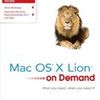
简介:  用Foxit Reader最新版打开pdf 内容介绍: 本书通过大量彩图从零开始教你怎样使用 Apple 绚丽的Mac OS X Lion 操作系统。 Need answers quickly? Mac OS X Lion on Demand provides those answers in a visual step-by-step format. We show you exactly what to do through lots of full color illustrations and easy-to-follow instructions. Inside the Book: • Find and preview everything you need with Spotlight • Master the Mac OS X Lion user interface and file management • Use the App Store and full-screen apps for maximum efficiency • Explore the Internet with Safari and send e-mail with Mail • Manage and play digital music with iTunes and iPod or iPhone • Chat online instantly with iChat and FaceTime • Manage and share your schedule with iCal • Send files wirelessly to anyone around you with AirDrop • Keep your files backed up with Time Machine 内容截图: 
|
|
目录: Introduction xvii Getting Started with Mac OS X Lion 1 Starting Mac OS X 2 Exploring the Finder and Desktop 4 Using the Mouse or Multi-Touch Gestures 6 New! Working with Menus, Toolbars, and Panes 7 Using Menus for Quick Results 8 Choosing Dialog Options 9 Working with Icons 10 Viewing Windows 12 New! Managing Windows 14 New! Using the Sidebar 16 New! Using Toolbars 17 New! Displaying and Using the Dock 18 New! Displaying and Using Stacks on the Dock 19 New! Exposing Windows in Mission Control 20 New! Grouping Windows in Mission Control 21 New! Switching Users 22 New! Sleeping, Restarting, and Shutting Down 24 New! Managing Files and Folders 25 Opening and Viewing Disks 26 Viewing and Opening Documents 28 New! Changing the Window View 30 Arranging Files and Folders in Icons View 32 New! Working with Files and Folders in List View 34 Viewing Files with Cover Flow View 36 Working with Files and Folders in Columns View 37 Viewing Files Using Quick Look 38 New! Going to Common or Recent Places 39 New! Organizing Files and Folders by Color 40 Creating and Renaming Files and Folders 4 |