
《Access 2007:查询功能深入讲解教程》(Access 2007: Queries in Depth)[光盘镜像]
电驴资源
| 用户共享的电驴资源列表 | |
|---|---|
| [Access.2007查询功能深入讲解教程].Lynda.com.Access.2007.Queries.in.Depth-QUASAR.iso | 165.03 MB |
| 165.03 MB | |
电驴资源简介
简介:

资源简介
Lynda最新出品的Access 2007: Queries in Depth 深入讲解教程.
主讲:Adam Wilbert
教程时长:2小时9分
教学光盘提供有配套素材文件.
官网链接:http://www.lynda.com/home/DisplayCourse.aspx?lpk2=63146
Microsoft Office Access是由微软发布的关联式数据库管理系统。它结合了 Microsoft Jet Database Engine 和 图形用户界面两项特点,是 Microsoft Office的成员之一。其实Access 也是微软公司另一个通讯程序的名字,想与 ProComm 以及其他类似程序来竞争。可是事后微软证实这是个失败计划,并且将它中止。数年后他们把名字重新命名于数据库软件。另外,Access还是c语言的一个函数名和一种交换机的主干道模式。
Description
In Access 2007: Queries in Depth, author Adam Wilbert illustrates how to create and leverage real-world queries and turn raw data into usable information. The course covers setting up queries, performing calculations, using the built-in Access functions to further refine query results, and identifying top performers or areas for improvement based on a range of criteria. Exercise files are included with the course.
Topics include:
Naming conventions and best practices
Working with joins and primary keys
Using comparison operators
Printing query results
Creating parameter queries
Creating calculated fields
Using the Expression Builder
Making conditional statements
Appending queries
Updating queries
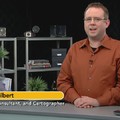
截图预览:


资源简介
Lynda最新出品的Access 2007: Queries in Depth 深入讲解教程.
主讲:Adam Wilbert
教程时长:2小时9分
教学光盘提供有配套素材文件.
官网链接:http://www.lynda.com/home/DisplayCourse.aspx?lpk2=63146
Microsoft Office Access是由微软发布的关联式数据库管理系统。它结合了 Microsoft Jet Database Engine 和 图形用户界面两项特点,是 Microsoft Office的成员之一。其实Access 也是微软公司另一个通讯程序的名字,想与 ProComm 以及其他类似程序来竞争。可是事后微软证实这是个失败计划,并且将它中止。数年后他们把名字重新命名于数据库软件。另外,Access还是c语言的一个函数名和一种交换机的主干道模式。
Description
In Access 2007: Queries in Depth, author Adam Wilbert illustrates how to create and leverage real-world queries and turn raw data into usable information. The course covers setting up queries, performing calculations, using the built-in Access functions to further refine query results, and identifying top performers or areas for improvement based on a range of criteria. Exercise files are included with the course.
Topics include:
Naming conventions and best practices
Working with joins and primary keys
Using comparison operators
Printing query results
Creating parameter queries
Creating calculated fields
Using the Expression Builder
Making conditional statements
Appending queries
Updating queries
截图预览: