
《Mudbox 2011结合Maya 2011制作面部表情视频教程》(Digital Tutors Creating Facial Expressions in Mudbox 2011 and Maya 2011)[光盘镜像]
电驴资源
电驴资源简介
中文名: Mudbox 2011结合Maya 2011制作面部表情视频教程英文名: Digital Tutors Creating Facial Expressions in Mudbox 2011 and Maya 2011资源格式: 光盘镜像发行日期: 2010年08月04日地区: 美国对白语言: 英语文字语言: 英文简介:

资源简介
语言:英语
网址:http://www.digitaltutors.com/09/training.php?cid=76 pid=363
类别:教程
Digital Tutors 出品的时长1小时42分钟视频教学:Mudbox 2011结合Maya 2011制作面部表情。
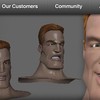
本教学将学习使用相关工具和技术来制作人物角色的面部表情和齿音位形状。要牢记制作面部表情时的几个概念,如脸部肌肉,如何表达皮肤反应肌肉移动时的表情的一些重要提示是要牢记。如何使用Mudbox雕刻不同表情和使用层来制作一个极其灵活的人物角色过程,至最后导入Maya里创建动画特征(animatable)的融合形状。
引用简介翻译转自 xuehui@TLF
以下转自官网介绍
In this series of lessons, we will learn some of the tools and techniques you can use to build facial expressions and phoneme shapes for your characters.
Creating characters with expressive faces is often a very important part of our 3D projects. Depending on the type of character, you may need to communicate a great deal through the expression on its face. Facial expressions relay a lot of non-verbal information about our characters and Mudbox can make creating those expressions really easy and a lot of fun. In this course, we'll talk about several concepts to keep in mind when building facial expressions, such as the muscles of the face, how the skin reacts when the muscles move it into an expression and some important tips to keep in mind when working. We'll cover methods in Mudbox for sculpting different expressions and how to use sculpt layers to create an extremely flexible workflow. Finally, we'll look at a couple of ways that we can get our expressions into Maya in order to set up animatable blendshapes. Once done, you'll have a better understanding of how you can use Mudbox and Maya to create appealing facial expressions for your own characters.
资源简介
语言:英语
网址:http://www.digitaltutors.com/09/training.php?cid=76 pid=363
类别:教程
Digital Tutors 出品的时长1小时42分钟视频教学:Mudbox 2011结合Maya 2011制作面部表情。
本教学将学习使用相关工具和技术来制作人物角色的面部表情和齿音位形状。要牢记制作面部表情时的几个概念,如脸部肌肉,如何表达皮肤反应肌肉移动时的表情的一些重要提示是要牢记。如何使用Mudbox雕刻不同表情和使用层来制作一个极其灵活的人物角色过程,至最后导入Maya里创建动画特征(animatable)的融合形状。
引用简介翻译转自 xuehui@TLF
以下转自官网介绍
In this series of lessons, we will learn some of the tools and techniques you can use to build facial expressions and phoneme shapes for your characters.
Creating characters with expressive faces is often a very important part of our 3D projects. Depending on the type of character, you may need to communicate a great deal through the expression on its face. Facial expressions relay a lot of non-verbal information about our characters and Mudbox can make creating those expressions really easy and a lot of fun. In this course, we'll talk about several concepts to keep in mind when building facial expressions, such as the muscles of the face, how the skin reacts when the muscles move it into an expression and some important tips to keep in mind when working. We'll cover methods in Mudbox for sculpting different expressions and how to use sculpt layers to create an extremely flexible workflow. Finally, we'll look at a couple of ways that we can get our expressions into Maya in order to set up animatable blendshapes. Once done, you'll have a better understanding of how you can use Mudbox and Maya to create appealing facial expressions for your own characters.