
《Windows 8消费者预览版视频教程》(Lynda.com Windows 8 Consumer Preview First Look)[光盘镜像]
电驴资源
| 用户共享的电驴资源列表 | |
|---|---|
| [Windows.8消费者预览版视频教程].Lynda.com.Windows.8.Consumer.Preview.First.Look.iso | 213.71 MB |
| [Windows.8消费者预览版视频教程].Lynda.com.Windows.8.Consumer.Preview.First.Look-iNKiSO.nfo | 8.44 KB |
| 213.71 MB | |
电驴资源简介
简介:
语言:英语
网址:http://www.lynda.com/Windows-tutorials/Windows-Consumer-Preview-First-Look/100467-2.html
类别:教程
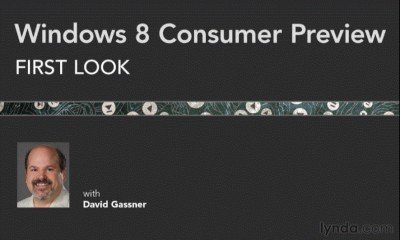
Lynda.com 出品的时长72分钟的Windows 8消费者预览版视频教程。由David Gassner说明如何开始Windows 8的消费者预览版,包括三个安装选项:作为主要的独立操作系统,与Windows 7并列的双系统 ,或在一个虚拟机上。David Gassner还带领参观Windows 8用户界面,使用新的鼠标和触摸手势介绍地铁风格的应用程序,并探讨Windows商店,在那里你可以购买的应用程序,视频和音乐。
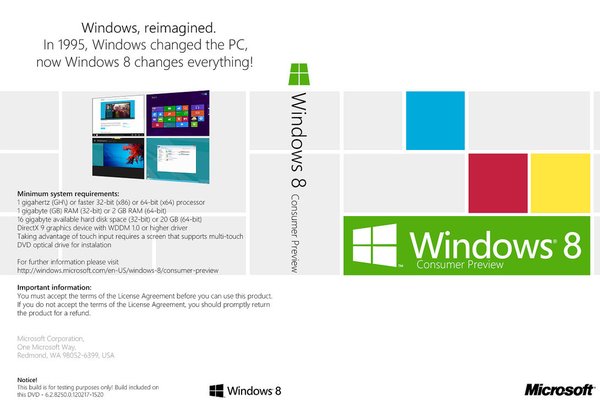
Windows 8 Consumer Preview 是 Windows 8 的预发行版本,该版本以人和程序为中心,让你以全新方式使用社交技术与重要人员进行沟通。 它是对 Windows 的重新塑造。 Windows 8 Consumer Preview 是在 Windows 7 的坚实基础上构建的,可以提供你所期待的 Windows 安全性和可靠性功能,而性能则更胜一筹。 它的速度更快,并且适合各种外形规格,特别是新一代的触控设备。
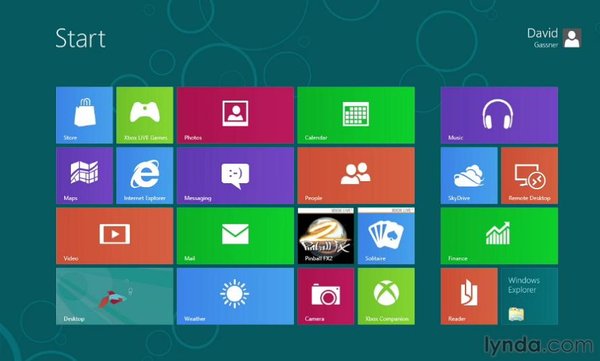
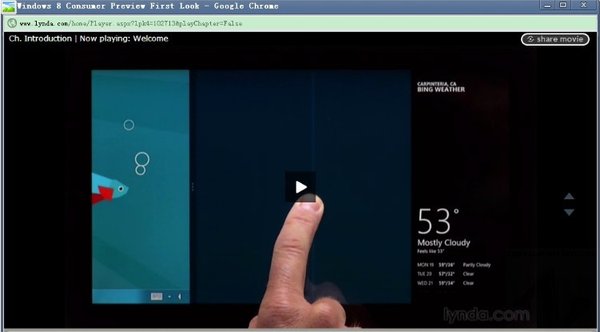
This course shows how to get started with Windows 8 Consumer Preview, including three installation options: as the primary OS, side-by-side with Windows 7, or in a virtual machine. Author David Gassner also leads a tour of the Windows 8 user interface, using the new mouse and touch gestures; describes the life cycle and presentation of Metro style applications; and explores the Windows Store, where you can purchase apps, videos, and music.
Topics include:
Downloading and installing Windows 8
Using Metro style apps
Docking and arranging Metro apps on the Start screen
Using Windows 8 hot keys
Navigating with a touch screen
Working with Internet Explorer 10 on the Start screen and Desktop
Using the updated Control Panel and Task Manager
Exploring the Windows Store
=======================================
下载链接来自SV
未经过安装测试与安全检测,使用者后果自负与本论坛无关
软体版权归原作者及其公司所有,如果你喜欢,请购买正版
=======================================
语言:英语
网址:http://www.lynda.com/Windows-tutorials/Windows-Consumer-Preview-First-Look/100467-2.html
类别:教程
Lynda.com 出品的时长72分钟的Windows 8消费者预览版视频教程。由David Gassner说明如何开始Windows 8的消费者预览版,包括三个安装选项:作为主要的独立操作系统,与Windows 7并列的双系统 ,或在一个虚拟机上。David Gassner还带领参观Windows 8用户界面,使用新的鼠标和触摸手势介绍地铁风格的应用程序,并探讨Windows商店,在那里你可以购买的应用程序,视频和音乐。
Windows 8 Consumer Preview 是 Windows 8 的预发行版本,该版本以人和程序为中心,让你以全新方式使用社交技术与重要人员进行沟通。 它是对 Windows 的重新塑造。 Windows 8 Consumer Preview 是在 Windows 7 的坚实基础上构建的,可以提供你所期待的 Windows 安全性和可靠性功能,而性能则更胜一筹。 它的速度更快,并且适合各种外形规格,特别是新一代的触控设备。
This course shows how to get started with Windows 8 Consumer Preview, including three installation options: as the primary OS, side-by-side with Windows 7, or in a virtual machine. Author David Gassner also leads a tour of the Windows 8 user interface, using the new mouse and touch gestures; describes the life cycle and presentation of Metro style applications; and explores the Windows Store, where you can purchase apps, videos, and music.
Topics include:
Downloading and installing Windows 8
Using Metro style apps
Docking and arranging Metro apps on the Start screen
Using Windows 8 hot keys
Navigating with a touch screen
Working with Internet Explorer 10 on the Start screen and Desktop
Using the updated Control Panel and Task Manager
Exploring the Windows Store
=======================================
下载链接来自SV
未经过安装测试与安全检测,使用者后果自负与本论坛无关
软体版权归原作者及其公司所有,如果你喜欢,请购买正版
=======================================