
《Lynda.com.Photoshop.CS3.One-on-One.Advanced.Techniques》DVD-ViH[ISO]
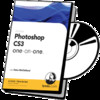
电驴资源
| 用户共享的电驴资源列表 | |
|---|---|
| Lynda.com.Photoshop.CS3.One-on-One.Advanced.Techniques.DVD-ViH.iso | 1.70 GB |
| 1.70 GB | |
电驴资源简介
简介:

转自SHARETHEFILE
语言:英语
网址:http://movielibrary.lynda.com/html/modPage.asp?id=416
类别:教程
由Lynda.com出品,畅销作者Deke McClelland主讲的关于Photoshop CS 3 Beta的视频教程!看PS教程,就看Deke McClelland 该作者在PS教程界是重头人物.Deke McClelland是美国著名的计算机图形学方面的作家,他著有大量的Photoshop类畅销书,赢得了业内人士的广泛赞誉。
这一次Adobe对Photoshop的改进可真是不少,而且有许多新特性正是PS爱好者们梦寐以求的。

photoshop CS3 新功能
玩Photoshop的人我想对phothshop的新版本都会很期待吧。今天我们就来看看下一个版本的photoshop到底会在那些方面有改进,会给用户带来什么新的体验。
photoshop cs3的测试版中,大概说来有十个新功能。
一.新的用户界面,全新的单列工具栏。工作区域已经朝after effects等软件的安排发展,
二. 对Raw格式的巨大改进,在Raw格式的处理中添加了类似shadow、highlight(暗部与高光),不过高光在英文测试版中叫做recovery了,目的在于恢复高光部分的细节。同时增加了Vibrance滑块,用于增加饱和度,提升不够饱和度的图片。Lightroom中一些功能也增加到了photoshop.
三.快速选择工具。
四.更加强大的曲线工具。在新的曲线对话框里可以直接看到每个通道的直方图信息。
五.打印预览
六.制作黑白效果,添加了预设效果,而且是当作调整图层来使用。
七.自动对齐和自动混合.主要用于制作全景图时自动对齐和混合图层。
八. 改进的Bridge
九.智能虑镜。以前版本中,使用了虑镜后,图层要返回修改只能重新做一次,新版本中,智能虑镜的效果如同图层样式,方便了很多。
十.改进了的克隆和修复工具。
Photoshop CS3 One-on-One is an opportunity to delve headlong into Photoshop CS3 with award-winning author and Photoshop Hall-of-Famer Deke McClelland. Complete with projects and work-along samples, this is the ultimate insider’s guide to Photoshop CS3. From the newest enhancements to the reliable classics, from the absolute essentials to the most advanced techniques, this training course teaches the essential skills needed to become comfortable and competent with Photoshop CS3. Exercise files accompany the tutorial.
ISBN: 1-59671-328-3
UPC: 6-70557-02586-5
SKU: 02586
Duration: 29 hours
On 1 DVD
Photoshop is the tool of choice for most creative professionals and has quickly become household name synonymous with computer art and image manipulation. In Photoshop CS3 One-on-One: Beyond the Basics, internationally renowned Photoshop guru Deke McClelland teaches such digital-age wonders as masking, filters, layers, blend modes, Liquify, Vanishing Point, and vector-based type. Along the way, Deke also teaches tried-and-true methods for sharpening details, smoothing over wrinkles and imperfections, trimming away jowls and fat, and wrapping one image around the surface of another. Plus, the training teaches how to construct and organize the elements in a composition so you can edit them easily in the future. Exercise files accompany the tutorial. Ready for more Photoshop CS3 training with Deke? Check out Photoshop CS3 One-on-One: Advanced Techniques. Note: Photoshop CS3 One-on-One: The Essentials is a recommended prerequisite to Photoshop CS3 One-on-One: Beyond the Basics.
In Photoshop CS3 One-on-One: Advanced Techniques, bestselling author and video trainer, Deke McClelland, teaches the most powerful, least conventional, and most flexible features of Photoshop CS3. This training course teaches Layer Styles, scalable vector graphics, Adjustment layers, Smart Objects, Smart Filters, Camera Raw, Auto-Align, Photomerge, and Actions. Exercise files accompany the tutorial. Note: Photoshop CS3 One-on-One: The Essentials and Photoshop CS3 One-on-One: Beyond the Basics are recommended prerequisites to Photoshop CS3 One-on-One: Advanced Techniques.
Table of contents Length Size
19. Layer Effects and Styles
Effects vs. styles 1:54 8.5 MB
Introducing layer styles 3:23 5.7 MB
Color the hands, crop the sky 4:55 8.2 MB
The Layer Express 2:41 3.8 MB
Crafting a drop shadow 7:13 11.8 MB
Adding a directional glow 4:49 6.3 MB
Colorizing a layer 3:38 4.9 MB
Replicating layer effects 3:28 5.5 MB
Editing effects, one layer at a time 3:31 5.7 MB
Layer styles as artistic media 3:21 3.7 MB
Painting with layer styles 8:32 11.1 MB
Reconstructing the illustration 5:39 7.4 MB
Master opacity and clip blending 4:40 6.1 MB
Saving a layer style 3:47 4.8 MB
Fixing broken styles with Global Light 5:06 7.4 MB
20. Vector-Based Shapes
Pixels common, vectors strange (but cool) 1:11 5.3 MB
Font substitution and conversion 4:56 7.4 MB
The benefits of vectors 3:24 5.8 MB
Upsampling pixels vs. scaling vectors 4:57 7.1 MB
Vitruvian Man, king of the vectors 2:31 4.5 MB
Drawing a shape layer 6:28 11.9 MB
Filing and stroking a shape 4:18 7 MB
Drawing an inset shape 3:30 6.5 MB
The compound shape options 2:56 5.4 MB
Polygons and starfish 4:26 8.1 MB
Deleting path outlines 2:19 4.2 MB
Drawing an arrow line 3:56 7.4 MB
Combining vector and layer masks 3:52 7.3 MB
Drawing custom shapes 5:26 9.3 MB
Crafting an underpants tool 4:12 7.1 MB
Rasterizing and painting the shape’s fill 3:47 6.1 MB
21. Using Adjustment Layers
A layer of color adjustment 0:47 3.6 MB
Creating an adjustment layer 5:02 8 MB
To mask or not to mask? 3:23 4.7 MB
The new Black White command 6:10 9.6 MB
Tinting a monochrome photo 3:14 4.8 MB
Making a true duotone with Gradient Map 8:12 14.5 MB
Adjustment layers as creative tools 3:59 8.3 MB
Inverting and brightening the background 5:19 9.6 MB
Blurring live, editable type 5:33 10 MB
Hue, saturation, and darkness 6:10 11.4 MB
Filling type with a color adjustment 3:33 6.6 MB
Using one adjustment to modify another 2:42 4.7 MB
Breathing color into the title 3:46 6.9 MB
The Hue/Saturation humanoid 3:37 7.2 MB
22. Smart Objects
Less smart, more magic 0:59 4.4 MB
The holiday composition 2:22 4.1 MB
Placing a Smart Object 3:26 5.9 MB
Non-destructive transformations 7:09 13.4 MB
Converting a layer to a Smart Object 7:22 13.3 MB
Non-destructive warping 5:04 9.5 MB
Changing all the snowflakes to stars 8:44 15.5 MB
Revising the stars 5:06 9.7 MB
Placing a vector illustration 5:59 10.3 MB
Replacing pixels with vectors 4:05 6.5 MB
Rasterizing a vector Smart Object 8:13 14.6 MB
Swapping one Smart Object for another 2:25 4.6 MB
The multilayer Smart Object bug 6:47 13.2 MB
23. Non-Destructive Smart Filters
A terrific use for Smart Objects 2:00 8.9 MB
Applying a smart filter 4:26 8 MB
Changing filter and blending settings 3:57 7.5 MB
Heaping on multiple smart filters 5:20 9.2 MB
Editing early filters in the stack 3:38 6.6 MB
Masking smart filters 4:53 9.5 MB
A use for nested Smart Objects 5:20 9.9 MB
The Shadows/Highlights filter 3:08 5.4 MB
Making pixel-level edits 4:28 8.1 MB
Creating a parametric wonderland 5:41 11.1 MB
Working with the Filter Gallery 8:08 12.8 MB
Experimenting with creative filters 7:33 14.6 MB
Swapping Filter Gallery filters 5:29 11.8 MB
Mixing all varieties of parametric effects 7:59 15.1 MB
Applying a smart filter to live type 4:09 8 MB
Smart filters vs. layer effects 3:31 6.9 MB
Choking the letters with Maximum 4:14 7.8 MB
Duplicating a smart filter 3:31 7 MB
Enhancing a filter with a layer effect 7:43 14.4 MB
24. Working with Camera Raw
What’s new in Camera Raw 4? 1:34 7 MB
Opening Camera Raw 4 2:43 3.8 MB
The Camera Raw 4 interface 2:29 3.6 MB
Adjusting the white balance 4:23 7.2 MB
Saving your changes 7:09 13.2 MB
Using the exposure controls 7:32 12 MB
Automatic exposure adjustments 6:31 10 MB
The new and improved clipping warnings 4:49 9.1 MB
Vibrance and Saturation 5:25 10.3 MB
The new Tone Curve adjustment sliders 4:44 8.3 MB
The absolutely amazing HSL controls 6:41 10.1 MB
Mapping colors to black and white 4:23 7.2 MB
Colorizing with the Split Toning options 4:45 6.4 MB
The nondestructive Retouch tool 5:39 8.5 MB
Opening JPEGs and TIFFs in Camera Raw 5:10 8.4 MB
Camera Raw Smart Objects 4:04 6.3 MB
25. Auto-Align, Auto-Blend, and Photomerge
Another rotten feature much improved 1:33 6.9 MB
The Auto-Align Layers command 4:52 9.4 MB
Setting weighted Opacity values 3:34 5.8 MB
Masking the couples together 9:53 17.6 MB
Cropping the composition 3:16 6.4 MB
The Load Files into Stack script 5:04 9.2 MB
Auto-aligning a panorama 6:10 11.7 MB
The Auto-Blend Layers command 6:49 12.6 MB
What to do when Auto-Align fails 7:34 14.2 MB
The new Photomerge command 7:54 14.5 MB
Fixing Photomerge problems 6:48 12.6 MB
26. Recording and Playing Actions
Take action today, save effort tomorrow 0:58 4.2 MB
Creating an action 4:15 5.7 MB
Recording operations 4:26 6.8 MB
Reviewing and editing an action 2:56 5 MB
Playing an action 3:19 6.1 MB
Saving and loading actions 3:22 4.1 MB
Recording the best chrome effect ever 5:12 7.1 MB
Adding and deleting steps 5:40 7.8 MB
Recording layer changes 3:52 5.3 MB
Completing and testing the action 4:27 7.9 MB
27. Printing and Packaging
Print one image, print it well 1:19 6 MB
The subjective color-matching image 4:18 7.4 MB
Gauging the print size 4:14 6.3 MB
Scale, position, and page orientation 5:33 9.8 MB
The Output options 6:13 11.5 MB
The Color Management options 6:11 11 MB
Printing a contact sheet 8:00 14.9 MB
Packaging multiple pictures on a page 5:54 9.7 MB
Conclusion
See ya 1:52 8.4 MB
Really recommended for everyone who knows Photoshop basics to really master the program
Deke McClelland really knows how to teach Photoshop.
代码 ___
___ /
/ ___
/ __
/ /__/ ___ /
___ __ / / / / __
/ | | | / __ / / /__/
| | | / __ /__/
__/ |__| / /
/ / / / / __
__/__/ /__/ /__/
ViRGiN HUNTERZ PRESENTS
Lynda.com Photoshop CS3 One-on-One Advanced Techniques DVD
Supply........ ViRGiN HUNTERZ
Released.By... ViRGiN HUNTERZ
Release.Date.. 04/2007
Disks......... 37
Protection.... Licensed
Release.Name.. v-pcoate.rar
Format........ iso
Platform...... All
Program.Type.. Training
Website.Link.. http //movielibrary.lynda.com/html/modPage.asp?ID=415
with Deke McClelland
Running Time 9.5 hours
In Photoshop CS3 One-on-One Advanced Techniques, bestselling
author and video trainer, Deke McClelland, teaches the most
powerful, least conventional, and most flexible features of
Photoshop CS3. This training course teaches Layer Styles,
scalable vector graphics, Adjustment layers, Smart Objects,
Smart Filters, Camera Raw, Auto-Align, Photomerge, and Actions.
Exercise files accompany the tutorial. Note Photoshop CS3
One-on-One The Essentials and Photoshop CS3 One-on-One
Beyond the Basics are recommended prerequisites to Photoshop
CS3 One-on-One Advanced Techniques.
00.Exercises
01.Layer Effects and Styles
02.Vector-Based Shapes
03.Using Adjustment Layers
04.Smart Objects
05.Non-Destructive Smart Filters
06.Working with Camera Raw
07.Auto-Align, Auto-Blend, and Photomerge
08.Recording and Playing Actions
09.Printing and Packaging
10.Conclusion
GROUP iNFO We GREETiNGS mCZ LAST UPDATE 01/11/2005
已通过安全测试
杀毒软件:诺顿2007
病毒库版本:2007.04.27.15
在线时间:不定,长期
常在服务器:DS1/2
转自SHARETHEFILE
语言:英语
网址:http://movielibrary.lynda.com/html/modPage.asp?id=416
类别:教程
由Lynda.com出品,畅销作者Deke McClelland主讲的关于Photoshop CS 3 Beta的视频教程!看PS教程,就看Deke McClelland 该作者在PS教程界是重头人物.Deke McClelland是美国著名的计算机图形学方面的作家,他著有大量的Photoshop类畅销书,赢得了业内人士的广泛赞誉。
这一次Adobe对Photoshop的改进可真是不少,而且有许多新特性正是PS爱好者们梦寐以求的。
photoshop CS3 新功能
玩Photoshop的人我想对phothshop的新版本都会很期待吧。今天我们就来看看下一个版本的photoshop到底会在那些方面有改进,会给用户带来什么新的体验。
photoshop cs3的测试版中,大概说来有十个新功能。
一.新的用户界面,全新的单列工具栏。工作区域已经朝after effects等软件的安排发展,
二. 对Raw格式的巨大改进,在Raw格式的处理中添加了类似shadow、highlight(暗部与高光),不过高光在英文测试版中叫做recovery了,目的在于恢复高光部分的细节。同时增加了Vibrance滑块,用于增加饱和度,提升不够饱和度的图片。Lightroom中一些功能也增加到了photoshop.
三.快速选择工具。
四.更加强大的曲线工具。在新的曲线对话框里可以直接看到每个通道的直方图信息。
五.打印预览
六.制作黑白效果,添加了预设效果,而且是当作调整图层来使用。
七.自动对齐和自动混合.主要用于制作全景图时自动对齐和混合图层。
八. 改进的Bridge
九.智能虑镜。以前版本中,使用了虑镜后,图层要返回修改只能重新做一次,新版本中,智能虑镜的效果如同图层样式,方便了很多。
十.改进了的克隆和修复工具。
Photoshop CS3 One-on-One is an opportunity to delve headlong into Photoshop CS3 with award-winning author and Photoshop Hall-of-Famer Deke McClelland. Complete with projects and work-along samples, this is the ultimate insider’s guide to Photoshop CS3. From the newest enhancements to the reliable classics, from the absolute essentials to the most advanced techniques, this training course teaches the essential skills needed to become comfortable and competent with Photoshop CS3. Exercise files accompany the tutorial.
ISBN: 1-59671-328-3
UPC: 6-70557-02586-5
SKU: 02586
Duration: 29 hours
On 1 DVD
Photoshop is the tool of choice for most creative professionals and has quickly become household name synonymous with computer art and image manipulation. In Photoshop CS3 One-on-One: Beyond the Basics, internationally renowned Photoshop guru Deke McClelland teaches such digital-age wonders as masking, filters, layers, blend modes, Liquify, Vanishing Point, and vector-based type. Along the way, Deke also teaches tried-and-true methods for sharpening details, smoothing over wrinkles and imperfections, trimming away jowls and fat, and wrapping one image around the surface of another. Plus, the training teaches how to construct and organize the elements in a composition so you can edit them easily in the future. Exercise files accompany the tutorial. Ready for more Photoshop CS3 training with Deke? Check out Photoshop CS3 One-on-One: Advanced Techniques. Note: Photoshop CS3 One-on-One: The Essentials is a recommended prerequisite to Photoshop CS3 One-on-One: Beyond the Basics.
In Photoshop CS3 One-on-One: Advanced Techniques, bestselling author and video trainer, Deke McClelland, teaches the most powerful, least conventional, and most flexible features of Photoshop CS3. This training course teaches Layer Styles, scalable vector graphics, Adjustment layers, Smart Objects, Smart Filters, Camera Raw, Auto-Align, Photomerge, and Actions. Exercise files accompany the tutorial. Note: Photoshop CS3 One-on-One: The Essentials and Photoshop CS3 One-on-One: Beyond the Basics are recommended prerequisites to Photoshop CS3 One-on-One: Advanced Techniques.
Table of contents Length Size
19. Layer Effects and Styles
Effects vs. styles 1:54 8.5 MB
Introducing layer styles 3:23 5.7 MB
Color the hands, crop the sky 4:55 8.2 MB
The Layer Express 2:41 3.8 MB
Crafting a drop shadow 7:13 11.8 MB
Adding a directional glow 4:49 6.3 MB
Colorizing a layer 3:38 4.9 MB
Replicating layer effects 3:28 5.5 MB
Editing effects, one layer at a time 3:31 5.7 MB
Layer styles as artistic media 3:21 3.7 MB
Painting with layer styles 8:32 11.1 MB
Reconstructing the illustration 5:39 7.4 MB
Master opacity and clip blending 4:40 6.1 MB
Saving a layer style 3:47 4.8 MB
Fixing broken styles with Global Light 5:06 7.4 MB
20. Vector-Based Shapes
Pixels common, vectors strange (but cool) 1:11 5.3 MB
Font substitution and conversion 4:56 7.4 MB
The benefits of vectors 3:24 5.8 MB
Upsampling pixels vs. scaling vectors 4:57 7.1 MB
Vitruvian Man, king of the vectors 2:31 4.5 MB
Drawing a shape layer 6:28 11.9 MB
Filing and stroking a shape 4:18 7 MB
Drawing an inset shape 3:30 6.5 MB
The compound shape options 2:56 5.4 MB
Polygons and starfish 4:26 8.1 MB
Deleting path outlines 2:19 4.2 MB
Drawing an arrow line 3:56 7.4 MB
Combining vector and layer masks 3:52 7.3 MB
Drawing custom shapes 5:26 9.3 MB
Crafting an underpants tool 4:12 7.1 MB
Rasterizing and painting the shape’s fill 3:47 6.1 MB
21. Using Adjustment Layers
A layer of color adjustment 0:47 3.6 MB
Creating an adjustment layer 5:02 8 MB
To mask or not to mask? 3:23 4.7 MB
The new Black White command 6:10 9.6 MB
Tinting a monochrome photo 3:14 4.8 MB
Making a true duotone with Gradient Map 8:12 14.5 MB
Adjustment layers as creative tools 3:59 8.3 MB
Inverting and brightening the background 5:19 9.6 MB
Blurring live, editable type 5:33 10 MB
Hue, saturation, and darkness 6:10 11.4 MB
Filling type with a color adjustment 3:33 6.6 MB
Using one adjustment to modify another 2:42 4.7 MB
Breathing color into the title 3:46 6.9 MB
The Hue/Saturation humanoid 3:37 7.2 MB
22. Smart Objects
Less smart, more magic 0:59 4.4 MB
The holiday composition 2:22 4.1 MB
Placing a Smart Object 3:26 5.9 MB
Non-destructive transformations 7:09 13.4 MB
Converting a layer to a Smart Object 7:22 13.3 MB
Non-destructive warping 5:04 9.5 MB
Changing all the snowflakes to stars 8:44 15.5 MB
Revising the stars 5:06 9.7 MB
Placing a vector illustration 5:59 10.3 MB
Replacing pixels with vectors 4:05 6.5 MB
Rasterizing a vector Smart Object 8:13 14.6 MB
Swapping one Smart Object for another 2:25 4.6 MB
The multilayer Smart Object bug 6:47 13.2 MB
23. Non-Destructive Smart Filters
A terrific use for Smart Objects 2:00 8.9 MB
Applying a smart filter 4:26 8 MB
Changing filter and blending settings 3:57 7.5 MB
Heaping on multiple smart filters 5:20 9.2 MB
Editing early filters in the stack 3:38 6.6 MB
Masking smart filters 4:53 9.5 MB
A use for nested Smart Objects 5:20 9.9 MB
The Shadows/Highlights filter 3:08 5.4 MB
Making pixel-level edits 4:28 8.1 MB
Creating a parametric wonderland 5:41 11.1 MB
Working with the Filter Gallery 8:08 12.8 MB
Experimenting with creative filters 7:33 14.6 MB
Swapping Filter Gallery filters 5:29 11.8 MB
Mixing all varieties of parametric effects 7:59 15.1 MB
Applying a smart filter to live type 4:09 8 MB
Smart filters vs. layer effects 3:31 6.9 MB
Choking the letters with Maximum 4:14 7.8 MB
Duplicating a smart filter 3:31 7 MB
Enhancing a filter with a layer effect 7:43 14.4 MB
24. Working with Camera Raw
What’s new in Camera Raw 4? 1:34 7 MB
Opening Camera Raw 4 2:43 3.8 MB
The Camera Raw 4 interface 2:29 3.6 MB
Adjusting the white balance 4:23 7.2 MB
Saving your changes 7:09 13.2 MB
Using the exposure controls 7:32 12 MB
Automatic exposure adjustments 6:31 10 MB
The new and improved clipping warnings 4:49 9.1 MB
Vibrance and Saturation 5:25 10.3 MB
The new Tone Curve adjustment sliders 4:44 8.3 MB
The absolutely amazing HSL controls 6:41 10.1 MB
Mapping colors to black and white 4:23 7.2 MB
Colorizing with the Split Toning options 4:45 6.4 MB
The nondestructive Retouch tool 5:39 8.5 MB
Opening JPEGs and TIFFs in Camera Raw 5:10 8.4 MB
Camera Raw Smart Objects 4:04 6.3 MB
25. Auto-Align, Auto-Blend, and Photomerge
Another rotten feature much improved 1:33 6.9 MB
The Auto-Align Layers command 4:52 9.4 MB
Setting weighted Opacity values 3:34 5.8 MB
Masking the couples together 9:53 17.6 MB
Cropping the composition 3:16 6.4 MB
The Load Files into Stack script 5:04 9.2 MB
Auto-aligning a panorama 6:10 11.7 MB
The Auto-Blend Layers command 6:49 12.6 MB
What to do when Auto-Align fails 7:34 14.2 MB
The new Photomerge command 7:54 14.5 MB
Fixing Photomerge problems 6:48 12.6 MB
26. Recording and Playing Actions
Take action today, save effort tomorrow 0:58 4.2 MB
Creating an action 4:15 5.7 MB
Recording operations 4:26 6.8 MB
Reviewing and editing an action 2:56 5 MB
Playing an action 3:19 6.1 MB
Saving and loading actions 3:22 4.1 MB
Recording the best chrome effect ever 5:12 7.1 MB
Adding and deleting steps 5:40 7.8 MB
Recording layer changes 3:52 5.3 MB
Completing and testing the action 4:27 7.9 MB
27. Printing and Packaging
Print one image, print it well 1:19 6 MB
The subjective color-matching image 4:18 7.4 MB
Gauging the print size 4:14 6.3 MB
Scale, position, and page orientation 5:33 9.8 MB
The Output options 6:13 11.5 MB
The Color Management options 6:11 11 MB
Printing a contact sheet 8:00 14.9 MB
Packaging multiple pictures on a page 5:54 9.7 MB
Conclusion
See ya 1:52 8.4 MB
Really recommended for everyone who knows Photoshop basics to really master the program
Deke McClelland really knows how to teach Photoshop.
代码 ___
___ /
/ ___
/ __
/ /__/ ___ /
___ __ / / / / __
/ | | | / __ / / /__/
| | | / __ /__/
__/ |__| / /
/ / / / / __
__/__/ /__/ /__/
ViRGiN HUNTERZ PRESENTS
Lynda.com Photoshop CS3 One-on-One Advanced Techniques DVD
Supply........ ViRGiN HUNTERZ
Released.By... ViRGiN HUNTERZ
Release.Date.. 04/2007
Disks......... 37
Protection.... Licensed
Release.Name.. v-pcoate.rar
Format........ iso
Platform...... All
Program.Type.. Training
Website.Link.. http //movielibrary.lynda.com/html/modPage.asp?ID=415
with Deke McClelland
Running Time 9.5 hours
In Photoshop CS3 One-on-One Advanced Techniques, bestselling
author and video trainer, Deke McClelland, teaches the most
powerful, least conventional, and most flexible features of
Photoshop CS3. This training course teaches Layer Styles,
scalable vector graphics, Adjustment layers, Smart Objects,
Smart Filters, Camera Raw, Auto-Align, Photomerge, and Actions.
Exercise files accompany the tutorial. Note Photoshop CS3
One-on-One The Essentials and Photoshop CS3 One-on-One
Beyond the Basics are recommended prerequisites to Photoshop
CS3 One-on-One Advanced Techniques.
00.Exercises
01.Layer Effects and Styles
02.Vector-Based Shapes
03.Using Adjustment Layers
04.Smart Objects
05.Non-Destructive Smart Filters
06.Working with Camera Raw
07.Auto-Align, Auto-Blend, and Photomerge
08.Recording and Playing Actions
09.Printing and Packaging
10.Conclusion
GROUP iNFO We GREETiNGS mCZ LAST UPDATE 01/11/2005
已通过安全测试
杀毒软件:诺顿2007
病毒库版本:2007.04.27.15
在线时间:不定,长期
常在服务器:DS1/2