
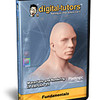
《材质和渲染在ZBrush中的应用》(Digital Tutors - Materials and Rendering in ZBrush 3.1)[Bin]
电驴资源
| 用户共享的电驴资源列表 | |
|---|---|
| [材质和渲染在ZBrush中的应用].agdtmrz31.bin | 613.21 MB |
| [材质和渲染在ZBrush中的应用].agdtmrz31.cue | 75 B |
| [材质和渲染在ZBrush中的应用].agdtmrz31.nfo | 18.86 KB |
| 613.23 MB | |
电驴资源简介
中文名: 材质和渲染在ZBrush中的应用英文名: Digital Tutors - Materials and Rendering in ZBrush 3.1资源格式: 光盘镜像发行时间: 2007年10月地区: 美国对白语言: 英语简介:
官方于2007年10月中旬刚发行了一张Materials and Rendering in ZBrush 3.1 A complete guide to materials and rendering with ZBrush,有关ZBrush3.1以上版本的角色材质与渲染教程!Zbrush是传统和创新工具的完美组合,让您创造复杂、高品质的图形,快速有效地表达自我,这些功能曾经在《指环王3:国王归来》这部影片的数字建模方面被广泛运用(主要是魔兽)还有《金刚》等。它能给於您即时反应,即时绘制您的图像,它也非常适合於情节串联图板和概念化设计,功能足於将您的作品打造完美。直观、易於使用和功能强大,Zbrush将激发您创造多面的、震撼人心的图像,不管您是个新手,还是位专业人士。
Learn time-saving rendering techniques and proven workflows to understanding and utilizing materials, lighting, post-processes, and features such as Matcap in ZBrush 3.1. Contains over 3 hours of project-based training covering materials, lighting, and rendering techniques that are currently being used throughout Film and Games. Perfect for artists using ZBrush 3.
Popular highlights include :
Understanding ZBrush s material attributes
Using Doublecolor Shaders
Using Tricolor Shaders
Using Quadcolor Shaders
Shading Effects
Utilizing Shader Channels
Using Matcap Materials
Building Custom Matcap Shaders
ZBrush Light Types
Controlling and Adjusting Shadows
Utilizing Fog for Appeal
Depth Cue for Distance-based Blur
Anti-Aliasing Settings for Render Quality
Saving Rendered Images From ZBrush
Post-render Adjustments for Appeal in ZBrush
课程摘要:
引用
Lesson Outline:
1. Introduction and project overview 1:36
2. Sampling and saving colors with the Color Palette 8:14
3. Overview of Flat Color and Fast Shade materials 5:42
4. Understanding the Basic Material (part 1) 5:28
5. Understanding the Basic Material (part 2) 9:12
6. Understanding the Basic Material (part 3) 11:03
7. Understanding the Basic Material (part 4) 9:35
8. Using the DoubleShade Material to mix shader attributes 9:54
9. Creating a realistic skin shader in ZBrush 15:27
10. Copying and pasting shaders into a shading slot 6:12
11. Capturing lighting information from photographs using Matcap materials 8:50
12. Fine-tuning cavity and lighting information of Matcap materials 17:25
13. Utilizing Matcap materials without photographs 7:38
14. Assigning different materials to various subtools 4:12
15. Controlling ZBrush light placement, color, and intensity 10:31
16. Working with ZBrush point lights 12:03
17. Using Glow, Spot, and Radial lights with your ZBrush scene 4:51
18. Using Global Diffuse Maps to add illumination without using lights 8:40
19. Exploring the Shadow attributes of ZBrush’s lights 13:22
20. Adding atmosphere and depth to your renders with Fog and Depth Cue 6:55
21. Using Layers in ZBrush to improve Depth Cue quality 7:35
22. Using the Adjustment tools to color correct rendered images in ZBrush 3:34
23. Using Environmental Reflections in your ZBrush renders 6:44
24. Saving rendered images out of ZBrush 9:04
25. Working and rendering with multi-layered ZBrush documents 14:42
Total Run Time:
3:38:29
课程截图:
[安全检测]
已通过安全检测
安全检测软体:Rising Antivirus 2008
版本:20.68.02
杀毒引擎版本:(20081027)
驻服务器:DonkeyServer No1
共用服务时间:全天不定时,一般为下午和晚上12点之前
共享条件:电信ADSL 2M带宽 速度较慢请大家分流
[免责声明]
该下载内容仅限於个人测试学习之用,不得用於商业用途,并且请在下载后24小时内删除。
资源版权归作者及其公司所有,如果你喜欢,请购买正版。
官方于2007年10月中旬刚发行了一张Materials and Rendering in ZBrush 3.1 A complete guide to materials and rendering with ZBrush,有关ZBrush3.1以上版本的角色材质与渲染教程!Zbrush是传统和创新工具的完美组合,让您创造复杂、高品质的图形,快速有效地表达自我,这些功能曾经在《指环王3:国王归来》这部影片的数字建模方面被广泛运用(主要是魔兽)还有《金刚》等。它能给於您即时反应,即时绘制您的图像,它也非常适合於情节串联图板和概念化设计,功能足於将您的作品打造完美。直观、易於使用和功能强大,Zbrush将激发您创造多面的、震撼人心的图像,不管您是个新手,还是位专业人士。
Learn time-saving rendering techniques and proven workflows to understanding and utilizing materials, lighting, post-processes, and features such as Matcap in ZBrush 3.1. Contains over 3 hours of project-based training covering materials, lighting, and rendering techniques that are currently being used throughout Film and Games. Perfect for artists using ZBrush 3.
Popular highlights include :
Understanding ZBrush s material attributes
Using Doublecolor Shaders
Using Tricolor Shaders
Using Quadcolor Shaders
Shading Effects
Utilizing Shader Channels
Using Matcap Materials
Building Custom Matcap Shaders
ZBrush Light Types
Controlling and Adjusting Shadows
Utilizing Fog for Appeal
Depth Cue for Distance-based Blur
Anti-Aliasing Settings for Render Quality
Saving Rendered Images From ZBrush
Post-render Adjustments for Appeal in ZBrush
课程摘要:
引用
Lesson Outline:
1. Introduction and project overview 1:36
2. Sampling and saving colors with the Color Palette 8:14
3. Overview of Flat Color and Fast Shade materials 5:42
4. Understanding the Basic Material (part 1) 5:28
5. Understanding the Basic Material (part 2) 9:12
6. Understanding the Basic Material (part 3) 11:03
7. Understanding the Basic Material (part 4) 9:35
8. Using the DoubleShade Material to mix shader attributes 9:54
9. Creating a realistic skin shader in ZBrush 15:27
10. Copying and pasting shaders into a shading slot 6:12
11. Capturing lighting information from photographs using Matcap materials 8:50
12. Fine-tuning cavity and lighting information of Matcap materials 17:25
13. Utilizing Matcap materials without photographs 7:38
14. Assigning different materials to various subtools 4:12
15. Controlling ZBrush light placement, color, and intensity 10:31
16. Working with ZBrush point lights 12:03
17. Using Glow, Spot, and Radial lights with your ZBrush scene 4:51
18. Using Global Diffuse Maps to add illumination without using lights 8:40
19. Exploring the Shadow attributes of ZBrush’s lights 13:22
20. Adding atmosphere and depth to your renders with Fog and Depth Cue 6:55
21. Using Layers in ZBrush to improve Depth Cue quality 7:35
22. Using the Adjustment tools to color correct rendered images in ZBrush 3:34
23. Using Environmental Reflections in your ZBrush renders 6:44
24. Saving rendered images out of ZBrush 9:04
25. Working and rendering with multi-layered ZBrush documents 14:42
Total Run Time:
3:38:29
课程截图:
[安全检测]
已通过安全检测
安全检测软体:Rising Antivirus 2008
版本:20.68.02
杀毒引擎版本:(20081027)
驻服务器:DonkeyServer No1
共用服务时间:全天不定时,一般为下午和晚上12点之前
共享条件:电信ADSL 2M带宽 速度较慢请大家分流
[免责声明]
该下载内容仅限於个人测试学习之用,不得用於商业用途,并且请在下载后24小时内删除。
资源版权归作者及其公司所有,如果你喜欢,请购买正版。