
《2009年8月 MotionBuilder 最新教程》(Digital Tutors Introduction to MotionBuilder 2009)[压缩包]

电驴资源
| 用户共享的电驴资源列表 | |
|---|---|
| Digital.Tutors.Introduction.to.MotionBuilder.2009.rar | 476.64 MB |
| 476.64 MB | |
电驴资源简介
中文名: 2009年8月 MotionBuilder 最新教程英文名: Digital Tutors Introduction to MotionBuilder 2009别名: MotionBuilder 演义动画精华资源格式: 压缩包发行时间: 2009年8月6日地区: 美国对白语言: 英语文字语言: 英文简介:

今天在CG友CGYOU.COM上面发布的最新MotionBuilder教程。DT出品的!Digital-Tutors Introduction to MotionBuilder 2009 官方于2009-8月最新发行的视频教程。教学时长1小时37分钟。第一时间下载完成,发布给大家下载。
MotionBuilder 是用于游戏、电影和电视制作的业界领先的实时三维动画软件。MotionBuilder 的核心重点是交互式的实时工作流程,使创意和技术艺术家能够完成苛刻的动画密集型项目。MotionBuilder 是为获取、操纵和可视化三维数据、而设计的专业软件包,不仅是一个动画生产力解决方案,而且也是一个推动创造迭代过程的工具。

MotionBuilder 为动画师和技术总监提供实时的动画显示和编辑、非线性三维剪辑环境以及定制和扩展该软件的工具。作为领先的实时 CG 技术之一,MotionBuilder 支持虚拟电影制作过程,允许导演和摄像以与实拍相同的自由性交互方式指导虚拟像机。
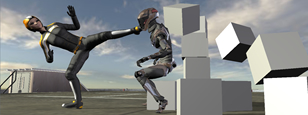

Digital-Tutors Training Introduction to MotionBuilder 2009
In this course we will learn how to use the user interface of MotionBuilder and how to quickly bring in external files. We’ll move on the moving objects around in 3d space and playing back animation. Then we’ll the get into the guts of MotionBuilder and learn how to create, edit and render an animation. We will learn some of the time-saving animation tools such as Poses and Trajectories.
Introduction and Project Overview
In this lesson we will go over the course objectives and highlight the tools and techniques we will be learning throughout this training
Opening Files and using Asset Browser Favorite Paths
In this lesson we will learn how to open external files quickly in the Asset Browser using Favorite Paths
Working with navigation in the Viewer
In this lesson we will learn the basics of camera movement inside the viewer
Translating, Rotating, and Scaling objects in 3D space
In this lesson we will learn how to move, rotate, and scale objects in MotionBuilder
Playing Animation using the Transport Controls
In this lesson we will learn the various methods to playback animation and modify the playback speed and settings
Getting Started with Animation by setting keyframes
In this lesson we will learn how to set keyframes on objects to create an animation
Using the Property Window to key individual properties
In this lesson we will learn how to key just specific properties in the Property Window
Modifying Keyframes using the Transport Controls
In this lesson we will learn how to edit our animation in the Transport Controls
Controlling Playback with the Zoom bar
In this lesson we will learn how to reduce our playback size using the Zoom bar
今天在CG友CGYOU.COM上面发布的最新MotionBuilder教程。DT出品的!Digital-Tutors Introduction to MotionBuilder 2009 官方于2009-8月最新发行的视频教程。教学时长1小时37分钟。第一时间下载完成,发布给大家下载。
MotionBuilder 是用于游戏、电影和电视制作的业界领先的实时三维动画软件。MotionBuilder 的核心重点是交互式的实时工作流程,使创意和技术艺术家能够完成苛刻的动画密集型项目。MotionBuilder 是为获取、操纵和可视化三维数据、而设计的专业软件包,不仅是一个动画生产力解决方案,而且也是一个推动创造迭代过程的工具。
MotionBuilder 为动画师和技术总监提供实时的动画显示和编辑、非线性三维剪辑环境以及定制和扩展该软件的工具。作为领先的实时 CG 技术之一,MotionBuilder 支持虚拟电影制作过程,允许导演和摄像以与实拍相同的自由性交互方式指导虚拟像机。
Digital-Tutors Training Introduction to MotionBuilder 2009
In this course we will learn how to use the user interface of MotionBuilder and how to quickly bring in external files. We’ll move on the moving objects around in 3d space and playing back animation. Then we’ll the get into the guts of MotionBuilder and learn how to create, edit and render an animation. We will learn some of the time-saving animation tools such as Poses and Trajectories.
Introduction and Project Overview
In this lesson we will go over the course objectives and highlight the tools and techniques we will be learning throughout this training
Opening Files and using Asset Browser Favorite Paths
In this lesson we will learn how to open external files quickly in the Asset Browser using Favorite Paths
Working with navigation in the Viewer
In this lesson we will learn the basics of camera movement inside the viewer
Translating, Rotating, and Scaling objects in 3D space
In this lesson we will learn how to move, rotate, and scale objects in MotionBuilder
Playing Animation using the Transport Controls
In this lesson we will learn the various methods to playback animation and modify the playback speed and settings
Getting Started with Animation by setting keyframes
In this lesson we will learn how to set keyframes on objects to create an animation
Using the Property Window to key individual properties
In this lesson we will learn how to key just specific properties in the Property Window
Modifying Keyframes using the Transport Controls
In this lesson we will learn how to edit our animation in the Transport Controls
Controlling Playback with the Zoom bar
In this lesson we will learn how to reduce our playback size using the Zoom bar