
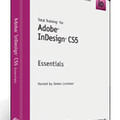
《Adobe InDesign CS5基础视频教程》(Total Training Adobe InDesign CS5 Essentials)[光盘镜像]
电驴资源
| 用户共享的电驴资源列表 | |
|---|---|
| [Adobe.InDesign.CS5基础视频教程].Total.Training.Adobe.InDesign.CS5.Essentials.DVD-iNKiSO.iso | 779.32 MB |
| 779.32 MB | |
电驴资源简介
简介:

什么是 InDesign?
为印刷和数字出版设计专业版面
Adobe® InDesign® CS5 软件提供精确的排版控制和内建创意工具,这些工具可以为印刷、在线或移动设备设计、印前检查和发布文档。在页面布局中包含交互性、动画、视频和声音,深深吸引读者。
InDesign 功能
跨媒体出版
为印刷出版创建精良的页面布局;包含视频和声音的交互式 PDF 文档;或引人入胜的 SWF 文档,它们包含的交互性、动画、声音和视频可以在 Adobe® Flash® Player 运行时中回放。
与 Adobe CS Live 在线服务集成
使用新的 Adobe CS Live 在线服务中包含的 Adobe CS Review 加快页面布局审阅。CS Live 服务的免费使用期有限。
与 Adobe 设计、Web 及数字阅读应用程序集成
因为与 Adobe Photoshop®、Illustrator®、Acrobat®、Flash® Professional 及 Digital Editions 软件等业界领先的 Adobe 解决方案紧密集成,您可以将项目从设计轻松过渡到印刷或数字输出。
工作效率工具
借助受到客户启发而创建的工作效率功能制作出精良的页面布局,如智能参考线、快速表格创建、多文件置入、在一个文件中创建大小不同的页面以及简化的对象选择和编辑。
强健的文本排版
借助包括样式、文本绕排、Paragraph Composer(段落书写器)、OpenType® 支持和首字下沉等专业排版功能,为几乎任何媒体创建华丽、精良的文本。无需额外的文本框架,就可以包含跨列或分列的标题。
内建创意工具
借助集成的绘图工具、内建的 Adobe Photoshop 效果、更精细的透明度控制以及 3D Photoshop 图稿支持,在 Adobe InDesign® CS5 中直接探索创意可能性。
印前检查和制作
借助实时印前检查、文档安装字体、JDF 技术、预设和屏幕控制加快制作、可以在工作的同时通过后台导出 PDF 以及交付无错文档。
自动化
创建强大的自动化工作流程,缩短在重复的版面任务方面投入的时间。在跨通道出版的同时并入数据库驱动的内容以提高效率。
可扩展性
使用 InDesign 标记语言 (IDML) 快速构建独特的工作流程和软件解决方案以实现自定出版,这种基于 XML 的文件格式使开发人员能使用标准 XML 工具创建或修改文件。
编辑工作流程中的协作
借助 InDesign CS5 与 Adobe InCopy® CS5 软件之间的紧密集成,改善设计与编辑小组之间的协作。
代码 Total Training - Adobe InDesign CS5 Essentials
DESCRIPTION
With Total Training for Adobe InDesign CS5 Essentials you'll learn all
the key new features that are packed into this robust design and
publishing tool. Adobe Certified Expert James Lockman teaches you the
fundamental tools, tips and techniques you'll need to create
professionally designed layouts, text, tables and graphics. This
training is just what you need to quickly take your skills to the next
level when working with Adobe InDesign CS5.
http //www.totaltraining.com/prod/adobe/indesigncs5_ess.asp
Course Outline
Chapter 1 EXPLORING THE INTERFACE 30 min
1. Start Screen, Application Bar Workspace Menu
2. Panels, Application Frame Tab View
3. Using the Control Panel
4. Customizing Keyboard Shortcuts Menus
5. Enabling Tool Hints
6. Customizing Workspaces
Chapter 2 CUSTOMIZING APPLICATION PREFERENCES 18 min
1. Setting General Interface Preferences
2. Setting Type Composition Preferences
3. Customizing Units, Grids Guides
4. Dictionary, Spelling, Autocorrect Story Editor Display Preferences
5. Display Performance Appearance of Black
6. Document Previews, File Clipboard Handling
Chapter 3 WORKING WITH DOCUMENTS 28 min
1. Setting Up a New Document Saving a Preset
2. Differences Between Web Print Documents
3. Working with Templates
4. Replacing Missing Fonts Updating Links
5. Using a Document Fonts Folder
6. Converting Documents for CS4 Compatibility
Chapter 4 NAVIGATING VIEWING DOCUMENTS 29 min
1. Navigating Pages Layers
2. Using the Pages Panel the New Page Tool
3. Finding Editing Links in the Links Panel
4. Zooming, Display Performance Panning
5. Changing View Modes Presentation Mode
Chapter 5 MARGINS, COLUMNS, RULERS GUIDES 28 min
1. Setting Up Units, Margins Columns on a Page
2. Using Rulers
3. Working with Guides
4. Using Smart Guides to Align Place Objects
5. Using Gridify
Chapter 6 ADDING TEXT TO YOUR LAYOUT 36 min
1. Adding Formatting Text in a Frame
2. Exploring Frame Types
3. Creating Text on a Path
4. Threading Text Frames
5. Placing Text from a File
6. Auto-Flowing Text
7. Using Smart Text Reflow
Chapter 7 TEXT FORMATTING OPTIONS 29 min
1. Choosing Fonts
2. Controlling Font Size Leading
3. Changing Text Color in the Swatches Control Panels
4. Adjusting Alignment, Tracking Kerning
5. Adjusting Columns within a Text Frame
6. Using the Eyedropper Tool to Sample Attributes
7. Finding Replacing Fonts
8. Adding Indents, Spacing Hyphenation Control
9. Creating Drop Caps
Chapter 8 FORMATTING TEXT USING STYLES 15 min
1. Creating Paragraph Styles
2. Applying Styles
3. Changing Styles
4. Redefining Styles
5. Importing Styles
Chapter 9 TABS, TABLES LISTS 25 min
1. Formatting Text Using the Tab Panel
2. Creating Navigating Tables
3. Selecting Formatting Tables Cells
4. Saving Time with Table Cell Styles
5. Working with Bulleted Numbered Lists
Chapter 10 WORKING WITH PLACED GRAPHICS 26 min
1. Exploring Mini Bridge
2. Placing Scaling Images
3. Using the Free Transform, Position Scale Tools
4. Frame Content Fitting Options
5. Using the Gap Tool
6. Using the Links Panel
Chapter 11 CREATING SHAPES USING TEXT WRAP 19 min
1. Creating Shapes Frames
2. Customizing Transforming Shapes
3. Live Corner Effects
4. Aligning Distributing Shapes
5. Applying Text Wrap
Chapter 12 WORKING WITH COLOR SWATCHES 27 min
1. Creating Color Swatches
2. Working with Gradients
3. Using Transparency Transparency Effects
4. Using the Gradient Feather Tool
Chapter 13 USING LAYERS 22 min
1. Creating Layers
2. Placing Content on Layers
3. Naming Layers Objects
4. Moving Content between Layers Grouping Layers
5. Selecting, Locking Managing Layers
Chapter 14 OBJECT STYLES 8 min
1. Creating Object Styles
2. Applying Object Styles
3. Redefining Object Styles
Chapter 15 PREFLIGHT, PRINT PDF 22 min
1. Live Preflighting
2. Packaging for Output
3. Setting Up Print Options
4. Printing a Booklet
5. Exporting to Adobe PDF
6. Credits
dPdPdPdPdPdPdPdPdPdPdPdPdPdPdPdPdPdPdPdPdPdPdPdPdPdPdPdPdPdPdPdPdPdPdPdPd
8 8
8 8
8 INSTALLATION 8
8 8
8 a. Extract 8
8 b. Mount/Burn 8
8 c. Play Learn 8
8 8
8 8
PdPdPdPdPdPdPdPdPdPdPdPdPdPdPdPdPdPdPdPdPdPdPdPdPdPdPdPdPdPdPdPdPdPdPdPdP
RESPECT DUE
DDUiSO .. JGTiSO .. AG .. CFE .. LiBiSO
什么是 InDesign?
为印刷和数字出版设计专业版面
Adobe® InDesign® CS5 软件提供精确的排版控制和内建创意工具,这些工具可以为印刷、在线或移动设备设计、印前检查和发布文档。在页面布局中包含交互性、动画、视频和声音,深深吸引读者。
InDesign 功能
跨媒体出版
为印刷出版创建精良的页面布局;包含视频和声音的交互式 PDF 文档;或引人入胜的 SWF 文档,它们包含的交互性、动画、声音和视频可以在 Adobe® Flash® Player 运行时中回放。
与 Adobe CS Live 在线服务集成
使用新的 Adobe CS Live 在线服务中包含的 Adobe CS Review 加快页面布局审阅。CS Live 服务的免费使用期有限。
与 Adobe 设计、Web 及数字阅读应用程序集成
因为与 Adobe Photoshop®、Illustrator®、Acrobat®、Flash® Professional 及 Digital Editions 软件等业界领先的 Adobe 解决方案紧密集成,您可以将项目从设计轻松过渡到印刷或数字输出。
工作效率工具
借助受到客户启发而创建的工作效率功能制作出精良的页面布局,如智能参考线、快速表格创建、多文件置入、在一个文件中创建大小不同的页面以及简化的对象选择和编辑。
强健的文本排版
借助包括样式、文本绕排、Paragraph Composer(段落书写器)、OpenType® 支持和首字下沉等专业排版功能,为几乎任何媒体创建华丽、精良的文本。无需额外的文本框架,就可以包含跨列或分列的标题。
内建创意工具
借助集成的绘图工具、内建的 Adobe Photoshop 效果、更精细的透明度控制以及 3D Photoshop 图稿支持,在 Adobe InDesign® CS5 中直接探索创意可能性。
印前检查和制作
借助实时印前检查、文档安装字体、JDF 技术、预设和屏幕控制加快制作、可以在工作的同时通过后台导出 PDF 以及交付无错文档。
自动化
创建强大的自动化工作流程,缩短在重复的版面任务方面投入的时间。在跨通道出版的同时并入数据库驱动的内容以提高效率。
可扩展性
使用 InDesign 标记语言 (IDML) 快速构建独特的工作流程和软件解决方案以实现自定出版,这种基于 XML 的文件格式使开发人员能使用标准 XML 工具创建或修改文件。
编辑工作流程中的协作
借助 InDesign CS5 与 Adobe InCopy® CS5 软件之间的紧密集成,改善设计与编辑小组之间的协作。
代码 Total Training - Adobe InDesign CS5 Essentials
DESCRIPTION
With Total Training for Adobe InDesign CS5 Essentials you'll learn all
the key new features that are packed into this robust design and
publishing tool. Adobe Certified Expert James Lockman teaches you the
fundamental tools, tips and techniques you'll need to create
professionally designed layouts, text, tables and graphics. This
training is just what you need to quickly take your skills to the next
level when working with Adobe InDesign CS5.
http //www.totaltraining.com/prod/adobe/indesigncs5_ess.asp
Course Outline
Chapter 1 EXPLORING THE INTERFACE 30 min
1. Start Screen, Application Bar Workspace Menu
2. Panels, Application Frame Tab View
3. Using the Control Panel
4. Customizing Keyboard Shortcuts Menus
5. Enabling Tool Hints
6. Customizing Workspaces
Chapter 2 CUSTOMIZING APPLICATION PREFERENCES 18 min
1. Setting General Interface Preferences
2. Setting Type Composition Preferences
3. Customizing Units, Grids Guides
4. Dictionary, Spelling, Autocorrect Story Editor Display Preferences
5. Display Performance Appearance of Black
6. Document Previews, File Clipboard Handling
Chapter 3 WORKING WITH DOCUMENTS 28 min
1. Setting Up a New Document Saving a Preset
2. Differences Between Web Print Documents
3. Working with Templates
4. Replacing Missing Fonts Updating Links
5. Using a Document Fonts Folder
6. Converting Documents for CS4 Compatibility
Chapter 4 NAVIGATING VIEWING DOCUMENTS 29 min
1. Navigating Pages Layers
2. Using the Pages Panel the New Page Tool
3. Finding Editing Links in the Links Panel
4. Zooming, Display Performance Panning
5. Changing View Modes Presentation Mode
Chapter 5 MARGINS, COLUMNS, RULERS GUIDES 28 min
1. Setting Up Units, Margins Columns on a Page
2. Using Rulers
3. Working with Guides
4. Using Smart Guides to Align Place Objects
5. Using Gridify
Chapter 6 ADDING TEXT TO YOUR LAYOUT 36 min
1. Adding Formatting Text in a Frame
2. Exploring Frame Types
3. Creating Text on a Path
4. Threading Text Frames
5. Placing Text from a File
6. Auto-Flowing Text
7. Using Smart Text Reflow
Chapter 7 TEXT FORMATTING OPTIONS 29 min
1. Choosing Fonts
2. Controlling Font Size Leading
3. Changing Text Color in the Swatches Control Panels
4. Adjusting Alignment, Tracking Kerning
5. Adjusting Columns within a Text Frame
6. Using the Eyedropper Tool to Sample Attributes
7. Finding Replacing Fonts
8. Adding Indents, Spacing Hyphenation Control
9. Creating Drop Caps
Chapter 8 FORMATTING TEXT USING STYLES 15 min
1. Creating Paragraph Styles
2. Applying Styles
3. Changing Styles
4. Redefining Styles
5. Importing Styles
Chapter 9 TABS, TABLES LISTS 25 min
1. Formatting Text Using the Tab Panel
2. Creating Navigating Tables
3. Selecting Formatting Tables Cells
4. Saving Time with Table Cell Styles
5. Working with Bulleted Numbered Lists
Chapter 10 WORKING WITH PLACED GRAPHICS 26 min
1. Exploring Mini Bridge
2. Placing Scaling Images
3. Using the Free Transform, Position Scale Tools
4. Frame Content Fitting Options
5. Using the Gap Tool
6. Using the Links Panel
Chapter 11 CREATING SHAPES USING TEXT WRAP 19 min
1. Creating Shapes Frames
2. Customizing Transforming Shapes
3. Live Corner Effects
4. Aligning Distributing Shapes
5. Applying Text Wrap
Chapter 12 WORKING WITH COLOR SWATCHES 27 min
1. Creating Color Swatches
2. Working with Gradients
3. Using Transparency Transparency Effects
4. Using the Gradient Feather Tool
Chapter 13 USING LAYERS 22 min
1. Creating Layers
2. Placing Content on Layers
3. Naming Layers Objects
4. Moving Content between Layers Grouping Layers
5. Selecting, Locking Managing Layers
Chapter 14 OBJECT STYLES 8 min
1. Creating Object Styles
2. Applying Object Styles
3. Redefining Object Styles
Chapter 15 PREFLIGHT, PRINT PDF 22 min
1. Live Preflighting
2. Packaging for Output
3. Setting Up Print Options
4. Printing a Booklet
5. Exporting to Adobe PDF
6. Credits
dPdPdPdPdPdPdPdPdPdPdPdPdPdPdPdPdPdPdPdPdPdPdPdPdPdPdPdPdPdPdPdPdPdPdPdPd
8 8
8 8
8 INSTALLATION 8
8 8
8 a. Extract 8
8 b. Mount/Burn 8
8 c. Play Learn 8
8 8
8 8
PdPdPdPdPdPdPdPdPdPdPdPdPdPdPdPdPdPdPdPdPdPdPdPdPdPdPdPdPdPdPdPdPdPdPdPdP
RESPECT DUE
DDUiSO .. JGTiSO .. AG .. CFE .. LiBiSO