
《视频文件格式转换工具》(VideoCharge Full v3.16.5.7)[压缩包]
电驴资源
| 用户共享的电驴资源列表 | |
|---|---|
| VideoCharge.Full.v3.16.5.7.WinALL.Cracked-BLiZZARD.zip | 25.70 MB |
| 视频转换大师8.6专业版含注册码.rar | 12.68 MB |
| 38.38 MB | |
电驴资源简介
中文名: 视频文件格式转换工具英文名: VideoCharge Full v3.16.5.7资源格式: 压缩包发行时间: 2008年地区: 美国语言: 英文简介:
语言:英语
网址:http://www.videocharge.com/Products/vcs/details.php
类别:视频文件格式转换工具
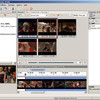
VideoCharge 是一款功能强大视频文件格式转换工具, 并能对它们进行分割、合并、及少许地编辑处理。它支持的输入、输出视频、音频和图片格式为:AVI, MPEG, WMF/ASF, DVD, VOB, IFO, WAV, MP3, BMP, JPEG, GIF, PNG, TIFF。Videocharge 公司最新的技术,比如Range Editor,水印编辑和AutoShot等,能帮助终端用户减少配置时间和视频处理时间。
发布说明:适用Windows所有作业平台,破解版本。
引用VideoCharge Studio is a video editor with extended options which is oriented to professional creation of video or graphic files for publication in the Internet.
VideoCharge Studio, as editor, allows you to convert video from one format to another, perform different operations on video such as splitting video into several parts, extracting necessary scenes from video file, deletion scenes from video etc. Montage options help to create author's video, join several video files into single one applying switching between scenes, add images to video file, create video on the base of graphic files sequence. The application can be used to edit sound: set volume level, change sound track for video file, overlay existed sound file with new one and so on.
VideoCharge Studio supports all main video formats and works with DVD. It contains a complete range of instruments for image edition: CROP, resize, filters, creation of Image List etc.
Using VideoCharge Studio you can also add watermarks to video or graphic files on the base of text or not large graphic file.
VideoCharge Studio is intended for creation of video and its publishing in the Internet. Therefore the product has the following range of functionalities:
Creation of HTML pages for generated video or graphic files.
Supporting of all actual video formats which are used to view video in the Internet.
Embedded FTP client that allows you to upload your video files and created HTML pages to your server.
Creation both video files and thumbnails for video files - not large graphic files for publishing in the Internet.
Protection of video or graphic files by using watermarks with you logotype or name
For the purpose of professional usage VideoCharge Studio is optimized for processing of file groups. Therefore it contains the following features:
Supporting work with command line.
Processing both video files sequence and directory with files for one generation.
Flexible setting of generated file names: names of created files can contain variables changed depending on file index, name etc. That feature allows you to create any combinations to save created files.
Creation of several files with difference in format or content for one generation. It allows you to create full-size graphic file and not large thumbnails for it at one time. The same is true for video files.
Convenient mechanism of image correction, selection of frame for Thumbnails or fragment of resulted video clip.
Accordingly VideoCharge Stduio can be used in very different areas connected with processing video, starting from simple conversion, creation of WEB galleries, to complex montage and creation of author's video (for more details, see here). At the same time the application is oriented to processing mass of files by one click and contains full-function Wizard for assist in your work.
NFO:
代码 ² ²
²² ² ² ² ²
° ² ² °
² ²²° °° °² ²
²° °²°° ²°°° ° ° °²° °²°²°
° ²°²°° ° ²°²° °° ² ²
² ²° °²²°²°²²²°²²°² °²° ² ²
² ²°²°°²²²°²° ²²°² °² °
² ° ° ° ²°² ° °
²² ° ² ° ²°
² ת the aggressive dominance ת °² ²² jered
² ² ²
² ²² ²² ²
° ² °²² 0day-section ²²° ² ² °
° ° ²° °
° °
° °
° תoO VideoCharge Full v3.16.5.7 Ooת °
° °
° release date 2009-01-28 supplier TEAM BLZ °
° disks 6 cracker TEAM BLZ °
° protection Reg/Online Auth os WinALL °
° °
° °
° °
² ² ²ת ת ת ת² ² ²
° °²² programnfo ²²° °
° ת ת ת ת °
° ² °
° ² °
° °
° Multifunctional application for processing tons of video files by °
° one click. °
° °
° Details... °
° °
° - Splitting files into parts °
° VideoCharge enables to split video and audio files into parts °
° °
° * Split video by time. °
° This mode implies splitting video or audio file into parts of °
° equal duration. Duration can be set in seconds, milliseconds °
° or frames. The last part of processed file most probably will °
° have lesser duration - its creation can be enabled or disabled °
° at user's discretion. °
° °
° * Split video by size. °
° The present mode implies splitting video or audio file into °
° parts of specified size. Size can be set in KiloBytes or °
° MegaBytes. °
° °
° * Split video into equal parts. °
° The given mode implies splitting video or audio file into °
° specified number of parts of equal duration. Duration of each °
° part equals duration of the original file divided by the °
° specified number of parts. °
° °
° * Split video by scene. °
° This mode implies splitting video or audio file into component °
° scenes. Unique scenes are determined by means of motion °
° analysis of every frame or by appearance of curtain °
° completely black frame . °
° °
° VideoCharge includes flexible mechanism of creation of the °
° produced file name. Name of produced file can include variables °
° that hold original file name, name of the original file's parent °
° folder, sequence number of the produced file, etc. °
° °
° Built-in Editor provides ability to preview all files that will °
° be produced before splitting and exclude needless files from °
° processing, if any. This enables to save time, since some of the °
° produced files may be found irrelevant later. °
° °
° One or more thumbnails small graphics files can be created for °
° every produced file. °
° °
° VideoCharge enables to split into parts not only a whole movie, °
° but also its fragments specified by means of the Editor. °
° °
° - Joining several files into a single one °
° VideoCharge allows to join a sequence of video or audio files °
° into a single file. A sequence of images can be joined into a °
° single video file too. The given functionality provides ability °
° to remove needless scenes from video and audio files. When °
° working in Without Re-compression mode, one can remove scenes °
° and join files of the same type instantly. °
° °
° - On flow processing °
° VideoCharge enables to process video and audio files on flow. °
° All operations concerned with processing of video files °
° generally are resource-intensive and take a lot of time since °
° they require decompression and subsequent compression of every °
° video frame. The application includes capability to process °
° video files without re-compression! Thereby a gigabyte video can °
° be processed only in a few minutes! °
° °
° Of course, this functionality is unusable when it is necessary °
° to process every frame meaningly, for example, when adding °
° watermarks or applying filters. However all operations that does °
° not require re-compression -splitting files, joining single-type °
° files, extracting scenes, removing scenes - can be performed. °
° °
° - Creation of thumbnails °
° VideoCharge includes a broad set of capabilities for creation of °
° thumbnails. Thumbnails can be created for both sequences of °
° graphics files and video files on basis of their frames . °
° °
° There are 3 modes of thumbnails creation °
° °
° * Automatic mode °
° This mode implies creation of thumbnails to be carried out °
° during creation of videos or processing sequences of images. °
° Thumbnails can be created in any quantity. For videos °
° thumbnails can be created out of the first frame, the most °
° static frame within the specified time span , specified °
° frame, random frame. Here names of thumbnails can be set in °
° special way or depend on the name of the processed file. °
° °
° * Split mode °
° This mode is effective for extracting frames of video files °
° and saving them as graphics files. It enables to extract all °
° frames without exception, extract frames regularly by setting °
° time intervals or extract the rigorously defined number of °
° equidistant by time frames. Distance between frames is °
° calculated as duration of the processed file divided by the °
° specified number of frames. °
° °
° * Custom mode °
° The present mode implies manual selection of necessary frames °
° by means of the Editor. The process of selection is simplified °
° to the maximum. One can preview all selected frames together °
° and edit each of them separately - for example, crop frame, °
° apply filters to improve image quality, specify custom size in °
° pixels for produced thumbnail, etc. °
° °
° For every produced thumbnail one can select target graphics °
° format, specify size in pixels and color depth, apply filters °
° to improve image quality, crop the original image, add °
° watermark. °
° °
° - Creation of watermarks °
° VideoCharge enables adding watermark to a movie to its every °
° frame or a graphics file. As a watermark one can use °
° °
° * Text °
° For text one can preset all basic attributes font, color, °
° size, etc as well as rotation angle, transparency, stroke °
° color and width. Text may include dynamic variables name of °
° the original file, name of the produced file, current time, °
° current date. Text background may be transparent or colored. °
° °
° * Image °
° An image can be resized and rotated 90, 180 and 270 degrees. °
° Also for images one can fix transparency level and transparent °
° color. °
° °
° Display time can be assigned to any watermark, which enables to °
° add watermark to a movie's interval rather than a whole movie. °
° The beginning and ending of watermark drawing can be protracted °
° for preset time, which produces effect of smooth appearance and °
° disappearance. °
° °
° - Command line °
° VideoCharge can be accessed via command line. Here names of the °
° processed files and config file name are used as command line °
° parameters. °
° °
° - Conversion of video, audio and graphics files °
° VideoCharge provides ability to convert video, audio and °
° graphics files from one format into another. All parameters of °
° encoding - frame rate, bitrate, aspect ratio and others - can be °
° preset. The program allows to resize image, apply filters to °
° correct appearance of every frame, use external video codecs °
° DivX, Xvid and others for video compression. For creation of °
° WMV and AVI files, the program includes a broad set of °
° parameters including two-pass encoding feature that enables to °
° produce more qualitative image. Ability to create videos that °
° contain multiple video streams of different bitrate is included °
° as well. WMV files only. °
° Some information about the processed video file author, °
° copyright, etc can be added to its header provided that target °
° format supports this functionality. °
° °
° The application is particularly optimized for processing a great °
° number of files batch processing . It enables to process °
° folders with files and subfolders inside. At that the produced °
° files are saved subject to hierarchy of files and subfolders in °
° the source folders. File mask can be specified here in order to °
° select promptly the necessary files to be processed. °
° °
° - Video editor functions °
° VideoCharge includes a broad set of tools for video editing. °
° With VideoCharge one can extract the necessary scenes from °
° videos, remove the needless scenes from videos, apply the Crop °
° filter create video file based on a part of every frame of the °
° original video . The Editor provides ability to select scenes °
° promptly and easily. The selected scenes can be previewed all °
° together or individually. °
° °
° VideoCharge enables to insert Header Video and Footer Video into °
° movies. Header Video and Footer Video implicate small video °
° clips that are inserted correspondingly in the beginning and in °
° the end of the processed movie. °
° °
° - Processing of DVDs °
° VideoCharge can handle DVDs as well as VOB and IFO files. The °
° program allows to parse solitary VOB files, extract chapters °
° from them and save chapters as separate files or join them into °
° a single file. °
° °
° - Player °
° VideoCharge can play all kinds of video files and DVDs as well °
° as display graphics files. °
° °
° - Extra features °
° The program includes Wizard that helps to use it in full measure °
° without special knowledge and study of the program itself. °
° Wizard provides access to all main functions of the application. °
° °
° VideoCharge includes built-in FTP client that enables to upload °
° the produced files to FTP servers. One can also upload a file to °
° several FTP servers at once. °
° °
° VideoCharge allows to control file encoding process when in °
° use, the process can be paused, hidden in system tray or °
° terminated. Closing the application and turning off the computer °
° after completing the process can be enabled by means of the °
° corresponding parameters. °
° °
° °
° °
° °² °
° °
² ²² ²ת ת ת ת² ² ²
° ² °²² installnfo ²²° °
° ת ת ת ת °
° °
° °
° Run VIDEOCHARGEFULL31657.EXE and follow instructions. °
° °
° Copy BLZ-VCF31657-PATCH.EXE to the installed directory and run °
° it from there. °
° °
° °
° °
° °
² ² ²ת ת ת ת² ²² ²
° °²² greetings ²²° ² °
° ת ת ת ת ²° °
° °
° °
° greets fly out to all groups which actively and courageously work on °
° building better release conditions and thus keep the scene up. °
° special greets to our friends in °
° °
° absokt - acme - air - digerati - explosion - f4cg °
° orion - pdx - ssg - tbe - tmg - zwt °
° °
° ²° °
° ²² °
° ² °
² ²² ²ת ת ת ת² ² ²
° ² °²² contact ²²° °
° ° ת ת ת ת °
° °
° °
° We are a closed group, if we need you then we will contact you! °
° °
° Software worth using is worth buying.. keep this in mind! °
° °
° last update on 2008.03.22 °
° °
° .ת ת. °
° °
° °
° ° ²° this .nfo drawn °² ° °
²²° by jered^dfs! °²²
ת. .ת
下载链接来自sharevirus
未经过安装测试与安全检测,使用者后果自负与本论坛无关
软体版权归原作者及其公司所有,如果你喜欢,请购买正版
语言:英语
网址:http://www.videocharge.com/Products/vcs/details.php
类别:视频文件格式转换工具
VideoCharge 是一款功能强大视频文件格式转换工具, 并能对它们进行分割、合并、及少许地编辑处理。它支持的输入、输出视频、音频和图片格式为:AVI, MPEG, WMF/ASF, DVD, VOB, IFO, WAV, MP3, BMP, JPEG, GIF, PNG, TIFF。Videocharge 公司最新的技术,比如Range Editor,水印编辑和AutoShot等,能帮助终端用户减少配置时间和视频处理时间。
发布说明:适用Windows所有作业平台,破解版本。
引用VideoCharge Studio is a video editor with extended options which is oriented to professional creation of video or graphic files for publication in the Internet.
VideoCharge Studio, as editor, allows you to convert video from one format to another, perform different operations on video such as splitting video into several parts, extracting necessary scenes from video file, deletion scenes from video etc. Montage options help to create author's video, join several video files into single one applying switching between scenes, add images to video file, create video on the base of graphic files sequence. The application can be used to edit sound: set volume level, change sound track for video file, overlay existed sound file with new one and so on.
VideoCharge Studio supports all main video formats and works with DVD. It contains a complete range of instruments for image edition: CROP, resize, filters, creation of Image List etc.
Using VideoCharge Studio you can also add watermarks to video or graphic files on the base of text or not large graphic file.
VideoCharge Studio is intended for creation of video and its publishing in the Internet. Therefore the product has the following range of functionalities:
Creation of HTML pages for generated video or graphic files.
Supporting of all actual video formats which are used to view video in the Internet.
Embedded FTP client that allows you to upload your video files and created HTML pages to your server.
Creation both video files and thumbnails for video files - not large graphic files for publishing in the Internet.
Protection of video or graphic files by using watermarks with you logotype or name
For the purpose of professional usage VideoCharge Studio is optimized for processing of file groups. Therefore it contains the following features:
Supporting work with command line.
Processing both video files sequence and directory with files for one generation.
Flexible setting of generated file names: names of created files can contain variables changed depending on file index, name etc. That feature allows you to create any combinations to save created files.
Creation of several files with difference in format or content for one generation. It allows you to create full-size graphic file and not large thumbnails for it at one time. The same is true for video files.
Convenient mechanism of image correction, selection of frame for Thumbnails or fragment of resulted video clip.
Accordingly VideoCharge Stduio can be used in very different areas connected with processing video, starting from simple conversion, creation of WEB galleries, to complex montage and creation of author's video (for more details, see here). At the same time the application is oriented to processing mass of files by one click and contains full-function Wizard for assist in your work.
NFO:
代码 ² ²
²² ² ² ² ²
° ² ² °
² ²²° °° °² ²
²° °²°° ²°°° ° ° °²° °²°²°
° ²°²°° ° ²°²° °° ² ²
² ²° °²²°²°²²²°²²°² °²° ² ²
² ²°²°°²²²°²° ²²°² °² °
² ° ° ° ²°² ° °
²² ° ² ° ²°
² ת the aggressive dominance ת °² ²² jered
² ² ²
² ²² ²² ²
° ² °²² 0day-section ²²° ² ² °
° ° ²° °
° °
° °
° תoO VideoCharge Full v3.16.5.7 Ooת °
° °
° release date 2009-01-28 supplier TEAM BLZ °
° disks 6 cracker TEAM BLZ °
° protection Reg/Online Auth os WinALL °
° °
° °
° °
² ² ²ת ת ת ת² ² ²
° °²² programnfo ²²° °
° ת ת ת ת °
° ² °
° ² °
° °
° Multifunctional application for processing tons of video files by °
° one click. °
° °
° Details... °
° °
° - Splitting files into parts °
° VideoCharge enables to split video and audio files into parts °
° °
° * Split video by time. °
° This mode implies splitting video or audio file into parts of °
° equal duration. Duration can be set in seconds, milliseconds °
° or frames. The last part of processed file most probably will °
° have lesser duration - its creation can be enabled or disabled °
° at user's discretion. °
° °
° * Split video by size. °
° The present mode implies splitting video or audio file into °
° parts of specified size. Size can be set in KiloBytes or °
° MegaBytes. °
° °
° * Split video into equal parts. °
° The given mode implies splitting video or audio file into °
° specified number of parts of equal duration. Duration of each °
° part equals duration of the original file divided by the °
° specified number of parts. °
° °
° * Split video by scene. °
° This mode implies splitting video or audio file into component °
° scenes. Unique scenes are determined by means of motion °
° analysis of every frame or by appearance of curtain °
° completely black frame . °
° °
° VideoCharge includes flexible mechanism of creation of the °
° produced file name. Name of produced file can include variables °
° that hold original file name, name of the original file's parent °
° folder, sequence number of the produced file, etc. °
° °
° Built-in Editor provides ability to preview all files that will °
° be produced before splitting and exclude needless files from °
° processing, if any. This enables to save time, since some of the °
° produced files may be found irrelevant later. °
° °
° One or more thumbnails small graphics files can be created for °
° every produced file. °
° °
° VideoCharge enables to split into parts not only a whole movie, °
° but also its fragments specified by means of the Editor. °
° °
° - Joining several files into a single one °
° VideoCharge allows to join a sequence of video or audio files °
° into a single file. A sequence of images can be joined into a °
° single video file too. The given functionality provides ability °
° to remove needless scenes from video and audio files. When °
° working in Without Re-compression mode, one can remove scenes °
° and join files of the same type instantly. °
° °
° - On flow processing °
° VideoCharge enables to process video and audio files on flow. °
° All operations concerned with processing of video files °
° generally are resource-intensive and take a lot of time since °
° they require decompression and subsequent compression of every °
° video frame. The application includes capability to process °
° video files without re-compression! Thereby a gigabyte video can °
° be processed only in a few minutes! °
° °
° Of course, this functionality is unusable when it is necessary °
° to process every frame meaningly, for example, when adding °
° watermarks or applying filters. However all operations that does °
° not require re-compression -splitting files, joining single-type °
° files, extracting scenes, removing scenes - can be performed. °
° °
° - Creation of thumbnails °
° VideoCharge includes a broad set of capabilities for creation of °
° thumbnails. Thumbnails can be created for both sequences of °
° graphics files and video files on basis of their frames . °
° °
° There are 3 modes of thumbnails creation °
° °
° * Automatic mode °
° This mode implies creation of thumbnails to be carried out °
° during creation of videos or processing sequences of images. °
° Thumbnails can be created in any quantity. For videos °
° thumbnails can be created out of the first frame, the most °
° static frame within the specified time span , specified °
° frame, random frame. Here names of thumbnails can be set in °
° special way or depend on the name of the processed file. °
° °
° * Split mode °
° This mode is effective for extracting frames of video files °
° and saving them as graphics files. It enables to extract all °
° frames without exception, extract frames regularly by setting °
° time intervals or extract the rigorously defined number of °
° equidistant by time frames. Distance between frames is °
° calculated as duration of the processed file divided by the °
° specified number of frames. °
° °
° * Custom mode °
° The present mode implies manual selection of necessary frames °
° by means of the Editor. The process of selection is simplified °
° to the maximum. One can preview all selected frames together °
° and edit each of them separately - for example, crop frame, °
° apply filters to improve image quality, specify custom size in °
° pixels for produced thumbnail, etc. °
° °
° For every produced thumbnail one can select target graphics °
° format, specify size in pixels and color depth, apply filters °
° to improve image quality, crop the original image, add °
° watermark. °
° °
° - Creation of watermarks °
° VideoCharge enables adding watermark to a movie to its every °
° frame or a graphics file. As a watermark one can use °
° °
° * Text °
° For text one can preset all basic attributes font, color, °
° size, etc as well as rotation angle, transparency, stroke °
° color and width. Text may include dynamic variables name of °
° the original file, name of the produced file, current time, °
° current date. Text background may be transparent or colored. °
° °
° * Image °
° An image can be resized and rotated 90, 180 and 270 degrees. °
° Also for images one can fix transparency level and transparent °
° color. °
° °
° Display time can be assigned to any watermark, which enables to °
° add watermark to a movie's interval rather than a whole movie. °
° The beginning and ending of watermark drawing can be protracted °
° for preset time, which produces effect of smooth appearance and °
° disappearance. °
° °
° - Command line °
° VideoCharge can be accessed via command line. Here names of the °
° processed files and config file name are used as command line °
° parameters. °
° °
° - Conversion of video, audio and graphics files °
° VideoCharge provides ability to convert video, audio and °
° graphics files from one format into another. All parameters of °
° encoding - frame rate, bitrate, aspect ratio and others - can be °
° preset. The program allows to resize image, apply filters to °
° correct appearance of every frame, use external video codecs °
° DivX, Xvid and others for video compression. For creation of °
° WMV and AVI files, the program includes a broad set of °
° parameters including two-pass encoding feature that enables to °
° produce more qualitative image. Ability to create videos that °
° contain multiple video streams of different bitrate is included °
° as well. WMV files only. °
° Some information about the processed video file author, °
° copyright, etc can be added to its header provided that target °
° format supports this functionality. °
° °
° The application is particularly optimized for processing a great °
° number of files batch processing . It enables to process °
° folders with files and subfolders inside. At that the produced °
° files are saved subject to hierarchy of files and subfolders in °
° the source folders. File mask can be specified here in order to °
° select promptly the necessary files to be processed. °
° °
° - Video editor functions °
° VideoCharge includes a broad set of tools for video editing. °
° With VideoCharge one can extract the necessary scenes from °
° videos, remove the needless scenes from videos, apply the Crop °
° filter create video file based on a part of every frame of the °
° original video . The Editor provides ability to select scenes °
° promptly and easily. The selected scenes can be previewed all °
° together or individually. °
° °
° VideoCharge enables to insert Header Video and Footer Video into °
° movies. Header Video and Footer Video implicate small video °
° clips that are inserted correspondingly in the beginning and in °
° the end of the processed movie. °
° °
° - Processing of DVDs °
° VideoCharge can handle DVDs as well as VOB and IFO files. The °
° program allows to parse solitary VOB files, extract chapters °
° from them and save chapters as separate files or join them into °
° a single file. °
° °
° - Player °
° VideoCharge can play all kinds of video files and DVDs as well °
° as display graphics files. °
° °
° - Extra features °
° The program includes Wizard that helps to use it in full measure °
° without special knowledge and study of the program itself. °
° Wizard provides access to all main functions of the application. °
° °
° VideoCharge includes built-in FTP client that enables to upload °
° the produced files to FTP servers. One can also upload a file to °
° several FTP servers at once. °
° °
° VideoCharge allows to control file encoding process when in °
° use, the process can be paused, hidden in system tray or °
° terminated. Closing the application and turning off the computer °
° after completing the process can be enabled by means of the °
° corresponding parameters. °
° °
° °
° °
° °² °
° °
² ²² ²ת ת ת ת² ² ²
° ² °²² installnfo ²²° °
° ת ת ת ת °
° °
° °
° Run VIDEOCHARGEFULL31657.EXE and follow instructions. °
° °
° Copy BLZ-VCF31657-PATCH.EXE to the installed directory and run °
° it from there. °
° °
° °
° °
° °
² ² ²ת ת ת ת² ²² ²
° °²² greetings ²²° ² °
° ת ת ת ת ²° °
° °
° °
° greets fly out to all groups which actively and courageously work on °
° building better release conditions and thus keep the scene up. °
° special greets to our friends in °
° °
° absokt - acme - air - digerati - explosion - f4cg °
° orion - pdx - ssg - tbe - tmg - zwt °
° °
° ²° °
° ²² °
° ² °
² ²² ²ת ת ת ת² ² ²
° ² °²² contact ²²° °
° ° ת ת ת ת °
° °
° °
° We are a closed group, if we need you then we will contact you! °
° °
° Software worth using is worth buying.. keep this in mind! °
° °
° last update on 2008.03.22 °
° °
° .ת ת. °
° °
° °
° ° ²° this .nfo drawn °² ° °
²²° by jered^dfs! °²²
ת. .ת
下载链接来自sharevirus
未经过安装测试与安全检测,使用者后果自负与本论坛无关
软体版权归原作者及其公司所有,如果你喜欢,请购买正版