
《EarthView》(EarthView)V3.2.0
电驴资源
| 用户共享的电驴资源列表 | |
|---|---|
| [EarthView].EVSetup.exe | 3.18 MB |
| [EarthView].patch.exe | 218.50 KB |
| 3.39 MB | |
电驴资源简介
中文名: EarthView英文名: EarthView版本: V3.2.0发行时间: 2005年地区: 美国简介:
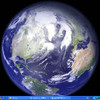
EarthView 一个相当有趣的动态桌面背景及屏幕保护程序,它能让我们在桌面上直接看到从外太空鸟瞰地球的景观,包括日光照射区及夜晚的黑影区。EarthView 能产生高达 1600x1200 高品质解析度的画面,而显示模式可以地图 (map) 或地球仪 (globe) 的方式呈现。其它的显示资讯还包括地理疆界、国界、地形、城市分布…等,都能由使用者自行修改选项及设定参数,达到最佳的观看效果.
Download無破解(已忘記了連接。上面第二個是破解補丁)
引用-------------------------------------------------------------------
EarthView V3.2.0 Readme
Copyright DeskSoft
www.desksoft.com
-------------------------------------------------------------------
EarthView is a dynamic desktop wallpaper and screen saver, which
displays beautiful views of the earth with daylight and night
shadows. It produces stunning colorful, high quality, high
resolution images for every screen resolution - even beyond
1600x1200 The program supports map and globe views, urban areas,
city lights, atmospheric effects, clouds, local time display and
much more. EarthView comes with different maps that show our planet
earth in different ways, like photographic or artistic. Many
options allow total customization of all view parameters. EarthView
has won many awards for its absolutely breathtaking images.
All information about how to use this program can be found in the
online manual, which is accessible by pressing the Help button, or
by selecting the documentation from the EarthView program group.
-------------------------------------------------------------------
EarthView main features:
-------------------------------------------------------------------
* High detail view of the earth
* Day and night view
* Atmospheric effects
* Urban areas and city night lights
* Clouds (internet download possible)
* Map and globe projection
* Several beautiful maps to choose from
* Locations of more than 3000 Cities worldwide with local time
* Wallpaper and screen saver support
* Multiple monitor support
* Many options for full customization
* and much more...
-------------------------------------------------------------------
Installation and uninstallation:
-------------------------------------------------------------------
To install EarthView, simply run EVSetup.exe. The Setup program
will guide you through all necessary steps. If you want to remove
EarthView from your computer, select Uninstall from the
EarthView program group or use Add/Remove Software in the
Windows Control Panel.
-------------------------------------------------------------------
EarthView System requirements:
-------------------------------------------------------------------
*) Windows 95 / 98 / ME / NT 4.0 / 2000 / XP
*) 100 MB of free harddisk space
*) Recommended screen resolution: 1024x768x16 or higher
*) Correct Windows time settings
*) The date and time must be correct
*) The time zone must be set correctly
*) Automatic adjustment of clock for daylight saving changes must
be enabled
-------------------------------------------------------------------
Contacting DeskSoft:
-------------------------------------------------------------------
If you have any questions or comments, please do not hesitate to
send us an email or visit our website:
Web: http://www.desksoft.com
Email: support@desksoft.com
If you experience any problems running the program, please send us
a detailed description and please make sure to include information
about your computer configuration, hardware and software.
***** IMPORTANT *****
Please include the product name EarthView in the subject line of
your email, or it could be deleted by our spam filter
We answer all emails within a maximum of 3 business days (usually
even within a few hours), so if you don t receive an answer from
us, there s probably something wrong with your email address. In
this case, please send us your message again and make sure to use
a working email address so that we can reply to your email
The DeskSoft Team.
-------------------------------------------------------------------
Windows 95 / 98 / ME / NT / 2000 / XP, Internet Explorer, etc. are
registered trademarks of Microsoft. All other registered
trademarks are registered trademarks of their respective owners.
EarthView 一个相当有趣的动态桌面背景及屏幕保护程序,它能让我们在桌面上直接看到从外太空鸟瞰地球的景观,包括日光照射区及夜晚的黑影区。EarthView 能产生高达 1600x1200 高品质解析度的画面,而显示模式可以地图 (map) 或地球仪 (globe) 的方式呈现。其它的显示资讯还包括地理疆界、国界、地形、城市分布…等,都能由使用者自行修改选项及设定参数,达到最佳的观看效果.
Download無破解(已忘記了連接。上面第二個是破解補丁)
引用-------------------------------------------------------------------
EarthView V3.2.0 Readme
Copyright DeskSoft
www.desksoft.com
-------------------------------------------------------------------
EarthView is a dynamic desktop wallpaper and screen saver, which
displays beautiful views of the earth with daylight and night
shadows. It produces stunning colorful, high quality, high
resolution images for every screen resolution - even beyond
1600x1200 The program supports map and globe views, urban areas,
city lights, atmospheric effects, clouds, local time display and
much more. EarthView comes with different maps that show our planet
earth in different ways, like photographic or artistic. Many
options allow total customization of all view parameters. EarthView
has won many awards for its absolutely breathtaking images.
All information about how to use this program can be found in the
online manual, which is accessible by pressing the Help button, or
by selecting the documentation from the EarthView program group.
-------------------------------------------------------------------
EarthView main features:
-------------------------------------------------------------------
* High detail view of the earth
* Day and night view
* Atmospheric effects
* Urban areas and city night lights
* Clouds (internet download possible)
* Map and globe projection
* Several beautiful maps to choose from
* Locations of more than 3000 Cities worldwide with local time
* Wallpaper and screen saver support
* Multiple monitor support
* Many options for full customization
* and much more...
-------------------------------------------------------------------
Installation and uninstallation:
-------------------------------------------------------------------
To install EarthView, simply run EVSetup.exe. The Setup program
will guide you through all necessary steps. If you want to remove
EarthView from your computer, select Uninstall from the
EarthView program group or use Add/Remove Software in the
Windows Control Panel.
-------------------------------------------------------------------
EarthView System requirements:
-------------------------------------------------------------------
*) Windows 95 / 98 / ME / NT 4.0 / 2000 / XP
*) 100 MB of free harddisk space
*) Recommended screen resolution: 1024x768x16 or higher
*) Correct Windows time settings
*) The date and time must be correct
*) The time zone must be set correctly
*) Automatic adjustment of clock for daylight saving changes must
be enabled
-------------------------------------------------------------------
Contacting DeskSoft:
-------------------------------------------------------------------
If you have any questions or comments, please do not hesitate to
send us an email or visit our website:
Web: http://www.desksoft.com
Email: support@desksoft.com
If you experience any problems running the program, please send us
a detailed description and please make sure to include information
about your computer configuration, hardware and software.
***** IMPORTANT *****
Please include the product name EarthView in the subject line of
your email, or it could be deleted by our spam filter
We answer all emails within a maximum of 3 business days (usually
even within a few hours), so if you don t receive an answer from
us, there s probably something wrong with your email address. In
this case, please send us your message again and make sure to use
a working email address so that we can reply to your email
The DeskSoft Team.
-------------------------------------------------------------------
Windows 95 / 98 / ME / NT / 2000 / XP, Internet Explorer, etc. are
registered trademarks of Microsoft. All other registered
trademarks are registered trademarks of their respective owners.