
《acdsee8.0 build 39》(acdsee8.0 build 39)8.0 build39
电驴资源
| 用户共享的电驴资源列表 | |
|---|---|
| [acdsee8.0.build.39].acdsee8.rar | 11.59 MB |
| 11.59 MB | |
电驴资源简介
简介:

[已通过安装测试]
软件版权归原作者及原软件公司所有,如果你喜欢,请购买正版软件
官方网站英文原版下载
pconline提供的汉化包下载
官方网站链接
不想各个下载的朋友可用下面的链接下载:
霏凡软件站下载全套软件链接
汉化包中有直接去除试用限制的功能,请安装时注意
第一次发布,不对的地方敬请指正.
我试用了一下,这个版本是acdsee8 photoshop manager,虽然附带一些图片编辑的功能,但没有acdsee 7 powerpack里专门的图片编辑器photoeditor.
ACDSee是目前最流行的数字图象处理软件,它能广泛应用于图片的获取、管理、浏览、优化甚至和他人的分享!使用ACDSee,你可以从数码相机和扫描仪高效获取图片,并进行便捷的查找、组织和预览。超过50种常用多媒体格式被一网打尽!作为最重量级看图软件,它能快速、高质量显示您的图片,再配以内置的音频播放器,我们就可以享用它播放出来的精彩幻灯片了。Acdsee还能处理如Mpeg之类常用的视频文件。此外ACDSee是您最得心应手的图片编辑工具,轻松处理数码影像,拥有的功能像去除红眼、剪切图像、锐化、浮雕特效、曝光调整、旋转、镜像等等,还能进行批量处理哦。
去年7.0版本推出的消息在各网站吵的沸沸扬扬,时隔一年,ACDSee再次推出8.0新版。
虽然没有去年的热火,但是我们相信作为图像浏览和管理的“老大哥”软件,ACDSee的每一个动作都会倍加引人注意,给人惊喜。
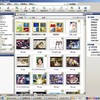
新版本的界面风格沿袭了7.0的新风格,旧版本标志性的绿色大眼睛变成了平面状的橙色眼睛。
以下是acdsee8自带的新功能描述:
What s new in ACDSee 8 Photo Manager
Organize, view, edit and share with time to spare. ACDSee 8 s improved usability means you get to manage your prized photos faster, and with greater control and confidence than ever before.
Find your pictures faster with the new Quick Search bar.
Finding your photos is fast and easy with the new Quick Search feature. All you have to do is type in a word (not case sensitive), and ACDSee returns matches for that word in image captions, author information, and notes. You can also choose to include any matches found in file names, keywords, categories, and folders.
Video slide shows with custom audio.
Use the new Create Video or VCD (Video Compact Disc) feature to put your creative slide shows to music, and watch them on your television or PC. VCD supports NTSC and PAL television formats, and your saved videos can be played back in any media application. Save and reuse VCD projects, and even watch a live preview of the slide show you’re working on.
Add several different slide show projects to the same CD, and conveniently burn original images to CD as well. Mix multiple audio tracks with high-resolution photo images and video into your slide shows, without the hassle of learning overly complicated software. ACDSee also lets you set your slide show to fit the length of any audio track using a handy timeline view.
Create CDs and DVDs quickly and easily.
The new Burn Basket makes creating CDs and DVDs drag-and-drop easy. Individual photos or entire folders - you name it, the Burn Basket can take it. Make hard copies of your photo collections faster than ever before, then give them as gifts to family and friends.
Improve organization by creating new folders within the Burn Basket, and update ACDSee Photo Discs on multi-session CDs and DVDs. Easily manage your disc space by checking the updated estimate of the size of the disc, and how much space will be used up by your current project.
The Burn Basket completely eliminates the need for a third-party burning tool, and can also be used to create archives and backups of your files.
More powerful editing tools
The new Photo Repair tool fixes common photo defects such as blemishes, flares, lens scratches, and other imperfections, so your treasured photo memories always look great, no matter how you choose to show them. Choose from either the Clone or Heal options to repair any area of a photo.
You can also:
Fix red-eye with a single click.
Automatically crop your selections after custom angle rotations.
Crop a selection from the Edit menu in the Viewer.
Access handy exposure warnings in the Viewer.
Use the new shortcut toolbar in the Viewer to instantly access photo editing tools.
Easily access zooming tools while viewing and editing images.
Choose from 27 new filters and effects.
Access to IPTC metadata.
Real enthusiasts can take advantage of fully integrated support for IPTC metadata, including Captions, Keywords, Categories, Credit, Origin and others. IPTC is used for standard newswire images and allows you to add keywords to your photos. Plus, keywords stay with your photos when you share them.
View and edit your IPTC information and overlay it on any photo in the Viewer, or on thumbnails in the browser. Display IPTC info in your slide shows, or sort your file lists and compare images based on IPTC data.
Improved Properties display
View more file information simultaneously in the Properties pane, such as image size in inches, number of pixels per inch, and uncompressed file size.
Add text to photos.
Write clever, humorous, or moving text captions, and add them to your photos just for fun. You can even add styles and special effects to the text you write, truly making your memories worth a thousand prints. Styles include talk and thoughts bubbles, as well as drop shadows. Add up to 13 special effects such as Blur, Ripple, Shift and Twirl.
Take advantage of improved HTML albums.
The improved HTML Album feature makes posting and sharing your photos on the Web easier than ever before. Page layout controls now have mouse-over tips you can really use. Control the look of your Web presentations by setting the delay interval for photos in your Web slide shows.
Be creative with slide shows and screen savers.
Improved mouse and keyboard functionality allow for easier pausing and scrolling through your slides. Create slide shows with associated audio files, mix multiple audios, and save time by setting the same audio, transition, and caption to multiple selected images.
Protect your photo folders
With the Sync feature, synchronize folders on your PC with network folders or an external hard drive to protect you from local hard drive failure. You can even synchronize multiple folders and schedule when the synchronizations occur.
Control EXIF information for large numbers of photos
Being able to control your photos in batches saves you valuable time and effort. Batch Set Information allows you to update EXIF (Image Description, Artist, Copyright etc.) and database (caption, date/time, author, notes etc.) information, and view previews of new values for any number of images all at once.
Working with large numbers of photos simultaneously is a breeze. Create new keywords and categories, copy values from one file to another (e.g., copy database notes to EXIF comments), map values from one file to another, and create and apply stored text on a field-by-field basis.
Improved Help
The Start up screen provides an introductory overview of features to help new users get started quickly. The Task Pane provides easy access to common features, so you don’t have to search through the menus.
界面:
照片编辑功能:

[已通过安装测试]
软件版权归原作者及原软件公司所有,如果你喜欢,请购买正版软件
官方网站英文原版下载
pconline提供的汉化包下载
官方网站链接
不想各个下载的朋友可用下面的链接下载:
霏凡软件站下载全套软件链接
汉化包中有直接去除试用限制的功能,请安装时注意
第一次发布,不对的地方敬请指正.
我试用了一下,这个版本是acdsee8 photoshop manager,虽然附带一些图片编辑的功能,但没有acdsee 7 powerpack里专门的图片编辑器photoeditor.
ACDSee是目前最流行的数字图象处理软件,它能广泛应用于图片的获取、管理、浏览、优化甚至和他人的分享!使用ACDSee,你可以从数码相机和扫描仪高效获取图片,并进行便捷的查找、组织和预览。超过50种常用多媒体格式被一网打尽!作为最重量级看图软件,它能快速、高质量显示您的图片,再配以内置的音频播放器,我们就可以享用它播放出来的精彩幻灯片了。Acdsee还能处理如Mpeg之类常用的视频文件。此外ACDSee是您最得心应手的图片编辑工具,轻松处理数码影像,拥有的功能像去除红眼、剪切图像、锐化、浮雕特效、曝光调整、旋转、镜像等等,还能进行批量处理哦。
去年7.0版本推出的消息在各网站吵的沸沸扬扬,时隔一年,ACDSee再次推出8.0新版。
虽然没有去年的热火,但是我们相信作为图像浏览和管理的“老大哥”软件,ACDSee的每一个动作都会倍加引人注意,给人惊喜。
新版本的界面风格沿袭了7.0的新风格,旧版本标志性的绿色大眼睛变成了平面状的橙色眼睛。
以下是acdsee8自带的新功能描述:
What s new in ACDSee 8 Photo Manager
Organize, view, edit and share with time to spare. ACDSee 8 s improved usability means you get to manage your prized photos faster, and with greater control and confidence than ever before.
Find your pictures faster with the new Quick Search bar.
Finding your photos is fast and easy with the new Quick Search feature. All you have to do is type in a word (not case sensitive), and ACDSee returns matches for that word in image captions, author information, and notes. You can also choose to include any matches found in file names, keywords, categories, and folders.
Video slide shows with custom audio.
Use the new Create Video or VCD (Video Compact Disc) feature to put your creative slide shows to music, and watch them on your television or PC. VCD supports NTSC and PAL television formats, and your saved videos can be played back in any media application. Save and reuse VCD projects, and even watch a live preview of the slide show you’re working on.
Add several different slide show projects to the same CD, and conveniently burn original images to CD as well. Mix multiple audio tracks with high-resolution photo images and video into your slide shows, without the hassle of learning overly complicated software. ACDSee also lets you set your slide show to fit the length of any audio track using a handy timeline view.
Create CDs and DVDs quickly and easily.
The new Burn Basket makes creating CDs and DVDs drag-and-drop easy. Individual photos or entire folders - you name it, the Burn Basket can take it. Make hard copies of your photo collections faster than ever before, then give them as gifts to family and friends.
Improve organization by creating new folders within the Burn Basket, and update ACDSee Photo Discs on multi-session CDs and DVDs. Easily manage your disc space by checking the updated estimate of the size of the disc, and how much space will be used up by your current project.
The Burn Basket completely eliminates the need for a third-party burning tool, and can also be used to create archives and backups of your files.
More powerful editing tools
The new Photo Repair tool fixes common photo defects such as blemishes, flares, lens scratches, and other imperfections, so your treasured photo memories always look great, no matter how you choose to show them. Choose from either the Clone or Heal options to repair any area of a photo.
You can also:
Fix red-eye with a single click.
Automatically crop your selections after custom angle rotations.
Crop a selection from the Edit menu in the Viewer.
Access handy exposure warnings in the Viewer.
Use the new shortcut toolbar in the Viewer to instantly access photo editing tools.
Easily access zooming tools while viewing and editing images.
Choose from 27 new filters and effects.
Access to IPTC metadata.
Real enthusiasts can take advantage of fully integrated support for IPTC metadata, including Captions, Keywords, Categories, Credit, Origin and others. IPTC is used for standard newswire images and allows you to add keywords to your photos. Plus, keywords stay with your photos when you share them.
View and edit your IPTC information and overlay it on any photo in the Viewer, or on thumbnails in the browser. Display IPTC info in your slide shows, or sort your file lists and compare images based on IPTC data.
Improved Properties display
View more file information simultaneously in the Properties pane, such as image size in inches, number of pixels per inch, and uncompressed file size.
Add text to photos.
Write clever, humorous, or moving text captions, and add them to your photos just for fun. You can even add styles and special effects to the text you write, truly making your memories worth a thousand prints. Styles include talk and thoughts bubbles, as well as drop shadows. Add up to 13 special effects such as Blur, Ripple, Shift and Twirl.
Take advantage of improved HTML albums.
The improved HTML Album feature makes posting and sharing your photos on the Web easier than ever before. Page layout controls now have mouse-over tips you can really use. Control the look of your Web presentations by setting the delay interval for photos in your Web slide shows.
Be creative with slide shows and screen savers.
Improved mouse and keyboard functionality allow for easier pausing and scrolling through your slides. Create slide shows with associated audio files, mix multiple audios, and save time by setting the same audio, transition, and caption to multiple selected images.
Protect your photo folders
With the Sync feature, synchronize folders on your PC with network folders or an external hard drive to protect you from local hard drive failure. You can even synchronize multiple folders and schedule when the synchronizations occur.
Control EXIF information for large numbers of photos
Being able to control your photos in batches saves you valuable time and effort. Batch Set Information allows you to update EXIF (Image Description, Artist, Copyright etc.) and database (caption, date/time, author, notes etc.) information, and view previews of new values for any number of images all at once.
Working with large numbers of photos simultaneously is a breeze. Create new keywords and categories, copy values from one file to another (e.g., copy database notes to EXIF comments), map values from one file to another, and create and apply stored text on a field-by-field basis.
Improved Help
The Start up screen provides an introductory overview of features to help new users get started quickly. The Task Pane provides easy access to common features, so you don’t have to search through the menus.
界面:
照片编辑功能: