
《Cannon 佳能数码单反远程控制》(DSLR Remote Pro v1.8.2 (Cannon))v1.8.2[压缩包]
电驴资源
| 用户共享的电驴资源列表 | |
|---|---|
| [佳能数码单反远程控制].Cannon.DSLR.Remote.Pro.v1.8.2.rar | 6.58 MB |
| 6.58 MB | |
电驴资源简介
简介:

BreezeSys DSLR Remote Pro v1.8.2 for Cannon DSLR
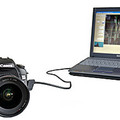
A software program that enables professional photographers and advanced amateurs to remotely control Canon DSLR cameras from a PC.
一个软件程序,使专业摄影师和高级业余摄影师用PC远程控制佳能数码单反相机。
DSLR Remote Pro enables the professional photographer to:
- Control Canon DSLR cameras from a PC
- Display live images on the PC screen (Canon EOS-1D Mark IV, Canon EOS-1D Mark III, EOS-1Ds Mark III, EOS 5D Mark II, EOS 7D, EOS 40D, EOS 50D, EOS 550D/Rebel T2i, EOS 500D/Rebel T1i, EOS 450D/Rebel XSi and EOS 1000D/Rebel XS only)
- Auto focus and manually control focus from a PC (Canon EOS-1D Mark IV, Canon EOS-1D Mark III, EOS-1Ds Mark III, EOS 5D Mark II, EOS 7D, EOS 40D, EOS 50D, EOS 550D/Rebel T2i, EOS 500D/Rebel T1i, EOS 450D/Rebel XSi and EOS 1000D/Rebel XS only)
- Photobooth mode: automatically take a sequence of photos and print them out - ideal for parties and corportate events
- See large high quality previews of shots on your PC within seconds
- Enable customers to view pictures while you continue shooting
- Increase control for time lapse photography
- Preview images in black and white or color
- Take HDR photos by automatically bracketing up to 15 shots varying the shutter speed or aperture
- Store images directly onto the hard disk of a PC ready for onward transmission (e.g. by FTP to a picture desk)
- Use the large color managed preview image to display:
- Flashing highlights to indicate over-exposed areas
- Grid overlay and crop marks to assist accurate alignment
- Black and white
- Focus point overlay
Requirement:
Windows 7, Vista, XP, or 2000 installed on your computer.
You may also need to install Canon’s WIA FireWire and USB drivers on your pc depending on the camera model and version of Windows
Checked by ESET Virus signature database (4929 (20100309))
BreezeSys DSLR Remote Pro v1.8.2 for Cannon DSLR
A software program that enables professional photographers and advanced amateurs to remotely control Canon DSLR cameras from a PC.
一个软件程序,使专业摄影师和高级业余摄影师用PC远程控制佳能数码单反相机。
DSLR Remote Pro enables the professional photographer to:
- Control Canon DSLR cameras from a PC
- Display live images on the PC screen (Canon EOS-1D Mark IV, Canon EOS-1D Mark III, EOS-1Ds Mark III, EOS 5D Mark II, EOS 7D, EOS 40D, EOS 50D, EOS 550D/Rebel T2i, EOS 500D/Rebel T1i, EOS 450D/Rebel XSi and EOS 1000D/Rebel XS only)
- Auto focus and manually control focus from a PC (Canon EOS-1D Mark IV, Canon EOS-1D Mark III, EOS-1Ds Mark III, EOS 5D Mark II, EOS 7D, EOS 40D, EOS 50D, EOS 550D/Rebel T2i, EOS 500D/Rebel T1i, EOS 450D/Rebel XSi and EOS 1000D/Rebel XS only)
- Photobooth mode: automatically take a sequence of photos and print them out - ideal for parties and corportate events
- See large high quality previews of shots on your PC within seconds
- Enable customers to view pictures while you continue shooting
- Increase control for time lapse photography
- Preview images in black and white or color
- Take HDR photos by automatically bracketing up to 15 shots varying the shutter speed or aperture
- Store images directly onto the hard disk of a PC ready for onward transmission (e.g. by FTP to a picture desk)
- Use the large color managed preview image to display:
- Flashing highlights to indicate over-exposed areas
- Grid overlay and crop marks to assist accurate alignment
- Black and white
- Focus point overlay
Requirement:
Windows 7, Vista, XP, or 2000 installed on your computer.
You may also need to install Canon’s WIA FireWire and USB drivers on your pc depending on the camera model and version of Windows
Checked by ESET Virus signature database (4929 (20100309))