
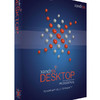
《Xandros桌面操作系统》(Xandros Desktop Professional)v.4.1.Applications-NiGHTNiNG[Bin]
电驴资源
| 用户共享的电驴资源列表 | |
|---|---|
| [Xandros桌面操作系统].Xandros.Desktop.Professional.v.4.1.Applications-NiGHTNiNG.iso | 619.99 MB |
| [Xandros桌面操作系统].Xandros.Desktop.Professional.v.4.1.Applications-NiGHTNiNG.nfo | 3.24 KB |
| 620.00 MB | |
电驴资源简介
中文名: Xandros桌面操作系统英文名: Xandros Desktop Professional资源格式: 光盘镜像版本: v.4.1.Applications-NiGHTNiNG发行时间: 2007年05月14日制作发行: Xandros地区: 美国简介:
链接来自ShareTheFiles
未经过安全检测与安装测试,您在使用中所产生的任何后果自负皆与本论坛无关
软件版权归原作者及原软件公司所有,如果您喜欢,请购买正版
语言:英语
网址:http://www.xandros.com/products/business/dsk_professional.html
类别:操作系统
最新版本的Xandros 桌面版本 Desktop 4已经发布,这是一款基于Debian的桌面操作系统,对用户非常友好。我们的目标就是在家庭和多媒体用户,我们的理想就是从windows桌面用户那里争取一部分用户,因为我们的产品可以替他他们。不过价格可能对中国用户不是太友好,家庭版的价格是39.9美元,豪华版的价格高达79.99美元。
Xandros 提供了一套完整的、易于使用的 Desktop 系统,它拥有健全的 Linux 应用程序的选项,包括 Open Office、实时通讯软件、游戏及其它该有的东西。它在Windows 的兼容性上也是我们看过的里头最好的,而且它的安装很简单易懂;甚至系统里可以共存 Windows 的扇区。显示卡的组态及驱动程序的安装也是设计的很不错。Xandros 对那些想要与 Windows 整合的人及只是想要一套易于设定及组的的 Linux 套件的人来说,是一套相当不错的套件。
特点:
支持Windows 2000活动目录服务器和Windows NT PDC(主域控制器)证明
支持Sun StarOffice 7 和Sun的商业软件
在 Xandros文件管理直接拖拉Y文件烧录到CD
能运行 MS Office 和其它关键Windows程序
能与Windows网络无缝共享文件
无盘式客户机和终端仿真机
支持Athlon 64 (32-bit mode), SMP, 和超线程处理器
Xandros 4.1 Desktop Professional - Review
Xandros is a distribution based on Debian that is meant for home users and small businesses that use older versions of Windows (98, ME, 2000) while letting those users utilize all of their saved information from Microsoft Office by using CodeWeaver s CrossOver Office, which seamlessly installs and runs a variety of Windows programs. Xandros is specifically designed for people who have only known and used Windows and offers solitude from viruses, et al. as well as freedom since Xandros is on the Linux platform.
What this means to these types of users is a safer, more efficient computing environment without extreme technical knowledge to install and run a very suitable and substantially inexpensive alternative to Microsoft Windows. This also means that since Xandros is a Linux distribution, that viruses, spyware, ad-ware and trojans are an almost non-existent threat. But to sure up the confidence level, Xandros also implements a full security suite to satisfy even the most paranoid of users when it comes to security and Internet safety.
Test machine
My test machine is a Dell Inspiron 1150 2.6 GHz Celeron processor laptop with a 14.1 inch display (Intel Extreme Graphics 2 – 64 MB), 512 MB s RAM, 30 GB hard drive, CD-RW/DVD drive, Intel 82801 modem, Broadcom 4401 10/100 Ethernet and Broadcom 4306 802.11 b/g wireless card. I ve had this laptop for almost 2 years and it is my carry-everywhere computer, so I need to be sure that all my hardware and drivers are compatible in case I am out of town and need to use the Internet. In short, no OS goes on this hard drive unless it s proven, stable, and lets me utilize all of my hardware to get online and do what needs to be done. My hard drive is divided up as 20 GB s for Windows and 10 GB s set aside for Linux. The OS that previously housed my Linux ReiserFS partition was Freespire.
Another thing to take into consideration is that I attend school online and my school insists that all of its students use Outlook Express or Outlook as well as Internet Explorer 5.5 or newer. Another demand from my school is writing papers and saving them in Word format (*.doc). Listed below are the exact hardware specs of my test machine.
/proc/cpuinfo:
processor : 0vendor_id : GenuineIntelcpu family : 15model : 2model name : Intel Celeron CPU 2.60GHzstepping : 9cpu MHz : 2275.000cache size : 128 KBfdiv_bug : nohlt_bug : nof00f_bug : nocoma_bug : nofpu : yesfpu_exception : yescpuid level : 2wp : yesflags : fpu vme de pse tsc msr pae mce cx8 sep mtrr pge mca cmov pat pse36 clflush dts acpi mmx fxsr sse sse2 ss ht tm pbe up cid xtprbogomips : 5200.18
lspci:
0000:00:00.0 Host bridge: Intel Corporation 82852/82855 GM/GME/PM/GMV Processor to I/O Controller (rev 02)
0000:00:00.1 System peripheral: Intel Corporation 82852/82855 GM/GME/PM/GMV Processor to I/O Controller (rev 02)
0000:00:00.3 System peripheral: Intel Corporation 82852/82855 GM/GME/PM/GMV Processor to I/O Controller (rev 02)
0000:00:02.0 VGA compatible controller: Intel Corporation 82852/855GM Integrated Graphics Device (rev 02)
0000:00:02.1 Display controller: Intel Corporation 82852/855GM Integrated Graphics Device (rev 02)
0000:00:1d.0 USB Controller: Intel Corporation 82801DB/DBL/DBM (ICH4/ICH4-L/ICH4-M) USB UHCI Controller #1 (rev 01)
0000:00:1d.1 USB Controller: Intel Corporation 82801DB/DBL/DBM (ICH4/ICH4-L/ICH4-M) USB UHCI Controller #2 (rev 01)
0000:00:1d.2 USB Controller: Intel Corporation 82801DB/DBL/DBM (ICH4/ICH4-L/ICH4-M) USB UHCI Controller #3 (rev 01)
0000:00:1d.7 USB Controller: Intel Corporation 82801DB/DBM (ICH4/ICH4-M) USB2 EHCI Controller (rev 01)
0000:00:1e.0 PCI bridge: Intel Corporation 82801 Mobile PCI Bridge (rev 81)
0000:00:1f.0 ISA bridge: Intel Corporation 82801DBM (ICH4-M) LPC Interface Bridge (rev 01)
0000:00:1f.1 IDE interface: Intel Corporation 82801DBM (ICH4-M) IDE Controller (rev 01)
0000:00:1f.5 Multimedia audio controller: Intel Corporation 82801DB/DBL/DBM (ICH4/ICH4-L/ICH4-M) AC 97 Audio Controller (rev 01)
0000:00:1f.6 Modem: Intel Corporation 82801DB/DBL/DBM (ICH4/ICH4-L/ICH4-M) AC 97 Modem Controller (rev 01)
0000:02:01.0 Ethernet controller: Broadcom Corporation BCM4401 100Base-T (rev 01)
0000:02:02.0 Network controller: Broadcom Corporation BCM4306 802.11b/g Wireless LAN Controller (rev 03)
0000:02:04.0 CardBus bridge: Texas Instruments PCI1510 PC card Cardbus Controller
Installation
Installation has been covered by many reviews of Xandros as it is basically 4 clicks and you re done. The hardest part about installation revolves around any partitioning tasks that can be created/added/extended for any partitions to put Linux on. Fortunately for Xandros users, this step is completely unnecessary if you are going to overwrite any current OS with Xandros. For those who want to dual boot, the partitioning step is easy to follow as you can extend any FAT16, FAT32 or NTFS partition which Windows might reside on and place Xandros on the newly-created partition so you can have the best of both worlds.
Installation times are variable, depending on your hardware, but on this laptop, the install time started at 1:00 p.m. and was installed by 1:15 p.m. By 1:37 p.m., I had everything tweaked and both my wired and wireless Internet connections working.
Differences
Xandros Desktop Professional was released not too long after Xandros Home Edition-Premium, but the differences are quite extraordinary. I just recently bought (I m talking about a week ago) a copy of Home Edition-Premium (which will be referred to as HEP for the rest of this review) and noticed it used an older kernel. HEP uses a 2.6.15.x kernel while the Professional version uses the 2.6.18.x kernel. Another note of significance is the addition of AIGLX/XGL to the Professional edition as well as the ability to use Mobile Broadband connections via 3G and other related technologies. Bluetooth is also available as well as the addition of the Beagle search utility.
One other notable exception between HEP and Professional is that you no longer need to register your copy of Xandros to use Xandros Networks. To me, this is a sign of a great company as feedback from the Linux community as well as Xandros-specific users have a voice and can change the direction of just what it is Xandros needs to work on as well as insight as to what it is doing right. It helps both the Linux community and Xandros the company in knowing just what it is the product needs to stay cutting edge. Need proof? Look at the differences between what HEP includes compared to what Professional includes. I was recently at the Xandros forums reading about the possible implementation of new technologies such as AIGLX/XGL being brought into the product anytime soon. Not even two days later I saw a link on Distrowatch regarding such a possibility that was now a reality as there was a Professional version of Xandros now out. I knew right there and then that my next version of Linux would be Xandros and not just because it had the eye candy and effects I wanted, but from past experiences with the company, the OS, and the community I have had over the years.
Negatives
Of course there are always negatives to just about everything in life, including Operating Systems. When I tried to install one of my favorite programs from within Xandros Networks, Google Earth, XN said it found one match and was going to install it. To my surprise, Google Earth was not being installed as I anticipated, but Kstars was being installed instead. I also tried to install k3B, but could not due to missing dependencies. Now I know there are ways around XN when wanting to install a specific program, but these types of programs are so popular that they should be standard on just about every/any modern distribution. When Freespire occupied this partition, I could install just about anything I could imagine and did in fact have k3B, Google Earth, Google Picasa, Scorched 3D and a whole bunch of other useful, popular programs installed via CNR. As much as I admire Xandros, this is one fault that needs to be changed as even a general computer user such as myself can see faults with the OS just based on the post-install applications that are (or more accurately, are not) available.
The only other change I d like to see personally is the introduction of maybe an OCE version that is a LiveCD. Most Linux distributions today offer the LiveCD approach as to avoid people wiping out resident operating systems or possibly messing up their hard drive geometry just to trial run Xandros to see if it s capable or not. Since there is no other Linux distro out there that s quite like Xandros, (Freespire/Linspire probably being the closest resemblance), it s hard to gather any kind of opinion about it on your own as you instead have to read blogs and forum entries about how it was from someone else s perspective. Actually, since hindsight is 20/20, the only reason I hesitated to put Xandros Home Edition-Premium on my laptop was because I was uncertain as to whether it would or would not detect my modem and the then-current OS of Freespire, which comes as a LiveCD with a hard drive installer, flawlessly detected and let me use said modem. Wired and wireless I was not worried about, but since DSL is not an option for me where I live (yet), I am stuck using dial-up to get online and do my school work. I d much rather use Linux than Windows, so this was one drawback that can be taken care of with the implementation of a LiveCD.
Positives
Despite its lack of programs, Xandros is designed for business users as well, so Google Earth and Scorched3D might not be on the high priority list for the developers. With that being said, the positives far outnumber the negatives for Xandros on the whole. Updating is simple and painless and help is easy to find. The extra Applications CD has quite a bit of useful programs on it, namely OpenOffice.org 2.0.3 (see screenshot below). I am actually writing this review using the version supplied by Xandros, and I must say, it s very responsive. In fact, the whole system seems snappy as startup and shutdown is fairly quick as well. I have used Xandros OCE s 2.0, 2.0.1, 3.0, and 3.0.1 as well as bought Xandros 3.0 Deluxe last year, and I have had nothing but positive experiences when searching for help in the rare instances I needed it. It has been clear since my first experience with Xandros that the company is committed to quality and this is where they excel in just about every aspect. Although some of the programs they use are not bleeding edge, the ones they do choose to utilize are taken care of and are fully functional. And that s Xandros game, really functionality, stability, easy to use, and ease of transition.
Hardware detection was flawless and setting up your Internet connection cannot get any easier. As for my personal positive feedback, remember my remarks regarding my school and its standards regarding software? Well, the inclusion of CodeWeaver s CrossOver Office has made Xandros Professional a mainstay on this laptop computer. Since hardware detection found my modem and lets me connect to the Internet from home where we only have dial-up - and the fact I can now produce true Microsoft Word documents and view reading materials through Internet Explorer 6 as well as read emails using Outlook Express via CrossOver Office - I no longer have to worry about using XP just so I can do my school work. With regards to my statement in the Negatives section, I m glad that the Xandros web site added a link that addresses HCL (Hardware Compatibility List). At work where I am the one-man IT department (my wife owns a small business), it is my objective and goal to make her company Windows-free. I already have a small web server set up and running Ubuntu Dapper Drake and mail server set up running Mandrake 10, but for the desktop, I m going to do my best to help develop the transition to Xandros completely as the benefits are multifaceted. As a matter of fact, we are supposed to be purchasing a new computer so a new employee can do their work within the office and I already told the boss to tell Dell that the computer should come to us without an Operating System on it - namely Windows. I am very grateful for the idea I obtained by staying informed and on top of current news. For what we need to do inside the office and since I have a copy of both Xandros Home Edition-Premium and a free download and burn of Xandros 4.1 Professional courtesy of Xandros, I think it s safe to assume you know which OS is going on the newly-purchased Dell computer for our small business. And since Xandros licensing policies are very friendly, it s a no-brainer.
Conclusion
As I ve stated previously, Xandros is hard to beat for a new Linux user coming over from Windows. For me personally, Xandros will stay on this laptop as it does everything I need it to do without fiddling around to get things working right. Now don t get me wrong, my preferred distributions are Ubuntu, Slackware and Arch Linux (and not particularly in that order) so I m relatively used to the command line way of doing things. However, there are times when I just want to turn on my computer and have things just work. Xandros offers me this and has offered me that since I first discovered it about 2 years ago in the form of the watered down OCE (Open Circulation Edition) versions. I consider my Linux skills intermediate and am in no way an expert in any regards to hardware or programming.
With that being said, the prerequisites listed above are not necessary to get a Xandros system up and running in record time. Everything is laid out in a cohesive manner and for 99.99USD, Xandros is by far a much more attractive solution to Windows. Another added benefit of Xandros is that the Professional version gives you some insight as to what the future holds for Linux. Linux is becoming increasingly popular both in business and on home desktops and for those users out there looking for a place to go due to the recent Novell/Microsoft merger, look no further. Xandros is the perfect example of how integration between Operating Systems should be (without patent protection indemnities being a selling point) and maintains its high reputation for most excellent quality and support. Because of these facts, I shall continue to support and invest money towards it s cause.
More Screenshots
代码
██░ █ ▓
██░ █ ▓ @@@ @@@ @@@ @@@@@@@@ @@@ @@@ @@@@@@@ @@@ @@@ @@@ @@@ @@@ @@@@@@@@
██░ █ ▓ @@@@ @@@ @@@ @@@@@@@@@ @@@ @@@ @@@@@@@ @@@@ @@@ @@@ @@@@ @@@ @@@@@@@@@
██░ █ ▓ @@ @ @@@ @@ @@ @@ @@@ @@ @@ @ @@@ @@ @@ @ @@@ @@
██░ █ ▓ @ @ @ @ @ @ @ @ @ @ @ @ @ @ @ @ @
██░ █ ▓ @ @ @ @ @ @ @ @ @ @ @ @ @ @ @ @ @ @ @ @ @ @ @ @
██░ █ ▓ @ @ @ @ @ @
██░ █ ▓
██░ █ ▓
██░ █ ▓
██░ █ ▓
██░ █ ▓
██░ █ ▓ Proudly Presents
██░ █ ▓
██░ █ ▓ iNFO
██░ █ ▓
██░ █ ▓ Supply........ NiGHTNiNG
██░ █ ▓ Released.By... NiGHTNiNG
██░ █ ▓ Nulled.By..... NiGHTNiNG
██░ █ ▓ Release.Date.. 11/05/2007 Files 43 / 634.0MB
██░ █ ▓ Protection.... Money, Serial ..
██░ █ ▓ Release.Name.. Xandros Desktop - Professional Aplications
██░ █ ▓ Platform...... All
██░ █ ▓ Type.......... Linux desktop operating system
██░ █ ▓ Website.Link.. http //www.xandros.com/products/business/dsk_professional.html
██░ █ ▓
██░ █ ▓ rELEASE nOTES
██░ █ ▓
██░ █ ▓ Feature packed yet simple to use web and email based
██░ █ ▓ helpdesk you run on your own server.
██░ █ ▓
██░ █ ▓
██░ █ ▓ 1. Unpack
██░ █ ▓ 2. Mount/Burn
██░ █ ▓
██░ █ ▓ 3.Use Serial for Xandros Desktop - Professional
██░ █ ▓
██░ █ ▓ Serial DP6DB-HCQ68-NCKRT-FDA45-W7P4A
██░ █ ▓
██░ █ ▓ 3. Install
██░ █ ▓ 4. Enjoy
██░ █ ▓
██░ █ ▓ Notes if you want use this script you should buy it
██░ █ ▓
██░ █ ▓ GROUP iNFO
██░ █ ▓
██░ █ ▓ We are currently looking for
██░ █ ▓
██░ █ ▓ - NULLERS -
██░ █ ▓ Very experiences Coders
██░ █ ▓
██░ █ ▓ - SUPPLIERS -
██░ █ ▓ You have access to RETAIL PHP/CGI/ASP scripts
██░ █ ▓
██░ █ ▓ - AFFILS -
██░ █ ▓ 10/100 Mbit+ in EU ans US
██░ █ ▓
██░ █ ▓ GREETiNGS
██░ █ ▓
██░ █ ▓ For All Scene Groups and Welcome all
██░ █ ▓
██░ █ ▓ END
██░ █ ▓
██░ █ ▓ team.NiGHTNiNG@gmail.com
链接来自ShareTheFiles
未经过安全检测与安装测试,您在使用中所产生的任何后果自负皆与本论坛无关
软件版权归原作者及原软件公司所有,如果您喜欢,请购买正版
语言:英语
网址:http://www.xandros.com/products/business/dsk_professional.html
类别:操作系统
最新版本的Xandros 桌面版本 Desktop 4已经发布,这是一款基于Debian的桌面操作系统,对用户非常友好。我们的目标就是在家庭和多媒体用户,我们的理想就是从windows桌面用户那里争取一部分用户,因为我们的产品可以替他他们。不过价格可能对中国用户不是太友好,家庭版的价格是39.9美元,豪华版的价格高达79.99美元。
Xandros 提供了一套完整的、易于使用的 Desktop 系统,它拥有健全的 Linux 应用程序的选项,包括 Open Office、实时通讯软件、游戏及其它该有的东西。它在Windows 的兼容性上也是我们看过的里头最好的,而且它的安装很简单易懂;甚至系统里可以共存 Windows 的扇区。显示卡的组态及驱动程序的安装也是设计的很不错。Xandros 对那些想要与 Windows 整合的人及只是想要一套易于设定及组的的 Linux 套件的人来说,是一套相当不错的套件。
特点:
支持Windows 2000活动目录服务器和Windows NT PDC(主域控制器)证明
支持Sun StarOffice 7 和Sun的商业软件
在 Xandros文件管理直接拖拉Y文件烧录到CD
能运行 MS Office 和其它关键Windows程序
能与Windows网络无缝共享文件
无盘式客户机和终端仿真机
支持Athlon 64 (32-bit mode), SMP, 和超线程处理器
Xandros 4.1 Desktop Professional - Review
Xandros is a distribution based on Debian that is meant for home users and small businesses that use older versions of Windows (98, ME, 2000) while letting those users utilize all of their saved information from Microsoft Office by using CodeWeaver s CrossOver Office, which seamlessly installs and runs a variety of Windows programs. Xandros is specifically designed for people who have only known and used Windows and offers solitude from viruses, et al. as well as freedom since Xandros is on the Linux platform.
What this means to these types of users is a safer, more efficient computing environment without extreme technical knowledge to install and run a very suitable and substantially inexpensive alternative to Microsoft Windows. This also means that since Xandros is a Linux distribution, that viruses, spyware, ad-ware and trojans are an almost non-existent threat. But to sure up the confidence level, Xandros also implements a full security suite to satisfy even the most paranoid of users when it comes to security and Internet safety.
Test machine
My test machine is a Dell Inspiron 1150 2.6 GHz Celeron processor laptop with a 14.1 inch display (Intel Extreme Graphics 2 – 64 MB), 512 MB s RAM, 30 GB hard drive, CD-RW/DVD drive, Intel 82801 modem, Broadcom 4401 10/100 Ethernet and Broadcom 4306 802.11 b/g wireless card. I ve had this laptop for almost 2 years and it is my carry-everywhere computer, so I need to be sure that all my hardware and drivers are compatible in case I am out of town and need to use the Internet. In short, no OS goes on this hard drive unless it s proven, stable, and lets me utilize all of my hardware to get online and do what needs to be done. My hard drive is divided up as 20 GB s for Windows and 10 GB s set aside for Linux. The OS that previously housed my Linux ReiserFS partition was Freespire.
Another thing to take into consideration is that I attend school online and my school insists that all of its students use Outlook Express or Outlook as well as Internet Explorer 5.5 or newer. Another demand from my school is writing papers and saving them in Word format (*.doc). Listed below are the exact hardware specs of my test machine.
/proc/cpuinfo:
processor : 0vendor_id : GenuineIntelcpu family : 15model : 2model name : Intel Celeron CPU 2.60GHzstepping : 9cpu MHz : 2275.000cache size : 128 KBfdiv_bug : nohlt_bug : nof00f_bug : nocoma_bug : nofpu : yesfpu_exception : yescpuid level : 2wp : yesflags : fpu vme de pse tsc msr pae mce cx8 sep mtrr pge mca cmov pat pse36 clflush dts acpi mmx fxsr sse sse2 ss ht tm pbe up cid xtprbogomips : 5200.18
lspci:
0000:00:00.0 Host bridge: Intel Corporation 82852/82855 GM/GME/PM/GMV Processor to I/O Controller (rev 02)
0000:00:00.1 System peripheral: Intel Corporation 82852/82855 GM/GME/PM/GMV Processor to I/O Controller (rev 02)
0000:00:00.3 System peripheral: Intel Corporation 82852/82855 GM/GME/PM/GMV Processor to I/O Controller (rev 02)
0000:00:02.0 VGA compatible controller: Intel Corporation 82852/855GM Integrated Graphics Device (rev 02)
0000:00:02.1 Display controller: Intel Corporation 82852/855GM Integrated Graphics Device (rev 02)
0000:00:1d.0 USB Controller: Intel Corporation 82801DB/DBL/DBM (ICH4/ICH4-L/ICH4-M) USB UHCI Controller #1 (rev 01)
0000:00:1d.1 USB Controller: Intel Corporation 82801DB/DBL/DBM (ICH4/ICH4-L/ICH4-M) USB UHCI Controller #2 (rev 01)
0000:00:1d.2 USB Controller: Intel Corporation 82801DB/DBL/DBM (ICH4/ICH4-L/ICH4-M) USB UHCI Controller #3 (rev 01)
0000:00:1d.7 USB Controller: Intel Corporation 82801DB/DBM (ICH4/ICH4-M) USB2 EHCI Controller (rev 01)
0000:00:1e.0 PCI bridge: Intel Corporation 82801 Mobile PCI Bridge (rev 81)
0000:00:1f.0 ISA bridge: Intel Corporation 82801DBM (ICH4-M) LPC Interface Bridge (rev 01)
0000:00:1f.1 IDE interface: Intel Corporation 82801DBM (ICH4-M) IDE Controller (rev 01)
0000:00:1f.5 Multimedia audio controller: Intel Corporation 82801DB/DBL/DBM (ICH4/ICH4-L/ICH4-M) AC 97 Audio Controller (rev 01)
0000:00:1f.6 Modem: Intel Corporation 82801DB/DBL/DBM (ICH4/ICH4-L/ICH4-M) AC 97 Modem Controller (rev 01)
0000:02:01.0 Ethernet controller: Broadcom Corporation BCM4401 100Base-T (rev 01)
0000:02:02.0 Network controller: Broadcom Corporation BCM4306 802.11b/g Wireless LAN Controller (rev 03)
0000:02:04.0 CardBus bridge: Texas Instruments PCI1510 PC card Cardbus Controller
Installation
Installation has been covered by many reviews of Xandros as it is basically 4 clicks and you re done. The hardest part about installation revolves around any partitioning tasks that can be created/added/extended for any partitions to put Linux on. Fortunately for Xandros users, this step is completely unnecessary if you are going to overwrite any current OS with Xandros. For those who want to dual boot, the partitioning step is easy to follow as you can extend any FAT16, FAT32 or NTFS partition which Windows might reside on and place Xandros on the newly-created partition so you can have the best of both worlds.
Installation times are variable, depending on your hardware, but on this laptop, the install time started at 1:00 p.m. and was installed by 1:15 p.m. By 1:37 p.m., I had everything tweaked and both my wired and wireless Internet connections working.
Differences
Xandros Desktop Professional was released not too long after Xandros Home Edition-Premium, but the differences are quite extraordinary. I just recently bought (I m talking about a week ago) a copy of Home Edition-Premium (which will be referred to as HEP for the rest of this review) and noticed it used an older kernel. HEP uses a 2.6.15.x kernel while the Professional version uses the 2.6.18.x kernel. Another note of significance is the addition of AIGLX/XGL to the Professional edition as well as the ability to use Mobile Broadband connections via 3G and other related technologies. Bluetooth is also available as well as the addition of the Beagle search utility.
One other notable exception between HEP and Professional is that you no longer need to register your copy of Xandros to use Xandros Networks. To me, this is a sign of a great company as feedback from the Linux community as well as Xandros-specific users have a voice and can change the direction of just what it is Xandros needs to work on as well as insight as to what it is doing right. It helps both the Linux community and Xandros the company in knowing just what it is the product needs to stay cutting edge. Need proof? Look at the differences between what HEP includes compared to what Professional includes. I was recently at the Xandros forums reading about the possible implementation of new technologies such as AIGLX/XGL being brought into the product anytime soon. Not even two days later I saw a link on Distrowatch regarding such a possibility that was now a reality as there was a Professional version of Xandros now out. I knew right there and then that my next version of Linux would be Xandros and not just because it had the eye candy and effects I wanted, but from past experiences with the company, the OS, and the community I have had over the years.
Negatives
Of course there are always negatives to just about everything in life, including Operating Systems. When I tried to install one of my favorite programs from within Xandros Networks, Google Earth, XN said it found one match and was going to install it. To my surprise, Google Earth was not being installed as I anticipated, but Kstars was being installed instead. I also tried to install k3B, but could not due to missing dependencies. Now I know there are ways around XN when wanting to install a specific program, but these types of programs are so popular that they should be standard on just about every/any modern distribution. When Freespire occupied this partition, I could install just about anything I could imagine and did in fact have k3B, Google Earth, Google Picasa, Scorched 3D and a whole bunch of other useful, popular programs installed via CNR. As much as I admire Xandros, this is one fault that needs to be changed as even a general computer user such as myself can see faults with the OS just based on the post-install applications that are (or more accurately, are not) available.
The only other change I d like to see personally is the introduction of maybe an OCE version that is a LiveCD. Most Linux distributions today offer the LiveCD approach as to avoid people wiping out resident operating systems or possibly messing up their hard drive geometry just to trial run Xandros to see if it s capable or not. Since there is no other Linux distro out there that s quite like Xandros, (Freespire/Linspire probably being the closest resemblance), it s hard to gather any kind of opinion about it on your own as you instead have to read blogs and forum entries about how it was from someone else s perspective. Actually, since hindsight is 20/20, the only reason I hesitated to put Xandros Home Edition-Premium on my laptop was because I was uncertain as to whether it would or would not detect my modem and the then-current OS of Freespire, which comes as a LiveCD with a hard drive installer, flawlessly detected and let me use said modem. Wired and wireless I was not worried about, but since DSL is not an option for me where I live (yet), I am stuck using dial-up to get online and do my school work. I d much rather use Linux than Windows, so this was one drawback that can be taken care of with the implementation of a LiveCD.
Positives
Despite its lack of programs, Xandros is designed for business users as well, so Google Earth and Scorched3D might not be on the high priority list for the developers. With that being said, the positives far outnumber the negatives for Xandros on the whole. Updating is simple and painless and help is easy to find. The extra Applications CD has quite a bit of useful programs on it, namely OpenOffice.org 2.0.3 (see screenshot below). I am actually writing this review using the version supplied by Xandros, and I must say, it s very responsive. In fact, the whole system seems snappy as startup and shutdown is fairly quick as well. I have used Xandros OCE s 2.0, 2.0.1, 3.0, and 3.0.1 as well as bought Xandros 3.0 Deluxe last year, and I have had nothing but positive experiences when searching for help in the rare instances I needed it. It has been clear since my first experience with Xandros that the company is committed to quality and this is where they excel in just about every aspect. Although some of the programs they use are not bleeding edge, the ones they do choose to utilize are taken care of and are fully functional. And that s Xandros game, really functionality, stability, easy to use, and ease of transition.
Hardware detection was flawless and setting up your Internet connection cannot get any easier. As for my personal positive feedback, remember my remarks regarding my school and its standards regarding software? Well, the inclusion of CodeWeaver s CrossOver Office has made Xandros Professional a mainstay on this laptop computer. Since hardware detection found my modem and lets me connect to the Internet from home where we only have dial-up - and the fact I can now produce true Microsoft Word documents and view reading materials through Internet Explorer 6 as well as read emails using Outlook Express via CrossOver Office - I no longer have to worry about using XP just so I can do my school work. With regards to my statement in the Negatives section, I m glad that the Xandros web site added a link that addresses HCL (Hardware Compatibility List). At work where I am the one-man IT department (my wife owns a small business), it is my objective and goal to make her company Windows-free. I already have a small web server set up and running Ubuntu Dapper Drake and mail server set up running Mandrake 10, but for the desktop, I m going to do my best to help develop the transition to Xandros completely as the benefits are multifaceted. As a matter of fact, we are supposed to be purchasing a new computer so a new employee can do their work within the office and I already told the boss to tell Dell that the computer should come to us without an Operating System on it - namely Windows. I am very grateful for the idea I obtained by staying informed and on top of current news. For what we need to do inside the office and since I have a copy of both Xandros Home Edition-Premium and a free download and burn of Xandros 4.1 Professional courtesy of Xandros, I think it s safe to assume you know which OS is going on the newly-purchased Dell computer for our small business. And since Xandros licensing policies are very friendly, it s a no-brainer.
Conclusion
As I ve stated previously, Xandros is hard to beat for a new Linux user coming over from Windows. For me personally, Xandros will stay on this laptop as it does everything I need it to do without fiddling around to get things working right. Now don t get me wrong, my preferred distributions are Ubuntu, Slackware and Arch Linux (and not particularly in that order) so I m relatively used to the command line way of doing things. However, there are times when I just want to turn on my computer and have things just work. Xandros offers me this and has offered me that since I first discovered it about 2 years ago in the form of the watered down OCE (Open Circulation Edition) versions. I consider my Linux skills intermediate and am in no way an expert in any regards to hardware or programming.
With that being said, the prerequisites listed above are not necessary to get a Xandros system up and running in record time. Everything is laid out in a cohesive manner and for 99.99USD, Xandros is by far a much more attractive solution to Windows. Another added benefit of Xandros is that the Professional version gives you some insight as to what the future holds for Linux. Linux is becoming increasingly popular both in business and on home desktops and for those users out there looking for a place to go due to the recent Novell/Microsoft merger, look no further. Xandros is the perfect example of how integration between Operating Systems should be (without patent protection indemnities being a selling point) and maintains its high reputation for most excellent quality and support. Because of these facts, I shall continue to support and invest money towards it s cause.
More Screenshots
代码
██░ █ ▓
██░ █ ▓ @@@ @@@ @@@ @@@@@@@@ @@@ @@@ @@@@@@@ @@@ @@@ @@@ @@@ @@@ @@@@@@@@
██░ █ ▓ @@@@ @@@ @@@ @@@@@@@@@ @@@ @@@ @@@@@@@ @@@@ @@@ @@@ @@@@ @@@ @@@@@@@@@
██░ █ ▓ @@ @ @@@ @@ @@ @@ @@@ @@ @@ @ @@@ @@ @@ @ @@@ @@
██░ █ ▓ @ @ @ @ @ @ @ @ @ @ @ @ @ @ @ @ @
██░ █ ▓ @ @ @ @ @ @ @ @ @ @ @ @ @ @ @ @ @ @ @ @ @ @ @ @
██░ █ ▓ @ @ @ @ @ @
██░ █ ▓
██░ █ ▓
██░ █ ▓
██░ █ ▓
██░ █ ▓
██░ █ ▓ Proudly Presents
██░ █ ▓
██░ █ ▓ iNFO
██░ █ ▓
██░ █ ▓ Supply........ NiGHTNiNG
██░ █ ▓ Released.By... NiGHTNiNG
██░ █ ▓ Nulled.By..... NiGHTNiNG
██░ █ ▓ Release.Date.. 11/05/2007 Files 43 / 634.0MB
██░ █ ▓ Protection.... Money, Serial ..
██░ █ ▓ Release.Name.. Xandros Desktop - Professional Aplications
██░ █ ▓ Platform...... All
██░ █ ▓ Type.......... Linux desktop operating system
██░ █ ▓ Website.Link.. http //www.xandros.com/products/business/dsk_professional.html
██░ █ ▓
██░ █ ▓ rELEASE nOTES
██░ █ ▓
██░ █ ▓ Feature packed yet simple to use web and email based
██░ █ ▓ helpdesk you run on your own server.
██░ █ ▓
██░ █ ▓
██░ █ ▓ 1. Unpack
██░ █ ▓ 2. Mount/Burn
██░ █ ▓
██░ █ ▓ 3.Use Serial for Xandros Desktop - Professional
██░ █ ▓
██░ █ ▓ Serial DP6DB-HCQ68-NCKRT-FDA45-W7P4A
██░ █ ▓
██░ █ ▓ 3. Install
██░ █ ▓ 4. Enjoy
██░ █ ▓
██░ █ ▓ Notes if you want use this script you should buy it
██░ █ ▓
██░ █ ▓ GROUP iNFO
██░ █ ▓
██░ █ ▓ We are currently looking for
██░ █ ▓
██░ █ ▓ - NULLERS -
██░ █ ▓ Very experiences Coders
██░ █ ▓
██░ █ ▓ - SUPPLIERS -
██░ █ ▓ You have access to RETAIL PHP/CGI/ASP scripts
██░ █ ▓
██░ █ ▓ - AFFILS -
██░ █ ▓ 10/100 Mbit+ in EU ans US
██░ █ ▓
██░ █ ▓ GREETiNGS
██░ █ ▓
██░ █ ▓ For All Scene Groups and Welcome all
██░ █ ▓
██░ █ ▓ END
██░ █ ▓
██░ █ ▓ team.NiGHTNiNG@gmail.com