
《REALLUSION.ICLONE.v4.1.PRO-EcHoS 三维动画》[ISO]
电驴资源
电驴资源简介
电骡资源
资源分类: | 软件 >> 图形图像 |
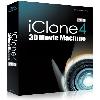
中文名称: | REALLUSION.ICLONE.v4.1.PRO-EcHoS 三维动画 |
资源格式: | ISO |
发行时间: | 2009 |
地 区: | 美国 |
语 言: | 英文 |
资源简介: | |
 [安全检测] 已通过安全检测 安全检测软体:金山毒霸2009 版本:20091215 病毒库发布时间:2009-12-15 [安装测试] 未经过安装测试,使用者后果自负与本论坛无关 共用伺服器:eDonkeyServer No2 共用服务时间:全天不定时 [免责声明] 该下载内容仅限於个人测试学习之用,不得用於商业用途,并且请在下载后24小时内删除。 资源版权归作者及其公司所有,如果你喜欢,请购买正版。 iClone - 创造个人数位公仔 导演3D动画影片 甲尚科技 iClone 专业版是为非3D动画专家所设计的〈同时也包含了即时影片制作的热爱者〉,他提供了更方便的即时影片预览和草拟影片场景。 iClone 专业版: · 产生3D专案 · 自动脸部动画 · 编辑脸部表情 · 特效动画精灵 · 编辑角色动作 · 场景时间轴编辑 · 摄影机丶灯光设定…等 新一代『iClone 』为您创造出更逼真动人的3D影片,提供全新的骨架设计,让动作完美呈现,随时调整酷炫视觉特效,为动画添增绚丽的视觉效果,增加3D植物系统,让场景更加真实细致。 iClone 拥有更进步的角色创作丶更精彩的即时视觉特效,还有更完整强大的电影制作工具。您可以轻易的透过 iClone 量身订做专属数位角色丶服装丶3D 背景及即时视觉特效。有了 iClone ,一切都变的很 Easy! iClone 所包含的全新功能将增添电影制作和欣赏的丰富性。全新的G2角色和 Clone Cloth,让角色动作更流畅丶服装制作更流行,让您轻易创作专属数位角色。 iClone 还提供了多种视觉特效可供选择,包含了超过40种内建的分子运动特效 (Particle Effects) 和16种烟雾特效 (Fog Effects)。全新拟真的植物系统 (LivePlants) 功能提供了森林丶花草丶树木等背景,让3D电影栩栩如生。全新的 iClone 带来影像制作的全新超然体验。 您可以运用 iClone 的角色制作和特效功能为您的电影指定角色丶设定背景丶安置道具丶控制灯光及摄影机动态特效等,iClone 所提供的完整专业影像制作环境,满足你制片时所有的需求。 3D 人物轻松产生 人 物角色一向是 3D 动画中较难处理的课题之一。光是人体模型的建立作业,就让许多动画师伤透脑筋;因为在建模的过程中,不单是必须考虑体态的比例与自然程度,同时还得兼顾一 些细节的呈现。尽管网购发达的今日,上网买个 3D 人体模型来修改也可以充数一下,但是角色又不可能裸体上阵,因此在衣服与外观的材质制作与贴图表现,又是一大挑战。 相较於一般 3D 动画软体启动后,使用者得面对一个空荡荡的场景伤脑筋,执行 iClone 所见到的第一个画面,就是已经完成建模丶贴图丶甚至是关节设定的一个阳光健美女孩站在场景中。如果不相信这真的是 3D 模型,可以使用上方的摄影机控制介面转转看;按下底部介面中的播放钮,还可以察觉美女均匀呼吸丶微微摇摆身体的动态。对於许多没有 3D 经验的新手来说,看见这样「热情」的欢迎画面,再想到能够省掉许多从无到有的学习时间与制作过程,相信早已在心中大呼万岁了。 多种角色弹指切换 考 虑到搭配各种不同主题的用途,阳光女孩的角色不见得是万灵丹;像是笔者朋友的建筑导览影片,就需要一位具有专业气质的虚拟角色才行。 在 iClone 的角色资料库中,提供了不少造型各异的角色范本;同时在官方网站注册为会员并登录软体后,还可下载其它让人惊喜的新增角色(如超人)。想必 iClone 里的新闻女主播角色,应该蛮适合担任建筑虚拟导览的解说员一职。在范本内的新闻主播角色上,连按两下滑鼠键,主视窗内的 3D 模型,瞬间就改头换面了。假如是在一般动画软体中,要改变一个角色的体型丶外貌丶衣着....没有花上个大半天是搞不定的。不仅如此,iClone 2 专为人物设计的可用范本,还涵盖上下半身丶鞋子丶配件等等;也就是说,只要使用者动动手指,这些制作起来旷日费时的 3D 模型,都可以立即地新增或移除。 会跑能跳任君组合 对动画制作有经验的读者,不难察觉到 iClone 的基本诉求之一,就是「立即可用的 3D 资料库」。但是,如果这些 3D 人物只能直挺挺地站在场景的话,这套软体充其量也就不过是个「3D 纸娃娃系统」罢了。 因此,在 iClone 软体一启动之后,欢迎画面的右侧就会开启所谓「专案」的范本资料库,随便在其中任何一个缩图(除「预设」与「无角色」外)上连按两下滑鼠键,载入后再於主 介面按下播放键,就可以欣赏到即时运算的动画内容。基本上,在电脑硬体的规格不是太差,又有安装 3D 加速显示卡的情形下,即时运算的播放表现都让人相当满意。(笔者的硬体测试环境为 P4 3.2G,1G RAM,GeForce 7300GT 显示卡。) 同样地,除了专案这种套餐式的范本之外,iClone 也提供了丰富的动作资料库。在风格简洁丶容易点选的图形介面中,不难看见顶端正中央的「动态效果」选项;而在其所提供的动作范本中,也有依据性别与用途区分的数十种动作可以套用。 事实上,对於一个 3D 动画新手来说,动作资料库是相当珍贵的资源,因为动辄数十万元的动态捕捉器(MoCap)设备,并非业馀使用者或单一专案所能负担得起;若要诉诸 DIY 的话,在一般的专业动画制作软体中,不仅要先建立并设定好角色的关节物件,同时还必须具备足够的经验,才能调整出接近自然的动作,反之稍一不慎,就会让虚 拟角色发生「折手折脚」的悲剧。相较之下,在 iClone 中只要轻松地拖曳,在时间轴里加以组合排列,就可以让您的虚拟人物,能够安全地执行它们的工作,避免许多「职业灾害」的发生。 动作编辑摆脱罐头 数位创作这档事,虽然过程中免不了会用到软体工具,但若老是靠着这些易学易用的范本来闯江湖,早晚也会被同行或竞争者「看破手脚」。因此,要想在客户面前留下深刻印象,有些关键因素您还是得亲自动手才行。 在 iClone 的专业版中,包含了让使用者能够自行调整动作的「动作编辑器」,这是标准版中所欠缺的其中一项独立功能。在这个编辑器中,您可以自己当导演,摆弄虚拟人物 作出您想要的动作,并在时间轴中加以串联;完成后,更可以储存起来当成自订范本使用,或是未来调整新动作的依据。 不过笔者认为,尽管动作编辑器的介面设计,已经十分符合 3D 动画作业的操作直觉性,但是如果使用者是一个完全没有 3D 动画制作概念的新手,恐怕要上手还是得花一些功夫。幸好 iClone 3 的「进阶功能」说明书内容撰写得颇为详尽,建议新手读者最好花时间琢磨一下,相信对於自订动作的创作将会大有帮助。 相片变脸数位分身 一 个虚拟角色是否让人感觉有生命力,脸部表情是相当重要的关键。而在 iClone 的脸部动态范本中,同样也提供了许多立即可用的表情;虽然表情之间的差异幅度不大,变化仅限於动动眉毛丶眨眨眼睛与嘴型的改变,但是若能适当地穿插在动画 之中运用,就能让虚拟角色的神韵更加生动活泼,拟真度也大幅提升。透过调整的功能,也能加强特定表情的变化幅度。 只要载入 wav 格式的声音档案,配合表情范本的运用,您的虚拟角色就可以开口说话。不过假如镜头着重於人物特写时,就容易显露出因为嘴型的贫乏,而产生幕后配音的不自然 感觉。只是若想进一步调整嘴型与表情,就必须搭配同样公司的姊妹产品 CrazyTalk 来运用。 关於甲尚 甲尚科技成立於 1993 年,主要致力於角色动画与多媒体人机互动核心技术之应用,2000 年底於美国硅谷设立 Reallusion Inc.,以其独步全球的3D即时演算技术及 Motion Capture 设计开发经验,整合3D特殊成像效果丶脸部动态模拟丶肢体动态模拟等先进技术,成为一般使用者运用於个人数位内容创作的影像与动画工具。近年来专注於国际行销,成绩表现亮眼,目前全球各地发行伙伴遍及欧洲丶北美丶亚洲等将近10个国家,是国内少数专注於品牌行销的软体公司。 iClone 4 — Real-time animation evolves with 3D Video FX, motion paths, HDR and rapid drag & drop creation inside iClone4. iClone4 introduces new features that combine video production with 3D real-time animation. The result is a powerful production tool for motion graphics, 3D animation and video compositing. New features include: — Real-time Video textures & 3D/Video compositing — Drag-&-Drop editing for rapid scene creation — Edit and animate any non-human character type, including animals, creatures, cartoon figures — Real-time Facial Animation for puppeteering — Motion Paths for props, cameras, particle FX & actors — HDR & Image-based lighting atmosphere FX — Enhanced spring dynamics, water and particle effects popVideo & 3D Video FX — Supports video files (AVI, WMV,MOV, FLV, etc.) in any texture channel. — Video layering for foreground, background, titling and SFX. — Turn video with alpha channel into popVideo for iClone. — Place video on any surface of 3D objects for 3D video SFX. Visual Enhancement — HDR (High Dynamic Range) effects. — IBL (Image Based Lighting) effects. — Enhanced shadow map for flexible shading effects. — Particle softness and orientation for realistic SFX. — Realistic water animation with video normal map. — Smooth blending between water and land with edge softness. — Rotation-driven spring animation for naturally moving hair and skirts. Smoother Animation — Motion Path with speed, orientation and editing control. — Transition curve for more natural object movement. — Smoother camera motion for better camera movement. — Full hand gestures with fast motion editing. — Motion reverse. Built-in Facial Editor — Facial puppeteering — Use your mouse to select and direct the facial features of your actor as you play back in real-time. — Enhanced G4 head system with facial bone level morphing and key editing. — Enhanced facial tracks in Timeline for keyframe or motion clip management. Texture Share & Blending — Decrease file size by using external textures and sharing textures for multiple objects. — Eyedropper and paint bucket for quick texture editing. — Adjust UV map with rotate, mirror, and invert. — Blend textures with different modes: multiply, addition, overlay. New Characters and Content Goodies — G3 Human Character — Dylan & Jane G3 Cartoon Character — Jimmy-Toon G4 Head with Normal Map — Benny Non-human Character — Lamp (PRO only) — New characters with G4 head system optimized for advanced facial animation. — Character base for stylized cartoon animation — Jimmy-Toon. — New persona motion files for daily movements and dialog. — Be able to import facial texture files from Poser and Second Life. — Add new behaviors to avatar by attaching new props: wings to add fly mode, glove to add boxing mode. — Be able to edit and animate 3D creatures other than human. Other Enhancement — Added: Allow set pivot for any object to create rolling wheels, doors and other smart props. — Added: Decimal precision to the transformation of props. — Added: Dummy mode — set prop or accessory as dummy for easier manipulation. — Added: Create head with bone level morphing. — Added: AML human centric — actor is able to perform specific motions by accessing different AML accessories. — Added: Enhanced Scene Manager with freeze function. — Added: Individual sound track for characters, props, etc. — Added: Detailed hand management, with ability to save gesture clips. — Added: Accept UV face map from 3rd-party model in enhanced G4 head bone system. — Added: New type of "Gloves" for character style setting. — Added: Eyelashes available in new G4 head. — Enhanced: Able to see trees or grass in Quick Shader. — Enhanced: Preference panel update. — Enhanced: Quick Access function for Modify panel. — Enhanced: Highlighted texts in Modify panel allow key animation setting. — Enhanced: Quick switch between Director and Editor mode — Enhanced: Ability to customize file thumbnail. — Enhanced: Right-click menu with scroll bar for flexible search. — Enhanced: Collapsible Timeline editor with track grouping and show/hide function. — Enhanced: Ability to do key animation of image layer and multiple layering. — Enhanced: Atmosphere and sky tracks enhancement. — Enhanced: Flexibility to adjust shadow quality by adjusting map resolution range. System Requirements: Minimum System Requirements: Pentium4 2GHz — 1GB RAM — 2GB free hard disk space — Display Resolution: 1024 x 768 — Color Depth: True Color (32-bit) — Graphics Card: Support for DirectX 9.0c and Shader Model 3.0 — Video Memory: 256MB RAM Recommended System Requirements: (iClone will have better performance in below recommended environment.) — Dual core CPU or higher — 2GB RAM or higher recommended — 2GB free hard disk space or higher recommended — Display Resolution: 1024 x 768 or higher — Graphics Card: nVIDIA GeForce 8 Series or higher / ATI HD 3000 Series or higher — Video Memory: 512MB RAM or higher recommended — Video card compatible with Pixel Shader 3.0 recommended for optimized visual performance Additional Requirements: — Sound card / Keyboard / Mouse / Speaker — 3-button mouse — DirectX 9 and WMEncoder 9 are required for WMV exporting — Internet connection required for online activation Operating System Requirements: — Windows 7 / Windows Vista / Windows XP (With Service Pack 2 or later) — Support for 32-bit and 64-bit operating system LIST OF SUPPORTED GRAPHICS CARDS: www.reallusion.com/iclone/GraphicsCard.pdf Changes in iClone Version v4.1 (4.1.1125.1) released 26 November-09 — Added: Context menu to load image or video files as plane, image layer, billboard or background when using the right mouse button to drag & drop image or video files into the program. — Added: "Drag & Drag Automatic External Files" option in Preferences to always load files as external sources when using drag & drop from windows. — Added: The audio volume of a video is now keyable and can be used to create fade in and fade out effects using the timeline track. — Added: Option to "Replace" a video texture from "Set > Video". — Added: Option to 'Lock ratio' when manually adjusting the resolution on the export pages. — Added: Embedded characters now have footstep sounds. — Enhanced: DRM content that has already been verified will work even when the file path is changed. — Enhanced: Stability of the 1-Click Content Verification function. — Enhanced: Capability to Drag & Drop .vns files into iClone. — Enhanced: Hand quality of embedded characters. — Fixed: Drag & Drop would not work when UAC was set to 'on' under Windows Vista and Windows 7 — Fixed: IK would not work with non-human characters sometimes. — Fixed: Changing a character's display method to 'Bounding Mesh' using the right-click menu would cause the program to crash. — Fixed: The '2-Sided' check box in the 'Adjust the Facial Texture' menu would not work. — Fixed: Moving along a path would not work properly if the path was projected to the terrain. — Fixed: McAfee anti-virus would cause avatars to load very slowly. — Fixed: An obvious line would appear between a character's head and neck when a new face is created or the face was changed. RELEASE INCLUDES: • Reallusion iClone v4.1 Pro • Reallusion iClone v4.1 Pro Resource Pack • iClone Creature Character: LampBONUS: • EarthSculptor + Iclone Plug-in • popVideo Converter v1.5 !! VERY IMPORTANT !! The Resource Pack and Lamp Character installers contain a default path for Windows Vista/Windows 7. IF INSTALLING ON XP... YOU WILL HAVE TO CHANGE THE INSTALL PATH, or MANUALLY INSTALL THE 2 ITEMS LISTED ABOVE: In Vista/7 the new default path is: C:\Users\Public\Documents\Reallusion\Template\iClone 4 Template\iClone Template In XP the new default path is: C:\Documents and Settings\All Users\Documents\Reallusion\Template\iClone 4 Template\iClone Template On XP change the install path(s) to: C:\Documents and Settings\All Users\Documents\Reallusion\Template\iClone 4 Template\iClone Template (OR) If you chose a custom install path: Create a folder and install the items to it, then manually copy the libraries to where you chose to install the iClone libraries. This version moves ALL libraries to a new location (Reallusion does NOT give you a choice). Sorry for any inconvenience!! language: English Os: Windows 2000/XP/Vista/7 |