
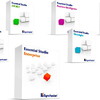
《企业级开发组件库集》(Syncfusion Essential Studio Enterprise)v7.2.0.20 企业注册版[压缩包]
电驴资源
| 用户共享的电驴资源列表 | |
|---|---|
| [企业级开发组件库集].Syncfusion.Essential.Studio.Enterprise.v7.2.0.20.Incl.Keygen-Lz0.rar | 252.26 MB |
| 252.26 MB | |
电驴资源简介
中文名: 企业级开发组件库集英文名: Syncfusion Essential Studio Enterprise资源格式: 压缩包版本: v7.2.0.20 企业注册版发行时间: 2009年制作发行: Copyright Syncfusion Inc.地区: 美国语言: 英文简介:


官方站点 http://www.syncfusion.com/
Syncfusion Essential Studio Enterprise企业级开发组件库集
包含了Syncfusion公司Windows Forms,ASP.NET和BackOffice所有产品,其中包括Essential Grid, Essential Tools, Essential XlsIO, Essential Chart, Essential Diagram, Essential Grouping, Essential Calculate, Essential Edit, Essential HTMLUI, Essential PDF, Essential DocIO. 同时,在Essential Studio Enterprise中还包含了 Essential TestStudio,这是一个通过Mercury Quick Test Professional 进行软件/组件测试的工具。每一个组件库都含一套独特实用的特性和功能。Essential Studio对Windows控件进行扩展和增强,其中包括:XP风格的控件,停靠窗体, grid控件,edit控件以及chart组件等。
添加完善的表格,分组,图表,图形表示,Excel报表,增强的编辑和更多的用户界面功能到你的.NET Windows forms 和 ASP.NET 程序。Syncfusion Essential Studio 包括Syncfusion Essential Tools, Essential Grid, Essential Grouping, Essential XlsIO, Essential Diagram, Essential Chart 和 Essential Edit。 Syncfusion Essential Studio吸收了一个独特的调试支持系统,可以从Visual Studio.NET IDE内部单击库的‘Debug’和‘Release’版本之间切换。动态的和功能丰富的, Syncfusion Essential Studio是一切开发者需要来创建企业级的程序。
Essential Studio包括以下组件:
Essential Tools - 强大的用户界面控件,包含XP风格控件,停靠窗口。
Essential Grid - 完全可定制的工业标准grid控件,含类似于Excel的特性集。
Essential Chart - 表现丰富的商业图表(chart)控件。
Essential Diagram - Essential Diagram 是一个.NET框架集,可以开发类似于 Microsoft Visio的交互式二维图形和图表程序;
Essential Edit - 增加了编辑功能,含语法加强功能、多级Undo/Redo等。
Essential Grouping - Essential Grouping是一个高性能分组引擎,可以分组任何数据列表。
Essential XlsIO - Essential XLsIO是一个.NET框架组件,可以读取和写入Microsoft Excel文件(BIFF 8 格式)。
Essential Calculate - Essential Calculate是一个完全成熟的卓越的公式引擎。它拥有超过150个常用的公式。
Essential PDF - Essential PDF是一个功能齐全的库,可以产生Adobe PDF文件。
Essential HTML UI - Essential HTMLUI是一个100% .NET HTML显示引擎。 它可以用来创建很灵活的用户界面。
Essential DocIO - .NET库,可以读取和写入Microsoft Word文件,与一个完全成熟的对象模式,类似Microsoft Office COM 库。
Essential TestStudio - 使用Mercury Quick Test Professional可以自动的测试Syncfusion控件。

Essential Diagram
The organizational chart layout manager now supports a vertical layout (waterfall model) in addition to the existing horizontal layout. Users can specify the rank (level) from which the vertical layout must be applied.
User Guide and Class Reference
Essential Diagram’s User Guide and Class Reference have been completely revamped, providing users with a clear walk-through of features and Diagram usage.
Performance Improvement
Essential Diagram’s performance has been greatly improved. This performance enhancement offers the addition of a large number of nodes, with or without connections, within a few seconds.

Essential Tools
AutoFormat support is available for UploadBox and UploadProgress controls with five predefined AutoFormat options. The Upload Progress layout and its progress style have been greatly improved. Custom skin support has also been added to these controls.
ASP.NET AJAX-Based Client-Side Object Model
All Tools controls for ASP.NET have added support forASP.NET AJAX-based client-side object model. All side API and client-side properties can be accessed with the $find(“this.ClientID”) method instead of ClientObjectID. This model makes using the client-side APIs and its properties much easier.

Essential Chart
Essential chart supports binding axis labels to Pie, Funnel and Pyramid charts. This feature displays data-bound labels in charts.


Axis-Title Draw Mode

Essential Chart now supports displaying ellipses at the end of the axis title when the title text exceeds axis bounds. This feature is supported for both primary and secondary axes.

Essential Chart provides support to add and customize multiple titles. Different docking styles—Floating, Left, Right, Bottom, and Top – can be specified for each title. Each custom title can be aligned to any position required. The following image illustrates two different chart titles in different positions.
Multiple custom chart legends can be added to the Chart Web Legends Collection. Different docking styles – Floating, Left, Right, Bottom, and Top – can be specified for each legend. Each custom legend can be aligned to any position as required. The image below illustrates three different chart legends within a chart.
Essential Grid Grouping
Ungroup Button

The grid can be grouped using the Group button in the header. Once the grid is grouped, the Group button is hidden and an Ungroup button is displayed. This Ungroup button is displayed in the form of an image icon.

This feature supports defining default background and time-span colors for an appointment using the ShowLabelAs and ShowTimeAs properties. The ShowLabelAs property can be used to set the background color of an appointment and the ShowTimeAs property can be used to set the time-span color of an appointment. These features can be utilized to categorize and prioritize appointments. Customized background and time-span colors can be defined using the BackGroundColor and TimeSpanColor properties, respectively.
Category Row Events
A Category can group many Resources. This feature returns details of all resources under a category when it is selected. Since finding a specific resource among many resources under each category is inconvenient, this feature can be utilized to find a resource efficiently. An event for the Category row returns details of all the resources for the selected category. This feature has both server and client-side events for category row clicks.

======================================================


[安全检测]
已通过安全检测
安全检测软件:F-Secure Client Security
版本:8.40 build 128
病毒库发布时间:更新到即时
[安装测试]
未经过安装测试,使用者后果自负与本论坛无关
[免责声明]
该下载内容仅限於个人测试学习之用,不得用於商业用途,并且请在下载后24小时内删除。
软件破解及注册机被杀毒软件报病毒或间谍木马,请自行甄别和取舍,不另行加以解释。
资源版权归作者及其公司所有,如果你喜欢,请购买正版。
本资源谢绝迅雷、脱兔、vagaa等吸血客户端用户下载,使用以上客户端可能无法联接到本资源下载!VeryCD版电驴等GPL许可的正规emule用户请移步至http://board.VeryCD.com/t473571.html了解反吸血插件,或点此直接下载。

官方站点 http://www.syncfusion.com/
Syncfusion Essential Studio Enterprise企业级开发组件库集
包含了Syncfusion公司Windows Forms,ASP.NET和BackOffice所有产品,其中包括Essential Grid, Essential Tools, Essential XlsIO, Essential Chart, Essential Diagram, Essential Grouping, Essential Calculate, Essential Edit, Essential HTMLUI, Essential PDF, Essential DocIO. 同时,在Essential Studio Enterprise中还包含了 Essential TestStudio,这是一个通过Mercury Quick Test Professional 进行软件/组件测试的工具。每一个组件库都含一套独特实用的特性和功能。Essential Studio对Windows控件进行扩展和增强,其中包括:XP风格的控件,停靠窗体, grid控件,edit控件以及chart组件等。
添加完善的表格,分组,图表,图形表示,Excel报表,增强的编辑和更多的用户界面功能到你的.NET Windows forms 和 ASP.NET 程序。Syncfusion Essential Studio 包括Syncfusion Essential Tools, Essential Grid, Essential Grouping, Essential XlsIO, Essential Diagram, Essential Chart 和 Essential Edit。 Syncfusion Essential Studio吸收了一个独特的调试支持系统,可以从Visual Studio.NET IDE内部单击库的‘Debug’和‘Release’版本之间切换。动态的和功能丰富的, Syncfusion Essential Studio是一切开发者需要来创建企业级的程序。
Essential Studio包括以下组件:
Essential Tools - 强大的用户界面控件,包含XP风格控件,停靠窗口。
Essential Grid - 完全可定制的工业标准grid控件,含类似于Excel的特性集。
Essential Chart - 表现丰富的商业图表(chart)控件。
Essential Diagram - Essential Diagram 是一个.NET框架集,可以开发类似于 Microsoft Visio的交互式二维图形和图表程序;
Essential Edit - 增加了编辑功能,含语法加强功能、多级Undo/Redo等。
Essential Grouping - Essential Grouping是一个高性能分组引擎,可以分组任何数据列表。
Essential XlsIO - Essential XLsIO是一个.NET框架组件,可以读取和写入Microsoft Excel文件(BIFF 8 格式)。
Essential Calculate - Essential Calculate是一个完全成熟的卓越的公式引擎。它拥有超过150个常用的公式。
Essential PDF - Essential PDF是一个功能齐全的库,可以产生Adobe PDF文件。
Essential HTML UI - Essential HTMLUI是一个100% .NET HTML显示引擎。 它可以用来创建很灵活的用户界面。
Essential DocIO - .NET库,可以读取和写入Microsoft Word文件,与一个完全成熟的对象模式,类似Microsoft Office COM 库。
Essential TestStudio - 使用Mercury Quick Test Professional可以自动的测试Syncfusion控件。
Essential Diagram
The organizational chart layout manager now supports a vertical layout (waterfall model) in addition to the existing horizontal layout. Users can specify the rank (level) from which the vertical layout must be applied.
User Guide and Class Reference
Essential Diagram’s User Guide and Class Reference have been completely revamped, providing users with a clear walk-through of features and Diagram usage.
Performance Improvement
Essential Diagram’s performance has been greatly improved. This performance enhancement offers the addition of a large number of nodes, with or without connections, within a few seconds.
Essential Tools
AutoFormat support is available for UploadBox and UploadProgress controls with five predefined AutoFormat options. The Upload Progress layout and its progress style have been greatly improved. Custom skin support has also been added to these controls.
ASP.NET AJAX-Based Client-Side Object Model
All Tools controls for ASP.NET have added support forASP.NET AJAX-based client-side object model. All side API and client-side properties can be accessed with the $find(“this.ClientID”) method instead of ClientObjectID. This model makes using the client-side APIs and its properties much easier.
Essential Chart
Essential chart supports binding axis labels to Pie, Funnel and Pyramid charts. This feature displays data-bound labels in charts.
Axis-Title Draw Mode
Essential Chart now supports displaying ellipses at the end of the axis title when the title text exceeds axis bounds. This feature is supported for both primary and secondary axes.
Essential Chart provides support to add and customize multiple titles. Different docking styles—Floating, Left, Right, Bottom, and Top – can be specified for each title. Each custom title can be aligned to any position required. The following image illustrates two different chart titles in different positions.
Multiple custom chart legends can be added to the Chart Web Legends Collection. Different docking styles – Floating, Left, Right, Bottom, and Top – can be specified for each legend. Each custom legend can be aligned to any position as required. The image below illustrates three different chart legends within a chart.
Essential Grid Grouping
Ungroup Button
The grid can be grouped using the Group button in the header. Once the grid is grouped, the Group button is hidden and an Ungroup button is displayed. This Ungroup button is displayed in the form of an image icon.
This feature supports defining default background and time-span colors for an appointment using the ShowLabelAs and ShowTimeAs properties. The ShowLabelAs property can be used to set the background color of an appointment and the ShowTimeAs property can be used to set the time-span color of an appointment. These features can be utilized to categorize and prioritize appointments. Customized background and time-span colors can be defined using the BackGroundColor and TimeSpanColor properties, respectively.
Category Row Events
A Category can group many Resources. This feature returns details of all resources under a category when it is selected. Since finding a specific resource among many resources under each category is inconvenient, this feature can be utilized to find a resource efficiently. An event for the Category row returns details of all the resources for the selected category. This feature has both server and client-side events for category row clicks.
======================================================
[安全检测]
已通过安全检测
安全检测软件:F-Secure Client Security
版本:8.40 build 128
病毒库发布时间:更新到即时
[安装测试]
未经过安装测试,使用者后果自负与本论坛无关
[免责声明]
该下载内容仅限於个人测试学习之用,不得用於商业用途,并且请在下载后24小时内删除。
软件破解及注册机被杀毒软件报病毒或间谍木马,请自行甄别和取舍,不另行加以解释。
资源版权归作者及其公司所有,如果你喜欢,请购买正版。
本资源谢绝迅雷、脱兔、vagaa等吸血客户端用户下载,使用以上客户端可能无法联接到本资源下载!VeryCD版电驴等GPL许可的正规emule用户请移步至http://board.VeryCD.com/t473571.html了解反吸血插件,或点此直接下载。