
《网络分析系统》(WildPackets OmniPeek v5.1 & OmniEngine v5.1)
电驴资源
| 用户共享的电驴资源列表 | |
|---|---|
| [网络分析系统].51hh0523-peekres.zip | 938.98 KB |
| [网络分析系统].oengn41.zip | 37.08 MB |
| [网络分析系统].oengn51.exe | 44.45 MB |
| [网络分析系统].OmniPeek.Personal.4.1_HH_peekres.zip | 905.83 KB |
| [网络分析系统].omnipeek_keygen5.rar | 5.94 KB |
| [网络分析系统].OmniPeek51mini.EXE | 15.20 MB |
| [网络分析系统].OmniPeekPlugins.zip | 15.95 MB |
| [网络分析系统].omnp51.exe | 180.93 MB |
| [网络分析系统].WildPackets.OmniEngine.Enterprise.v4.1.Retail.Incl.Keymaker-ZWT.zip | 137.63 KB |
| [网络分析系统].WildPackets_OmniPeek_Personal41.exe | 22.01 MB |
| 317.57 MB | |
电驴资源简介
中文名: 网络分析系统英文名: WildPackets OmniPeek v5.1 OmniEngine v5.1发行时间: 2007年09月01日制作发行: WildPackets地区: 美国简介:
[已通过安全检测]
Symantec AntiVirus
程序:10.1.4.4020
引擎:81.1.0.13
版本:2008-6-23 rev.4
[已通过安装测试列表]
Windows XP SP3 Chs
WildPackets OmniEngine Enterprise v5.1
其他程序和版本本人未安装测试(个人收藏)
软件版权归原作者及原软件公司所有,如果你喜欢,请购买正版软件
共享服务时间:7*24(维护/停电除外)
共享服务器:no1.eserver.emule.org.cn/no2.eserver.emule.org.cn
软件名称:WildPackets OmniPeek OmniEngine (详见下)
版本号:5.1 4.1 (详见下)
软件大小:318M (所有下载包合计)
软件语言:英语
运行环境:Windows 2k/xp/2k3
软件分类:国外软件
官方网站:http://www.wildpackets.com/
参考网站:网络分析专家论坛 (部分资源由此论坛网友制作)
主要内容:
Wildpackets公司的Omni分布式故障分析平台获得Network Computing杂志“最佳千兆网络分析探针”奖项,该荣誉证明omni是所有经过该试验室严格测试的产品或者服务中最优秀的产品。
关于Omni
Omni平台实现了从单一控制台进行全网范围的分析与故障诊断,包括广域网、无线网络。结合 Omni DNX分布式引擎、专家分析系统,使用Omni的OmniPeek控制台能够并发、独立监控分析多个网段,管理员可以快速恢复业务系统,最大化网络可用时间。Omni平台非常容易进行部署、管理、扩展,是企业值得拥有的网络分析与故障诊断的解决方案。
关于Wildpackets公司
自 1990 起,,Wildpackets就已经成功推出故障分析方案 (Fault analysis solutions),为全球各大型企业提供了既可靠又具稳定性的网络系统。由桌面计算机到数据中心 (Data Center),从无线局域网 (Wireless LAN) 到千兆骨乾网络(Gigabit backbones),无论是企业的内部网络或者是分布式网络的互连,Wildpackets 都能够为企业快速发现和处理影响网络的问题。全球超过5000名的客户正在使用 Wildpackets 的产品,协助他们解决网络系统的问题,从而提高网络系统的性能,这些客户涵盖了财富1000强公司中的80%。
WildPackets公司与Sniffer的故事
从DOS版本的Sniffer/EtherPeek开始,这两个产品就一直是这个领域的一对欢喜冤家。
1997年Sniffer当时所拥有的公司NGC(Network General Coporation)收购了Cinco Systems,后者拥有当时最为闻名遐迩的Windows下的分析软件NetXray。
从此Sniffer披上了Windows的外套,在Windows下也实现了Sniffer引以为傲的专家系统。1997年底,NGC和McAfee合并组成Network Associates,从此踏上了大规模商业化的道路。
AG Group早期发展EtherPeek的步伐有些缓慢,在推出了Macintosh版本的分析软件并且垄断了相应市场以后,其发展轨迹也变得更为技术化。
到2000年以后,WildPackets脱胎于AG Group的传统建构,并且收购了Net3、Optimal Engineering和PMG等一系列产品、培训、服务企业,顿时实力大增,WildPackets也进一步把专家系统技术引入到EtherPeek产品线中,出现了EtherPeek NX等新的产品。从DOS/Mac跨越到windows 2000平台,EtherPeek几乎被从头进行代码。
到了2003年以后,WildPackets逐渐羽翼丰满,终于推出了分布式分析产品OmniPeek。这个产品足足晚了Sniffer Distributed 8年。
Wireless LAN进入市场以后,网络分析产品逐渐发现了一个新的战场,在Hub时代,网络分析产品不需要配置就可以使用,而且当时网络又确实漏洞百出。到了 Switch时代,网络分析产品逐渐变得更难部署,即使部署,成本也很高。到了无线网络环境,人们发现,又一个新的hub环境驾临了。
可惜的是从1998年完成合并之后,到2004年NAI分裂之前,NAI始终不能对Sniffer投注于高昂的激情。相对于防病毒市场而言,网络分析工具无论是从市场总量还是增长趋势都不能与之相提并论。而且更大的问题是网络分析通常会被认为比防病毒要高几个技术 level,Sniffer和McAfee在核心价值上遇到了巨大的抵触。
Sniffer停滞了三四年之后,终于获得了重生的机会。但是在这个不短的时机中,WildPackets已经快速逼近,甚至已经超越。
Network Magazine是网络产业的风向标之一,在网络分析领域,Sniffer曾一直荣获1997, 1998, 1999, 2000, 2001的年度最佳网络分析类产品,然而之后,2002, 2003年的年度最佳产品桂冠就转移到了WildPackets手中。工欲善其事,必先利其器。我们在从事网络分析、优化之前,很重要的一环就是要准备好最佳的工具,之后我们试图用比较客观的一下Sniffer和OmniPeek的各类功能以及实现效果。
软件设计
从Sniffer Pro和OmniPeek的设计而言,两者代表了不同时代的设计理念。
Sniffer Pro从netxray里获得了图形化界面以后,就开始试图建立新的网络分析软件标准。用过Netxray的同志们应该都知道,Matrix、 Dashboard其实都是Netxray里就已经存在的设计。而NGC Sniffer 的最大长处就是Expert System和对各类链路的支持。 Expert System顾名思义就是专家系统,自动地根据网络捕获的数据进行分析并提供分析结果。
Netxray的界面设计应用了后Win31时代和早Win95时期的界面元素,一直保持到现在,颇有点清涩古风。在底层设计上,现在的Sniffer Pro其实大量地基于COM/OLE编程,到了Sniffer Distributed,分布式产品,Sniffer 又把结构延续到DCOM。当时并不知道后来会有病毒直接利用DCOM,因此整个产品设计非常理想化。 DCOM调用的规范相对较为复杂,这也造成了后期的Sniffer Distributed陷入了很多问题,诸如界面更新速度、数据显示延迟等等。这也造成了当时的Sniffer人决定把整个产品推向到Web based,事实证明把这样复杂的分析软件转换到Web环境是个彻头彻尾的错误,但是路一旦踏上,就很难有回头的余地。
Sniffer Pro的界面在最近6年没有发生大的变化,除了因为Wireless LAN的产品引入了一些新的元件之外,整个UI一直保持当初NetXray时代的样子。这既是缺点,也是优点,一旦熟悉也就可以不用更改任何习惯。
如果来看看OmniPeek,就会发现故事在这里是完全不一样。OmniPeek的设计元素里大量应用了 Flat Button、TreeView、IE View,使得整个产品很适应Windows XP/2000的环境。这一点也是后起之秀的优势,可以充分运用最新的技术。我特地关注了一下OmniPeek在分布应用时候的通讯协议,很值得一提的是,OmniPeek避免了任何DCOM的应用,采用了自行开发的一个加密通讯协议。
OmniPeek的开发环境迅速从VC++迁移到了VC.net,在OmniPeek的很多设计里都已经有了一些基本的.NET特性。而相对而言,Sniffer则拘泥于VC 6.0不能自拔,OmniPeek产品带来了很多新的气象。
OmniPeek Enterprise
Enterprise Network Analyzer and OmniEngine Console
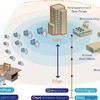
OmniPeek Enterprise is WildPackets’ flagship product. It combines all of the features of the OmniPeek product line in one product, including support for local captures from multiple interfaces and connections to an unlimited number of distributed OmniEngines. It also supports data collection from any network topology, including 10 Gigabit and Gigabit networks, WAN links and local matrix switches. OmniPeek Enterprise is ideal for IT organizations responsible for network analysis and network service level agreements (SLAs) for the entire organization. A license of OmniPeek Enterprise should be considered for each location that will be supported by a network engineering professional. OmniPeek Enterprise also provides advanced voice and video over IP functionalities including signaling and media analyses of voice and video, VoIP playback, voice and video expert analysis, visual expert, and more.
OmniEngine
Distributed 24/7 Network Analyzer and Monitor
Building on WildPackets’ award-winning network analysis technology, OmniEngine performs real-time network analysis on traffic from one or more network interfaces, including Ethernet, 802.11 a/b/g/n wireless, Gigabit, 10 Gigabit, and WAN. OmniEngine captures and analyzes data in real-time, and records data for post-capture analysis. With WildPackets OmniEngines, network engineers can rapidly troubleshoot faults – even faults occurring at remote locations - without leaving their office.
OmniEngine runs as a service on standard Windows platforms as well as on WildPackets network recorder, Omnipliance, which is available in both Windows and Linux configurations. By installing an OmniEngine in each business location, a network engineering team gains real-time visibility into all its remote networks. Enterprises that cannot afford to staff each office with a network engineer can use OmniEngine to ensure that every business location receives the network engineering support it needs.
OmniEngine provides comprehensive network service analytics, including:
* Application layer expert diagnoses, Apdex user satisfaction scores, and application response time (ART) analysis
* Expert Systems Diagnoses, including streams-based packet analysis and correlations between events and conversations
* Statistical Analysis, including packet flows and details about nodes, protocols, and sub-protocols
* Packet Analysis, including protocol decodes and descriptions of physical errors
* VoIP Media analysis, including MOS and R-Factor scores, as well as Expert analysis for leading VoIP solutions such as Avaya, Cisco, and Megaco
* Infrastructure Monitoring, including 24 x7 monitoring and analysis of network traffic; when network problems occur, OmniEngine executes SNMP traps, notifying SNMP monitoring systems such as HP OpenView of potential problems; because it captures the traffic that generated the error, OmniEngine provides network engineers the detailed information they need in order to investigate and resolve problems
While other packet analysis products offer only simplistic threshold-based alarms, OmniEngine offers a wealth of information and features that network engineers can use to rapidly troubleshoot faults.
When running on an Omnipliance, OmniEngine can capture and store hours or even days of network traffic for forensic analysis.
WildPackets OmniPeek Personal
个人版/自由版,与其它版区别在于(无其他功能/性能区别):
1.不能连接OmniEngine
2.最多支持200个节点
3.最多支持25条专家系统分析条目
4.只能在一块网卡上工作。
WildPackets OmniPeek 5.1 精简汉化版
1.汉化作者:guobaizhu
2.请自行安装 .net 2.0 framework
3.精简了以下组件:帮助,英文文档,日文文档,例子,声音库
4.注册时先输入注册机上的序列号,再输入授权码。
小涛, 2008.6.1
下载包详细信息:
WildPackets OmniPeek 5.1 汉化包
File: 51hh0523-peekres.zip
Size: 961516 bytes
MD5: 5F5E1756F41E283338EB505656DAC5BA
WildPackets OmniEngine Enterprise v4.1
File: oengn41.zip
Size: 38881471 bytes
MD5: D1A94F582B05A6FC5BD961CC2B00FCF2
WildPackets OmniEngine Enterprise v5.1(无注册机)
File: oengn51.exe
Size: 46608896 bytes
MD5: FE50974C00104696EC41D5AF4946A8BA
WildPackets OmniPeek 5.1 精简汉化版
File: OmniPeek51mini.EXE
Size: 15943356 bytes
MD5: B51288772BAD2663D82D5032755AFAF5
WildPackets OmniPeek Personal v4.1 汉化包
File: OmniPeek Personal 4.1_HH_peekres.zip
Size: 927568 bytes
MD5: 29C39FB96221F7BDF4D5FA66C4C255D0
WildPackets OmniPeek 5.0 5.1 KeyGen
File: omnipeek_keygen5.rar
Size: 6085 bytes
MD5: 1B4FEFADBD2523C025DD69D1FC153904
WildPackets OmniPeek Plugins
File: OmniPeekPlugins.zip
Size: 16724392 bytes
MD5: 6D11DC35EB20F51E950E905F990286AF
内含以下文件:
├─OmniPeekPlugins
│ │ GoogleMapInstaller.1.0.0.8.exe
│ │ Instant Messenger Plugin.1.0.0.1.dll
│ │ NetisPeekWeb.dll
│ │ OmniPeek十大流行Plugin介绍.txt
│ │ WebStats2.0.2.1.exe
│ │ Wildpackets Browser Plugin1.0.1.1.exe
│ │ WizardInstaller-11-1.3.0.1.exe
│ │
│ ├─PeekPlayerInstaller.1.0.1.6
│ │ PeekPlayer.dll
│ │ PluginInstaller.exe
│ │
│ ├─RemoteTCPDumpAdapter
│ │ cl32.dll
│ │ PluginInstaller.exe
│ │ README.txt
│ │ RemoteTCPDump.dll
│ │
│ └─SQLFilter Plug-In
│ SQLFilter1.0.2.10.exe
│ SQL_Plugin_d3.pdf
│
└─Omni免费插件
intw2634.exe
netdoppler111.exe
networkcalc321.exe
proconvert30.exe
WildPackets OmniPeek Enterprise with Enhanced Voice Option v5.1
File: omnp51.exe
Size: 189716480 bytes
MD5: 3AAB4FE3C2F7E5EB877885E019575416
File: WildPackets.OmniEngine.Enterprise.v4.1.Retail.Incl.Keymaker-ZWT.zip
Size: 140930 bytes
MD5: 6D7493235E549D6D47F0FC0536E18DE1
WildPackets OmniPeek Personal v4.1
File: WildPackets_OmniPeek_Personal41.exe
Size: 23083179 bytes
MD5: C2D2166E68302F1B913424C73752C388
[已通过安全检测]
Symantec AntiVirus
程序:10.1.4.4020
引擎:81.1.0.13
版本:2008-6-23 rev.4
[已通过安装测试列表]
Windows XP SP3 Chs
WildPackets OmniEngine Enterprise v5.1
其他程序和版本本人未安装测试(个人收藏)
软件版权归原作者及原软件公司所有,如果你喜欢,请购买正版软件
共享服务时间:7*24(维护/停电除外)
共享服务器:no1.eserver.emule.org.cn/no2.eserver.emule.org.cn
软件名称:WildPackets OmniPeek OmniEngine (详见下)
版本号:5.1 4.1 (详见下)
软件大小:318M (所有下载包合计)
软件语言:英语
运行环境:Windows 2k/xp/2k3
软件分类:国外软件
官方网站:http://www.wildpackets.com/
参考网站:网络分析专家论坛 (部分资源由此论坛网友制作)
主要内容:
Wildpackets公司的Omni分布式故障分析平台获得Network Computing杂志“最佳千兆网络分析探针”奖项,该荣誉证明omni是所有经过该试验室严格测试的产品或者服务中最优秀的产品。
关于Omni
Omni平台实现了从单一控制台进行全网范围的分析与故障诊断,包括广域网、无线网络。结合 Omni DNX分布式引擎、专家分析系统,使用Omni的OmniPeek控制台能够并发、独立监控分析多个网段,管理员可以快速恢复业务系统,最大化网络可用时间。Omni平台非常容易进行部署、管理、扩展,是企业值得拥有的网络分析与故障诊断的解决方案。
关于Wildpackets公司
自 1990 起,,Wildpackets就已经成功推出故障分析方案 (Fault analysis solutions),为全球各大型企业提供了既可靠又具稳定性的网络系统。由桌面计算机到数据中心 (Data Center),从无线局域网 (Wireless LAN) 到千兆骨乾网络(Gigabit backbones),无论是企业的内部网络或者是分布式网络的互连,Wildpackets 都能够为企业快速发现和处理影响网络的问题。全球超过5000名的客户正在使用 Wildpackets 的产品,协助他们解决网络系统的问题,从而提高网络系统的性能,这些客户涵盖了财富1000强公司中的80%。
WildPackets公司与Sniffer的故事
从DOS版本的Sniffer/EtherPeek开始,这两个产品就一直是这个领域的一对欢喜冤家。
1997年Sniffer当时所拥有的公司NGC(Network General Coporation)收购了Cinco Systems,后者拥有当时最为闻名遐迩的Windows下的分析软件NetXray。
从此Sniffer披上了Windows的外套,在Windows下也实现了Sniffer引以为傲的专家系统。1997年底,NGC和McAfee合并组成Network Associates,从此踏上了大规模商业化的道路。
AG Group早期发展EtherPeek的步伐有些缓慢,在推出了Macintosh版本的分析软件并且垄断了相应市场以后,其发展轨迹也变得更为技术化。
到2000年以后,WildPackets脱胎于AG Group的传统建构,并且收购了Net3、Optimal Engineering和PMG等一系列产品、培训、服务企业,顿时实力大增,WildPackets也进一步把专家系统技术引入到EtherPeek产品线中,出现了EtherPeek NX等新的产品。从DOS/Mac跨越到windows 2000平台,EtherPeek几乎被从头进行代码。
到了2003年以后,WildPackets逐渐羽翼丰满,终于推出了分布式分析产品OmniPeek。这个产品足足晚了Sniffer Distributed 8年。
Wireless LAN进入市场以后,网络分析产品逐渐发现了一个新的战场,在Hub时代,网络分析产品不需要配置就可以使用,而且当时网络又确实漏洞百出。到了 Switch时代,网络分析产品逐渐变得更难部署,即使部署,成本也很高。到了无线网络环境,人们发现,又一个新的hub环境驾临了。
可惜的是从1998年完成合并之后,到2004年NAI分裂之前,NAI始终不能对Sniffer投注于高昂的激情。相对于防病毒市场而言,网络分析工具无论是从市场总量还是增长趋势都不能与之相提并论。而且更大的问题是网络分析通常会被认为比防病毒要高几个技术 level,Sniffer和McAfee在核心价值上遇到了巨大的抵触。
Sniffer停滞了三四年之后,终于获得了重生的机会。但是在这个不短的时机中,WildPackets已经快速逼近,甚至已经超越。
Network Magazine是网络产业的风向标之一,在网络分析领域,Sniffer曾一直荣获1997, 1998, 1999, 2000, 2001的年度最佳网络分析类产品,然而之后,2002, 2003年的年度最佳产品桂冠就转移到了WildPackets手中。工欲善其事,必先利其器。我们在从事网络分析、优化之前,很重要的一环就是要准备好最佳的工具,之后我们试图用比较客观的一下Sniffer和OmniPeek的各类功能以及实现效果。
软件设计
从Sniffer Pro和OmniPeek的设计而言,两者代表了不同时代的设计理念。
Sniffer Pro从netxray里获得了图形化界面以后,就开始试图建立新的网络分析软件标准。用过Netxray的同志们应该都知道,Matrix、 Dashboard其实都是Netxray里就已经存在的设计。而NGC Sniffer 的最大长处就是Expert System和对各类链路的支持。 Expert System顾名思义就是专家系统,自动地根据网络捕获的数据进行分析并提供分析结果。
Netxray的界面设计应用了后Win31时代和早Win95时期的界面元素,一直保持到现在,颇有点清涩古风。在底层设计上,现在的Sniffer Pro其实大量地基于COM/OLE编程,到了Sniffer Distributed,分布式产品,Sniffer 又把结构延续到DCOM。当时并不知道后来会有病毒直接利用DCOM,因此整个产品设计非常理想化。 DCOM调用的规范相对较为复杂,这也造成了后期的Sniffer Distributed陷入了很多问题,诸如界面更新速度、数据显示延迟等等。这也造成了当时的Sniffer人决定把整个产品推向到Web based,事实证明把这样复杂的分析软件转换到Web环境是个彻头彻尾的错误,但是路一旦踏上,就很难有回头的余地。
Sniffer Pro的界面在最近6年没有发生大的变化,除了因为Wireless LAN的产品引入了一些新的元件之外,整个UI一直保持当初NetXray时代的样子。这既是缺点,也是优点,一旦熟悉也就可以不用更改任何习惯。
如果来看看OmniPeek,就会发现故事在这里是完全不一样。OmniPeek的设计元素里大量应用了 Flat Button、TreeView、IE View,使得整个产品很适应Windows XP/2000的环境。这一点也是后起之秀的优势,可以充分运用最新的技术。我特地关注了一下OmniPeek在分布应用时候的通讯协议,很值得一提的是,OmniPeek避免了任何DCOM的应用,采用了自行开发的一个加密通讯协议。
OmniPeek的开发环境迅速从VC++迁移到了VC.net,在OmniPeek的很多设计里都已经有了一些基本的.NET特性。而相对而言,Sniffer则拘泥于VC 6.0不能自拔,OmniPeek产品带来了很多新的气象。
OmniPeek Enterprise
Enterprise Network Analyzer and OmniEngine Console
OmniPeek Enterprise is WildPackets’ flagship product. It combines all of the features of the OmniPeek product line in one product, including support for local captures from multiple interfaces and connections to an unlimited number of distributed OmniEngines. It also supports data collection from any network topology, including 10 Gigabit and Gigabit networks, WAN links and local matrix switches. OmniPeek Enterprise is ideal for IT organizations responsible for network analysis and network service level agreements (SLAs) for the entire organization. A license of OmniPeek Enterprise should be considered for each location that will be supported by a network engineering professional. OmniPeek Enterprise also provides advanced voice and video over IP functionalities including signaling and media analyses of voice and video, VoIP playback, voice and video expert analysis, visual expert, and more.
OmniEngine
Distributed 24/7 Network Analyzer and Monitor
Building on WildPackets’ award-winning network analysis technology, OmniEngine performs real-time network analysis on traffic from one or more network interfaces, including Ethernet, 802.11 a/b/g/n wireless, Gigabit, 10 Gigabit, and WAN. OmniEngine captures and analyzes data in real-time, and records data for post-capture analysis. With WildPackets OmniEngines, network engineers can rapidly troubleshoot faults – even faults occurring at remote locations - without leaving their office.
OmniEngine runs as a service on standard Windows platforms as well as on WildPackets network recorder, Omnipliance, which is available in both Windows and Linux configurations. By installing an OmniEngine in each business location, a network engineering team gains real-time visibility into all its remote networks. Enterprises that cannot afford to staff each office with a network engineer can use OmniEngine to ensure that every business location receives the network engineering support it needs.
OmniEngine provides comprehensive network service analytics, including:
* Application layer expert diagnoses, Apdex user satisfaction scores, and application response time (ART) analysis
* Expert Systems Diagnoses, including streams-based packet analysis and correlations between events and conversations
* Statistical Analysis, including packet flows and details about nodes, protocols, and sub-protocols
* Packet Analysis, including protocol decodes and descriptions of physical errors
* VoIP Media analysis, including MOS and R-Factor scores, as well as Expert analysis for leading VoIP solutions such as Avaya, Cisco, and Megaco
* Infrastructure Monitoring, including 24 x7 monitoring and analysis of network traffic; when network problems occur, OmniEngine executes SNMP traps, notifying SNMP monitoring systems such as HP OpenView of potential problems; because it captures the traffic that generated the error, OmniEngine provides network engineers the detailed information they need in order to investigate and resolve problems
While other packet analysis products offer only simplistic threshold-based alarms, OmniEngine offers a wealth of information and features that network engineers can use to rapidly troubleshoot faults.
When running on an Omnipliance, OmniEngine can capture and store hours or even days of network traffic for forensic analysis.
WildPackets OmniPeek Personal
个人版/自由版,与其它版区别在于(无其他功能/性能区别):
1.不能连接OmniEngine
2.最多支持200个节点
3.最多支持25条专家系统分析条目
4.只能在一块网卡上工作。
WildPackets OmniPeek 5.1 精简汉化版
1.汉化作者:guobaizhu
2.请自行安装 .net 2.0 framework
3.精简了以下组件:帮助,英文文档,日文文档,例子,声音库
4.注册时先输入注册机上的序列号,再输入授权码。
小涛, 2008.6.1
下载包详细信息:
WildPackets OmniPeek 5.1 汉化包
File: 51hh0523-peekres.zip
Size: 961516 bytes
MD5: 5F5E1756F41E283338EB505656DAC5BA
WildPackets OmniEngine Enterprise v4.1
File: oengn41.zip
Size: 38881471 bytes
MD5: D1A94F582B05A6FC5BD961CC2B00FCF2
WildPackets OmniEngine Enterprise v5.1(无注册机)
File: oengn51.exe
Size: 46608896 bytes
MD5: FE50974C00104696EC41D5AF4946A8BA
WildPackets OmniPeek 5.1 精简汉化版
File: OmniPeek51mini.EXE
Size: 15943356 bytes
MD5: B51288772BAD2663D82D5032755AFAF5
WildPackets OmniPeek Personal v4.1 汉化包
File: OmniPeek Personal 4.1_HH_peekres.zip
Size: 927568 bytes
MD5: 29C39FB96221F7BDF4D5FA66C4C255D0
WildPackets OmniPeek 5.0 5.1 KeyGen
File: omnipeek_keygen5.rar
Size: 6085 bytes
MD5: 1B4FEFADBD2523C025DD69D1FC153904
WildPackets OmniPeek Plugins
File: OmniPeekPlugins.zip
Size: 16724392 bytes
MD5: 6D11DC35EB20F51E950E905F990286AF
内含以下文件:
├─OmniPeekPlugins
│ │ GoogleMapInstaller.1.0.0.8.exe
│ │ Instant Messenger Plugin.1.0.0.1.dll
│ │ NetisPeekWeb.dll
│ │ OmniPeek十大流行Plugin介绍.txt
│ │ WebStats2.0.2.1.exe
│ │ Wildpackets Browser Plugin1.0.1.1.exe
│ │ WizardInstaller-11-1.3.0.1.exe
│ │
│ ├─PeekPlayerInstaller.1.0.1.6
│ │ PeekPlayer.dll
│ │ PluginInstaller.exe
│ │
│ ├─RemoteTCPDumpAdapter
│ │ cl32.dll
│ │ PluginInstaller.exe
│ │ README.txt
│ │ RemoteTCPDump.dll
│ │
│ └─SQLFilter Plug-In
│ SQLFilter1.0.2.10.exe
│ SQL_Plugin_d3.pdf
│
└─Omni免费插件
intw2634.exe
netdoppler111.exe
networkcalc321.exe
proconvert30.exe
WildPackets OmniPeek Enterprise with Enhanced Voice Option v5.1
File: omnp51.exe
Size: 189716480 bytes
MD5: 3AAB4FE3C2F7E5EB877885E019575416
File: WildPackets.OmniEngine.Enterprise.v4.1.Retail.Incl.Keymaker-ZWT.zip
Size: 140930 bytes
MD5: 6D7493235E549D6D47F0FC0536E18DE1
WildPackets OmniPeek Personal v4.1
File: WildPackets_OmniPeek_Personal41.exe
Size: 23083179 bytes
MD5: C2D2166E68302F1B913424C73752C388