
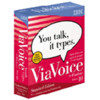
《IBM德语语音识别》(IBM ViaVoice Deutsch 10.0)10
电驴资源
| 用户共享的电驴资源列表 | |
|---|---|
| [IBM德语语音识别软件]Ibm.Viavoice.Pro.10.Deutsch.zip | 334.51 MB |
| 334.51 MB | |
电驴资源简介
中文名: IBM德语语音识别英文名: IBM ViaVoice Deutsch 10.0版本: 10制作发行: IBM简介:
本人周一至周日10:00至22:00在线
[已通过安全检测]Symantec Norton Antivirus Corporation Edition 10 2005.9.7
[已通过安装测试]操作系统:Windows 2003 Server Sp1
带宽:1M ADSL
常驻emule服务器:Razorback 2.0
Manufacturer s Description
ViaVoice Pro Edition, Release 10, is the latest edition to the UK English ViaVoice family of products for Windows. It is designed for people who view speech recognition as a powerful productivity tool, and offers an improved speech engine, and background noise adjustment which can provide exceptional accuracy and fewer corrections. Complete the short, optional enrolment to teach ViaVoice how you speak. Then talk to type e-mail and reports on your PC. Use enhanced command and control, navigation and voice shortcut functions to navigate the Web and PC applications, and to manage e-mail with your voice.
Easy
Talk normally to your PC and the words appear on screen.
Adjust ViaVoice to your environment with the new background noise sensitivity control.
Dictate, edit, format and correct text in Microsoft Office XP 2000, Outlook, Internet Explorer, AOL and Netscape Messenger, e-mail applications or ViaVoice SpeakPad.
Dictate directly and say voice commands in many other popular PC applications.
Say numbers normally and they will be formatted correctly.
Install either the UK English or US English vocabulary.
Use the text-to-speech option to read e-mail aloud to you or to help you check your dictated text.
Make corrections easily with the new streamlined correction facility.
Accurate
New speech engine for greater dictation accuracy and fewer corrections.
With over 150,000 words, the UK English vocabulary offers exceptional accuracy.
ViaVoice knows the spellings and pronunciations of over 260,000 words in its back-up dictionary.
ViaVoice uses the context of your words to help it type the correct word. It can even tell the difference between words that sound the same such as to, too and two.
Keep talking. ViaVoice learns from you so, the more you use it, the better it gets.
Fast
Personalise the vocabulary quickly with your own names and specialist terms using the improved document analyser; or just add new words as you go.
Complete the short, optional enrollment so ViaVoice understands the way you speak.
Save time the latest VoiceCentre starts up faster and is more flexible.
Enjoy optimum performance. The speed and accuracy settings of ViaVoice are adjusted automatically at installation to suit your PC s power.
Save time by using voice shortcuts to insert frequently used text such as addresses.
ViaVoice can be used by different people on your PC, and it s ideal for anyone teenagers and older.
Simply controlled
Command and control ViaVoice, your desktop and PC applications with your voice say commands to activate menu options and buttons.
Automate commands across several applications with new smoother Voice Shortcuts.
Use your voice to create, manage and send e-mail, chat on the Internet, control your browser and surf the Web.
Set up Voice Marks to give you audio confirmation of macro commands.
Use single word commands to replace multiple keystrokes - new key control stops commands from being mistaken for dictation.
Use natural commands like check my messages to manage e-mail by voice.
本人周一至周日10:00至22:00在线
[已通过安全检测]Symantec Norton Antivirus Corporation Edition 10 2005.9.7
[已通过安装测试]操作系统:Windows 2003 Server Sp1
带宽:1M ADSL
常驻emule服务器:Razorback 2.0
Manufacturer s Description
ViaVoice Pro Edition, Release 10, is the latest edition to the UK English ViaVoice family of products for Windows. It is designed for people who view speech recognition as a powerful productivity tool, and offers an improved speech engine, and background noise adjustment which can provide exceptional accuracy and fewer corrections. Complete the short, optional enrolment to teach ViaVoice how you speak. Then talk to type e-mail and reports on your PC. Use enhanced command and control, navigation and voice shortcut functions to navigate the Web and PC applications, and to manage e-mail with your voice.
Easy
Talk normally to your PC and the words appear on screen.
Adjust ViaVoice to your environment with the new background noise sensitivity control.
Dictate, edit, format and correct text in Microsoft Office XP 2000, Outlook, Internet Explorer, AOL and Netscape Messenger, e-mail applications or ViaVoice SpeakPad.
Dictate directly and say voice commands in many other popular PC applications.
Say numbers normally and they will be formatted correctly.
Install either the UK English or US English vocabulary.
Use the text-to-speech option to read e-mail aloud to you or to help you check your dictated text.
Make corrections easily with the new streamlined correction facility.
Accurate
New speech engine for greater dictation accuracy and fewer corrections.
With over 150,000 words, the UK English vocabulary offers exceptional accuracy.
ViaVoice knows the spellings and pronunciations of over 260,000 words in its back-up dictionary.
ViaVoice uses the context of your words to help it type the correct word. It can even tell the difference between words that sound the same such as to, too and two.
Keep talking. ViaVoice learns from you so, the more you use it, the better it gets.
Fast
Personalise the vocabulary quickly with your own names and specialist terms using the improved document analyser; or just add new words as you go.
Complete the short, optional enrollment so ViaVoice understands the way you speak.
Save time the latest VoiceCentre starts up faster and is more flexible.
Enjoy optimum performance. The speed and accuracy settings of ViaVoice are adjusted automatically at installation to suit your PC s power.
Save time by using voice shortcuts to insert frequently used text such as addresses.
ViaVoice can be used by different people on your PC, and it s ideal for anyone teenagers and older.
Simply controlled
Command and control ViaVoice, your desktop and PC applications with your voice say commands to activate menu options and buttons.
Automate commands across several applications with new smoother Voice Shortcuts.
Use your voice to create, manage and send e-mail, chat on the Internet, control your browser and surf the Web.
Set up Voice Marks to give you audio confirmation of macro commands.
Use single word commands to replace multiple keystrokes - new key control stops commands from being mistaken for dictation.
Use natural commands like check my messages to manage e-mail by voice.