
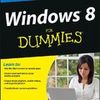
《傻瓜系列微软视窗系统第八代》(Windows 8 For Dummies)文字版[PDF]
电驴资源
| 用户共享的电驴资源列表 | |
|---|---|
| [傻瓜系列微软视窗系统第八代].Windows.8.For.Dummies.pdf | 13.74 MB |
| 13.74 MB | |
电驴资源简介
| 资源介绍 |
| 语言: 英文 |
| 地区: 美国 |
| 图书fenlei: 软件 |
| 中文名: 傻瓜系列微软视窗系统第八代 |
| 发行时间: 2012年 |
| 原名: Windows 8 For Dummies |
| 资源格式: PDF |
| 版本: 文字版 |
简介:  Introduction Welcome to Windows 8 For Dummies, the world’s best-selling book about Windows 8! This book’s popularity probably boils down to this simple fact: Some people want to be Windows whizzes. They love interacting with dialog boxes. Some randomly press keys in the hope of discovering hidden, undocumented features. A few memorize long strings of computer commands while washing their hair. And you? Well, you’re no dummy, that’s for sure. But when it comes to Windows and computers, the fascination just isn’t there. You want to get your work done, stop, and move on to something more important. You have no intention of changing, and there’s nothing wrong with that. That’s where this book comes in handy. Instead of making you a whiz at Windows, it merely dishes out chunks of useful computing information when you need them. Instead of becoming a Windows 8 expert, you’ll know just enough to get by quickly, cleanly, and with a minimum of pain so that you can move on to the more pleasant things in life. And you’ll be able to do that whether you’re dealing with a touchscreen, laptop, or desktop computer. About This Book Don’t try to read this book in one sitting; there’s no need. Instead, treat this book like a dictionary or an encyclopedia. Turn to the page with the information you need and say, “Ah, so that’s what they’re talking about.” Then put down the book and move on. Don’t bother trying to memorize all the Windows 8 jargon, such as Select the Menu Item from the Drop-Down List Box. Leave that stuff for the computer enthusiasts. In fact, if anything technical comes up in a chapter, a road sign warns you well in advance. Depending on your mood, you can either slow down to read it or speed on around it. Instead of fancy computer jargon, this book covers subjects like these, all discussed in plain English: Keeping your computer safe and secure Making sense of the new Start screen Finding, starting, and closing programs and apps Locating the file you saved or downloaded yesterday Setting up a computer for the whole family to use Copying information to and from a CD or DVD Saving and sharing photos from your digital camera Printing your work Creating a network between computers to share an Internet connection or printer Fixing Windows 8 when it’s misbehaving There’s nothing to memorize and nothing to learn. Just turn to the right page, read the brief explanation, and get back to work. Unlike other books, this one enables you to bypass the technical hoopla and still get your work done. How to Use This Book 更多下载:http://www.dummiespdf.com/ |
|
目录: Table of Contents Introduction About This Book How to Use This Book Tablet Owners Aren’t Left Out And What about You? How This Book Is Organized Part I: Windows 8 Stuff Everybody Thinks You Already Know Part II: Working with Programs, Apps, and Files Part III: Getting Things Done on the Internet Part IV: Customizing and Upgrading Windows 8 Part V: Music, Photos, and Movies Part VI: Help! Part VII: The Part of Tens |