
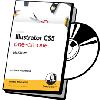
《Illustrator CS5一对一培训视频教程:精通篇》(Lynda.com Illustrator CS5 One-on-One Mastery)[光盘镜像]
电驴资源
| 用户共享的电驴资源列表 | |
|---|---|
| [Illustrator.CS5一对一培训视频教程:精通篇].Lynda.com.Illustrator.CS5.One-on-One.Mastery-QUASAR.iso | 2.16 GB |
| 2.16 GB | |
电驴资源简介
简介:

资源简介
教程名称:Illustrator CS5 One-on-One: Mastery
主讲人:Deke McClelland 包含配套练习文件
官网链接:http://www.lynda.com/Illustrator-CS5-tutor...2-2.html
Lynda.com 出品的时长达13小时07分的 Illustrator CS5一对一培训:精通 视频教程。这是Illustrator一对一系列教程中的第三部,也是最后一部。由业内专家Deke McClelland讲述怎样利用Illustrator CS5的各种工具创建出动态效果的矢量图。探讨了Illustrator强大的渐变网格功能,能创建出真实感的喷墨效果。以及图形样式,liquify工具,封套式扭曲(envelope-style distortion),新的毛刷画笔,三维文字和透视图等。本教程附带练习文件。
——简介摘自(xuehui@TLF)
In Illustrator CS5 One-on-One: Mastery, the third and final part of the comprehensive Illustrator One-on-One series, author and industry expert Deke McClelland shows how to take advantage of the wide array of dynamic effects in Illustrator CS5. Deke explores Illustrator’s powerful Gradient Mesh feature, great for creating photorealistic airbrushing effects. He also covers graphic styles, the liquify tools, envelope-style distortions, the new Bristle Brushes, 3D text, and perspective drawing. Exercise files accompany the course.
Topics include:
* Working with dynamic effects
* Placing artwork as a Photoshop Smart Object
* Creating and editing a Gradient Mesh
* Distorting artwork with an Envelope Mesh
* Using the Calligraphic, Art, and Scatter Brushes
* Creating an intricate Pattern Brush
* Importing and graphing data
* Creating a complex pictograph
* Drawing and editing a perspective shape
* Working with the new Perspective Grid tool
* Using the 3D Revolve effect
* Creating 3D type with Extrude Bevel
* Recording and playing automated actions
资源简介
教程名称:Illustrator CS5 One-on-One: Mastery
主讲人:Deke McClelland 包含配套练习文件
官网链接:http://www.lynda.com/Illustrator-CS5-tutor...2-2.html
Lynda.com 出品的时长达13小时07分的 Illustrator CS5一对一培训:精通 视频教程。这是Illustrator一对一系列教程中的第三部,也是最后一部。由业内专家Deke McClelland讲述怎样利用Illustrator CS5的各种工具创建出动态效果的矢量图。探讨了Illustrator强大的渐变网格功能,能创建出真实感的喷墨效果。以及图形样式,liquify工具,封套式扭曲(envelope-style distortion),新的毛刷画笔,三维文字和透视图等。本教程附带练习文件。
——简介摘自(xuehui@TLF)
In Illustrator CS5 One-on-One: Mastery, the third and final part of the comprehensive Illustrator One-on-One series, author and industry expert Deke McClelland shows how to take advantage of the wide array of dynamic effects in Illustrator CS5. Deke explores Illustrator’s powerful Gradient Mesh feature, great for creating photorealistic airbrushing effects. He also covers graphic styles, the liquify tools, envelope-style distortions, the new Bristle Brushes, 3D text, and perspective drawing. Exercise files accompany the course.
Topics include:
* Working with dynamic effects
* Placing artwork as a Photoshop Smart Object
* Creating and editing a Gradient Mesh
* Distorting artwork with an Envelope Mesh
* Using the Calligraphic, Art, and Scatter Brushes
* Creating an intricate Pattern Brush
* Importing and graphing data
* Creating a complex pictograph
* Drawing and editing a perspective shape
* Working with the new Perspective Grid tool
* Using the 3D Revolve effect
* Creating 3D type with Extrude Bevel
* Recording and playing automated actions