
《自由空间2 SCP 3.6.9》(Freespace2 SCP 3.6.9)SCP 3.6.9[ISO]
电驴资源
| 用户共享的电驴资源列表 | |
|---|---|
| [自由空间2.SCP.3.6.9].FreeSpaceSCPDVD.iso | 3.28 GB |
| 3.28 GB | |
电驴资源简介
中文名称: 自由空间2 SCP 3.6.9英文名称: Freespace2 SCP 3.6.9资源格式: 光盘镜像版本: SCP 3.6.9地区: 美国简介:
开发:Volition
发行:Interplay
容量:1DVD
语种:英文
平台:PC
类型:射击
官网:http://www.freespace2.com/index.cfm
SCP:http://www.hard-light.net/forums/index.php?board=50.0
ISO国外发布链接:http://www.hard-light.net/forums/index.php/topic,45946.0.html
游戏视频:http://www.youtube.com/watch?v=-6VhyMzu12c 看了就知道好不好玩啦!
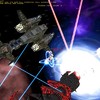
《天旋地转之自由空间2》(Descent: FreeSpace 2)是由Volition开发并经Interplay公司发布的空战模拟类游戏。其3CD的容量为玩家提供了崭新的操作界面和游戏风格:
超过30个单人任务版。新的关卡包括驾驶高级隐形战机与Vasudan中队一起执行任务,用TAG(目标捕获与导航)导弹损毁目标等。在战斗过程中可命令其他十一个小组成员来保卫、进攻你设定的目标、解除你目标的武装或使其失效。深层次的战斗系统使玩家能瞄准并摧毁飞船子系统,使其发动机、防御性炮塔、导弹电池板和战机舱失效。由超强武器装备的新型战机和轰炸机将使玩家置身于复杂的、快节奏的二战风格的空战之中。
《自由空间2》含有共计70种星际战舰,包括以下新舰船:
带有超过80 个炮塔的“主神(Juggernauts)”战舰,其六公里大的块头几乎坚不可摧。隐形战机的工程设计在最大限度上减少了EM 信号辐射,使它们即使在较近范围内也不易被传感器发现。机载报警与控制系统(AWACS)让同盟的飞船能够在星云易变的环境中瞄准敌方目标。气矿工负责收集星云中富含氘的气体为以核聚变反应为能量的舰船添加燃料。创新化和逼真的星云环境改善了游戏的动态表现。弱化的能见度、通信方式以及瞄准能力为伏击敌人和作出新的战略决策提供了机会。该游戏最高支持12人的局域网、TCP/IP网和modem 对战、组和组(最多8人)对战以及合作任务的战斗。支持最近的硬件,如奔腾 III,环境音效、A3D、力反馈、和语音传讯。利用新改进过的“自由空间任务编辑器2”(FRED 2)可建立并且定制单人和多人游戏关卡,并可与其他《自由空间》的联机社区中的设计者交换任务关卡。
该游戏利用3D加速提高祯速并提供了极吸引人的图象画面(如飞船较高的多边形细节和自由 alpha渲染以及雾化的星云效果等)。其绚丽多彩的星云景象竟令本菜鸟不知身处何处,Gamespot 更赏下了9.4 的高分,喜欢空战模拟类游戏或3D 射击类游戏的玩友们又该忙乎了。 :-)
安装:
1.用daemon载入,自动播放
2.安装Freespace SCP,里面还有附带几个MOD,目录最好是 X: Games Freespace2 (X:是指你要安装的硬盘分区的盘符)。
安装完成后进入游戏所在的目录,运行里面的oalinst这个文件。
运行X: Games Freespace2 Launcher.exe,在选项卡的顶部有个Browser按钮,点击然后选定X: Games Freespace2 fs2_open_3_6_9.exe这个文件。之后就是设定Video,Mod,等等。这个游戏配置要求很低,主流机子选最高都绝对没问题。Launcher.exe的设定介绍可参考此链接http://www.deeptimes.com/bbs/viewthread.php?tid=2016
(可选)3.安装Inferno,要安装在X: Games Freespace2目录下,然后运行X: Games Freespace2 Launcher.exe,然后在Mod里点Select Mod按钮,选择X: Games Freespace2 INFA目录,这样就选定了这个MOD了。
(可选)4.The Babylon Project 这个是独立的,不安装1.2,3步也行。看过美剧巴比伦5号的就应该来玩一玩了,嘿嘿。
(可选)5.Wing Commander Saga Prologue 这个也是独立的。
引用Best viewed maximized, resolution 1024x768
-Don t forget, you can File Print this for easy reference
www.hard-light.net/forums
--register, create an account, post a message saying that you re not sure what the welcome beam is...
Thx hip63 for makin the DVD
I m jr2, if anything goes wrong, it s probably my fault for bad directions... (but I hope not )
If something s missing/wrong/u got suggestions, whatever, go to www.hard-light.net/forums, register,
and PM me.
EDIT: Well, there you go.. bad (corrupted) file. Let s try this again. (Sorry all )
Thx Turey for makin the included online installer/updater
(mostly updater for this DVD, as the installable stuff is included)
Thx Volition for the great game(s)
Thx hard-light crew for such a great upgrade
Okay, so you re downloading (or have downloaded) the FS SCP DVD torrent, and want to know what to
do next? Well, we ll make this easy:
First off, don t forget to seed You can restart your computer and mount the .iso while seeding,
no problem, just don t forget to start your Bittorrent client (if it doesn t start with the system)
and have it running in the background, seeding... Please Help people like yourself,
it s the nice thing to do
Second off, this DVD has FS:SCP + mods, The Inferno mod for FS:SCP, The Babylon Project stand-alone TC,
The Wing Commander Saga Prologue stand-alone TC I d say start off with FS:SCP, play the included
FreeSpace port (FS1) mod, then the FS Port ST mod (same one, just hit different campaign), then FS2
(select no mod), then Derelict, then Inferno, then some of the others, (Just Another Day, JADII,
Deus Ex Machina...) *THEN* try the TC mods... by that time, more campains will be available
Just use the included updater and/or get them from www.hard-light.net
1: You don t need 7-zip from www.7-zip.org , as I m not using a .7z file, because it didn t save enough
space to be worth it (this time) ... go to step 2.
2: Now you have the file, you can either burn it to a blank DVD, using your recording software and a DVD
recorder, or you can use a software DVD drive emulator.
( see http://isorecorder.alexfeinman.com/isorecorder.htm [yes, it s free] if you want to make Windows able
to burn .iso files, as well as create them from disks )
3: Get an emulator: DAEMON Tools ( free, more advanced [read: haxx0ring] options,
http://www.daemon-tools.cc ), or Virtual CloneDrive ( free, easier to set up [read: do not have to disable
Windows write debug info AFAIK has file association], http://www.slysoft.com/en/virtual-clonedrive.html )
... or you could just get both, like I have. For DAEMON Tools, go to A) ... For Virtual CloneDrive,
go to I) ... For both, start with DAEMON Tools. I have included pretty decent step-by-step instructions,
but if you get lost, here are some links:
--- Manual for Virtual CloneDrive install:
http://www.elby.ch/products/clone_dvd/manual/drive.html
--- Manual for DAEMON Tools install:
http://www.daemon-tools.cc/dtcc/daemonhelp...elpstart
A) Disable Windows Write Debugging Information :
a) Right-click on My Computer , hit Properties
Go to the Advanced tab
c) Under the Startup and Recovery section on the bottom hit Settings .
d) On the bottom of the Startup and Recovery dialog box, set Write Debugging Information to (none) .
e) Hit OK , then hit OK again, to close both dialog boxes.
PS) If you don t follow this, then you ll be following it in Safe Mode. (I know from experience.)
PPS) To get into Safe Mode, you hit the F8 key repeatedly while starting the computer, until XP starts loading,
and catches your message. Then select Safe Mode and hit Enter.
Install the correct version of DAEMON Tools from their website
(x64 for 64-bit processor OS, or x86 for normal systems).
Note, when you get notices about a driver not being signed, hit Continue Anyway .
C) To load CD/DVD images, right-click on the DAEMON (lighting) icon in your system tray.
D) Go to Virtual CD/DVD-ROM Device 0: [ X:] No media Mount image .
(Replace the X in X: with whatever is displayed, this letter will vary.)
E) Browse to where you extracted the .iso file, click on the .iso file, hit Open
F) The autoplay should bring up the setup screen, where you can follow instructions,
if it doesn t, then click Start Run , then:
G) Type X: Files FSSCPDVD.EXE and hit the Enter key. (Again, replace X in X: with the letter
displayed in DAEMON, seen above.)
__________________________________________________________________________________________________
I) Install Virtual CloneDrive from their website.
When you get the notice about which SCSI driver to pick, hit the only one displayed,
hit OK, then hit Continue Anyway
II) Right-click on your Virtual CloneDrive in Windows Explorer, or My Computer.
(It is the one with the Sheep icon.)
III) Hit Virtual CloneDrive Mount...
IV) Browse to where you extracted the .iso file, click on the .iso file, hit Open
V) The autoplay should bring up the setup screen, where you can follow instructions,
if it doesn t, then click Start Run , then:
VI) Type X: Files FSSCPDVD.EXE and hit the Enter key. (Replace X in X: with the
letter displayed by the sheep icon, see above.)
开发:Volition
发行:Interplay
容量:1DVD
语种:英文
平台:PC
类型:射击
官网:http://www.freespace2.com/index.cfm
SCP:http://www.hard-light.net/forums/index.php?board=50.0
ISO国外发布链接:http://www.hard-light.net/forums/index.php/topic,45946.0.html
游戏视频:http://www.youtube.com/watch?v=-6VhyMzu12c 看了就知道好不好玩啦!
《天旋地转之自由空间2》(Descent: FreeSpace 2)是由Volition开发并经Interplay公司发布的空战模拟类游戏。其3CD的容量为玩家提供了崭新的操作界面和游戏风格:
超过30个单人任务版。新的关卡包括驾驶高级隐形战机与Vasudan中队一起执行任务,用TAG(目标捕获与导航)导弹损毁目标等。在战斗过程中可命令其他十一个小组成员来保卫、进攻你设定的目标、解除你目标的武装或使其失效。深层次的战斗系统使玩家能瞄准并摧毁飞船子系统,使其发动机、防御性炮塔、导弹电池板和战机舱失效。由超强武器装备的新型战机和轰炸机将使玩家置身于复杂的、快节奏的二战风格的空战之中。
《自由空间2》含有共计70种星际战舰,包括以下新舰船:
带有超过80 个炮塔的“主神(Juggernauts)”战舰,其六公里大的块头几乎坚不可摧。隐形战机的工程设计在最大限度上减少了EM 信号辐射,使它们即使在较近范围内也不易被传感器发现。机载报警与控制系统(AWACS)让同盟的飞船能够在星云易变的环境中瞄准敌方目标。气矿工负责收集星云中富含氘的气体为以核聚变反应为能量的舰船添加燃料。创新化和逼真的星云环境改善了游戏的动态表现。弱化的能见度、通信方式以及瞄准能力为伏击敌人和作出新的战略决策提供了机会。该游戏最高支持12人的局域网、TCP/IP网和modem 对战、组和组(最多8人)对战以及合作任务的战斗。支持最近的硬件,如奔腾 III,环境音效、A3D、力反馈、和语音传讯。利用新改进过的“自由空间任务编辑器2”(FRED 2)可建立并且定制单人和多人游戏关卡,并可与其他《自由空间》的联机社区中的设计者交换任务关卡。
该游戏利用3D加速提高祯速并提供了极吸引人的图象画面(如飞船较高的多边形细节和自由 alpha渲染以及雾化的星云效果等)。其绚丽多彩的星云景象竟令本菜鸟不知身处何处,Gamespot 更赏下了9.4 的高分,喜欢空战模拟类游戏或3D 射击类游戏的玩友们又该忙乎了。 :-)
安装:
1.用daemon载入,自动播放
2.安装Freespace SCP,里面还有附带几个MOD,目录最好是 X: Games Freespace2 (X:是指你要安装的硬盘分区的盘符)。
安装完成后进入游戏所在的目录,运行里面的oalinst这个文件。
运行X: Games Freespace2 Launcher.exe,在选项卡的顶部有个Browser按钮,点击然后选定X: Games Freespace2 fs2_open_3_6_9.exe这个文件。之后就是设定Video,Mod,等等。这个游戏配置要求很低,主流机子选最高都绝对没问题。Launcher.exe的设定介绍可参考此链接http://www.deeptimes.com/bbs/viewthread.php?tid=2016
(可选)3.安装Inferno,要安装在X: Games Freespace2目录下,然后运行X: Games Freespace2 Launcher.exe,然后在Mod里点Select Mod按钮,选择X: Games Freespace2 INFA目录,这样就选定了这个MOD了。
(可选)4.The Babylon Project 这个是独立的,不安装1.2,3步也行。看过美剧巴比伦5号的就应该来玩一玩了,嘿嘿。
(可选)5.Wing Commander Saga Prologue 这个也是独立的。
引用Best viewed maximized, resolution 1024x768
-Don t forget, you can File Print this for easy reference
www.hard-light.net/forums
--register, create an account, post a message saying that you re not sure what the welcome beam is...
Thx hip63 for makin the DVD
I m jr2, if anything goes wrong, it s probably my fault for bad directions... (but I hope not )
If something s missing/wrong/u got suggestions, whatever, go to www.hard-light.net/forums, register,
and PM me.
EDIT: Well, there you go.. bad (corrupted) file. Let s try this again. (Sorry all )
Thx Turey for makin the included online installer/updater
(mostly updater for this DVD, as the installable stuff is included)
Thx Volition for the great game(s)
Thx hard-light crew for such a great upgrade
Okay, so you re downloading (or have downloaded) the FS SCP DVD torrent, and want to know what to
do next? Well, we ll make this easy:
First off, don t forget to seed You can restart your computer and mount the .iso while seeding,
no problem, just don t forget to start your Bittorrent client (if it doesn t start with the system)
and have it running in the background, seeding... Please Help people like yourself,
it s the nice thing to do
Second off, this DVD has FS:SCP + mods, The Inferno mod for FS:SCP, The Babylon Project stand-alone TC,
The Wing Commander Saga Prologue stand-alone TC I d say start off with FS:SCP, play the included
FreeSpace port (FS1) mod, then the FS Port ST mod (same one, just hit different campaign), then FS2
(select no mod), then Derelict, then Inferno, then some of the others, (Just Another Day, JADII,
Deus Ex Machina...) *THEN* try the TC mods... by that time, more campains will be available
Just use the included updater and/or get them from www.hard-light.net
1: You don t need 7-zip from www.7-zip.org , as I m not using a .7z file, because it didn t save enough
space to be worth it (this time) ... go to step 2.
2: Now you have the file, you can either burn it to a blank DVD, using your recording software and a DVD
recorder, or you can use a software DVD drive emulator.
( see http://isorecorder.alexfeinman.com/isorecorder.htm [yes, it s free] if you want to make Windows able
to burn .iso files, as well as create them from disks )
3: Get an emulator: DAEMON Tools ( free, more advanced [read: haxx0ring] options,
http://www.daemon-tools.cc ), or Virtual CloneDrive ( free, easier to set up [read: do not have to disable
Windows write debug info AFAIK has file association], http://www.slysoft.com/en/virtual-clonedrive.html )
... or you could just get both, like I have. For DAEMON Tools, go to A) ... For Virtual CloneDrive,
go to I) ... For both, start with DAEMON Tools. I have included pretty decent step-by-step instructions,
but if you get lost, here are some links:
--- Manual for Virtual CloneDrive install:
http://www.elby.ch/products/clone_dvd/manual/drive.html
--- Manual for DAEMON Tools install:
http://www.daemon-tools.cc/dtcc/daemonhelp...elpstart
A) Disable Windows Write Debugging Information :
a) Right-click on My Computer , hit Properties
Go to the Advanced tab
c) Under the Startup and Recovery section on the bottom hit Settings .
d) On the bottom of the Startup and Recovery dialog box, set Write Debugging Information to (none) .
e) Hit OK , then hit OK again, to close both dialog boxes.
PS) If you don t follow this, then you ll be following it in Safe Mode. (I know from experience.)
PPS) To get into Safe Mode, you hit the F8 key repeatedly while starting the computer, until XP starts loading,
and catches your message. Then select Safe Mode and hit Enter.
Install the correct version of DAEMON Tools from their website
(x64 for 64-bit processor OS, or x86 for normal systems).
Note, when you get notices about a driver not being signed, hit Continue Anyway .
C) To load CD/DVD images, right-click on the DAEMON (lighting) icon in your system tray.
D) Go to Virtual CD/DVD-ROM Device 0: [ X:] No media Mount image .
(Replace the X in X: with whatever is displayed, this letter will vary.)
E) Browse to where you extracted the .iso file, click on the .iso file, hit Open
F) The autoplay should bring up the setup screen, where you can follow instructions,
if it doesn t, then click Start Run , then:
G) Type X: Files FSSCPDVD.EXE and hit the Enter key. (Again, replace X in X: with the letter
displayed in DAEMON, seen above.)
__________________________________________________________________________________________________
I) Install Virtual CloneDrive from their website.
When you get the notice about which SCSI driver to pick, hit the only one displayed,
hit OK, then hit Continue Anyway
II) Right-click on your Virtual CloneDrive in Windows Explorer, or My Computer.
(It is the one with the Sheep icon.)
III) Hit Virtual CloneDrive Mount...
IV) Browse to where you extracted the .iso file, click on the .iso file, hit Open
V) The autoplay should bring up the setup screen, where you can follow instructions,
if it doesn t, then click Start Run , then:
VI) Type X: Files FSSCPDVD.EXE and hit the Enter key. (Replace X in X: with the
letter displayed by the sheep icon, see above.)