
《Gnomon:无缝纹理创建教程》(Gnomonology Creating Tileable Textures )[ISO]
电驴资源
| 用户共享的电驴资源列表 | |
|---|---|
| [Gnomon无缝纹理创建教程].tileable_textures.iso | 56.62 MB |
| [Gnomon无缝纹理创建教程].tac-ctt.nfo | 3.41 KB |
| 56.62 MB | |
电驴资源简介
简介:

有时候,我们在设计时需要用到一些纹理,可要想找到称心如意的纹理图案可不是一件容易的事。也许你在平时就积累了很多纹理,这是最好不过了。不过有时仍没有合适的。如果你手中有一张喜欢的图像,想把它的一部分作为纹理来贴到别的图像中去,通常来说,这是一件很麻烦的事,因为作为图像的一部分,它或多或少都会受到周围环境的影响,作为纹理的话会出现明显的分界。下面,我们来学习来自Gnomonology 官方的制作方法,让你的纹理更加天衣无缝!
教程时间:22分钟
使用软件:photoshop maya
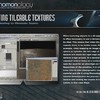
When texturing objects in a 3D application, it is often necessary to use a texture that can be tiled. This means that when the image repeats there is no visible seam. For example, when mapping an image around a sphere or cylinder, the left edge of the texture will touch the right edge as the texture wraps around. Or a texture may be repeated several times on a surface to eliminate the need for an ultra high-res texture. Regardless of the situation, it is critical to know how to take photographic source material and tile it using Photoshop. This tutorial demonstrates the process of tiling a texture and testing the results in a 3D application, in this case Maya.
教程截图:


[安全检测]
已通过安全检测
安全检测软体:Rising Antivirus 2008
驻服务器:DonkeyServer No1 DonkeyServer No 2
共用服务时间:全天不定时,一般为下午和晚上11点之前
共享条件:电信ADSL 2M带宽 速度较慢请大家分流
[免责声明]
该下载内容仅限於个人测试学习之用,不得用於商业用途,并且请在下载后24小时内删除。
资源版权归作者及其公司所有,如果你喜欢,请购买正版。
有时候,我们在设计时需要用到一些纹理,可要想找到称心如意的纹理图案可不是一件容易的事。也许你在平时就积累了很多纹理,这是最好不过了。不过有时仍没有合适的。如果你手中有一张喜欢的图像,想把它的一部分作为纹理来贴到别的图像中去,通常来说,这是一件很麻烦的事,因为作为图像的一部分,它或多或少都会受到周围环境的影响,作为纹理的话会出现明显的分界。下面,我们来学习来自Gnomonology 官方的制作方法,让你的纹理更加天衣无缝!
教程时间:22分钟
使用软件:photoshop maya
When texturing objects in a 3D application, it is often necessary to use a texture that can be tiled. This means that when the image repeats there is no visible seam. For example, when mapping an image around a sphere or cylinder, the left edge of the texture will touch the right edge as the texture wraps around. Or a texture may be repeated several times on a surface to eliminate the need for an ultra high-res texture. Regardless of the situation, it is critical to know how to take photographic source material and tile it using Photoshop. This tutorial demonstrates the process of tiling a texture and testing the results in a 3D application, in this case Maya.
教程截图:
[安全检测]
已通过安全检测
安全检测软体:Rising Antivirus 2008
驻服务器:DonkeyServer No1 DonkeyServer No 2
共用服务时间:全天不定时,一般为下午和晚上11点之前
共享条件:电信ADSL 2M带宽 速度较慢请大家分流
[免责声明]
该下载内容仅限於个人测试学习之用,不得用於商业用途,并且请在下载后24小时内删除。
资源版权归作者及其公司所有,如果你喜欢,请购买正版。