
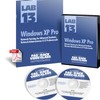
《Train Signal教程:Windows XP Pro》(Train.Signal.Lab.13.Windows.XP.Network.Training)[ISO]
电驴资源
电驴资源简介
中文名: Train Signal教程:Windows XP Pro英文名: Train.Signal.Lab.13.Windows.XP.Network.Training资源格式: 光盘镜像发行时间: 2004年地区: 美国对白语言: 英语简介:
申明:经检查无病毒
杀毒软件:卡巴斯基5.0390
常驻服务器:R2和Em Server No.1
开源时间:13:30--23:00
寝室4人共享1M带宽,最大上传100K/S,望耐心等待,希望各位帮忙分源!
语言:英语
类型:教程
网址:http://trainsignal.com/index.asp?PageActio...rodID=17
*在实时网络配置中深入学习Windows XP
*2CD超过12小时的高品质CBT视频
*MCSE认证教师讲授,全真经验
*涵盖3个不同MCSE Exam 270 考试概念
*可靠的训练方法
引用
教程内容:
CD1:*1.Introduction *2.Network setup *3.What s new in Windows XP *4.XP Home vs. Professional Edition*5.Windows XP Boot sequence *6.User and Group Management *7.Remote Management Tools *8.Printer Management in XP *9.Security Policies in Windows XP *10.Disk Management *11.File and Folder Management
CD2:*12.Slipstreaming Service Pack Updating Windows XP *13.File and Settings Transfer Wizard *14.Baking and Restoring Windows Xp *15.Windows XP in a domain *16.Application Deployment in Windows Xp *17.Advanced User Management in Domains *18.Monitoring Windows Xp *19.Securing and hardening Windows XP *20.Troubleshooting and Help Desk Management
代码
Industrial Strength Security
*Secure your home and work PC - prevent kids and coworkers from installing spyware, viewing confidential files and deleting your settings
*Learn how to lock down your critical files with Share/NTFS permissions encryption
*Has a hacker busted into your system? Use the Internet Connection Firewall ICF to secure XP filter good traffic from bad.
*Learn how to use Local Security Policies and Group Policy Objects GPOs for securing your network
*Lock down network computers using security policies in Server 2003
Advanced Networking
*Sick of bouncing around from desktop to desktop installing applications? Learn how to to deploy applications to hundreds of computers with just a couple mouse clicks using Group Policy
*Use the Microsoft Management Console MMC to remotely manage servers or other network computers
*Use Sysinternals’ PS Tools to remotely manage servers
*Join your XP computer to a Server 2003 domain, using Active Directory and DNS
*Use the Desktop Transfer Wizard to transfer files, profiles and other settings
*The video labs are demonstrated on 3 PCs running Windows XP Pro, Windows 2000 Pro and Server 2003, so you will learn how XP operates in an actual network environment
Troubleshooting
*Learn to troubleshoot startup problems by modifying the XP boot files
*Use Remote Desktop Remote Assistance to troubleshoot and manage another PC or Server from your Windows XP computer without leaving your desk Help out friends or family with PC problems
*After a system crash, learn how to restore your system to its previous state
*System won’t boot up? Learn how to troubleshoot and fix the problem yourself
*Manage and troubleshoot advanced printing problems
*Use the System Restore feature to recover from XP failures and disasters
Advanced Administration
*Have you ever lost all of your data? Learn how to back it up and never lose it again
*Have you ever received a new computer only to realize all of your favorites, shortcuts and other preferences were gone? Learn how to transfer these settings to your next new computer
*Run out of room on your hard drive? Learn how to use Disk Management Partition Magic to manage your hard drive’s partitions and free up some space
*Manage Users, User Profiles and Groups both locally and remotely
*Deploy applications MS Office WinZip automatically using Intellimirror
*Create a bootable XP CD with the latest service pack integrated - slipstreaming
*Backup Restore your system using NTBackup
申明:经检查无病毒
杀毒软件:卡巴斯基5.0390
常驻服务器:R2和Em Server No.1
开源时间:13:30--23:00
寝室4人共享1M带宽,最大上传100K/S,望耐心等待,希望各位帮忙分源!
语言:英语
类型:教程
网址:http://trainsignal.com/index.asp?PageActio...rodID=17
*在实时网络配置中深入学习Windows XP
*2CD超过12小时的高品质CBT视频
*MCSE认证教师讲授,全真经验
*涵盖3个不同MCSE Exam 270 考试概念
*可靠的训练方法
引用
教程内容:
CD1:*1.Introduction *2.Network setup *3.What s new in Windows XP *4.XP Home vs. Professional Edition*5.Windows XP Boot sequence *6.User and Group Management *7.Remote Management Tools *8.Printer Management in XP *9.Security Policies in Windows XP *10.Disk Management *11.File and Folder Management
CD2:*12.Slipstreaming Service Pack Updating Windows XP *13.File and Settings Transfer Wizard *14.Baking and Restoring Windows Xp *15.Windows XP in a domain *16.Application Deployment in Windows Xp *17.Advanced User Management in Domains *18.Monitoring Windows Xp *19.Securing and hardening Windows XP *20.Troubleshooting and Help Desk Management
代码
Industrial Strength Security
*Secure your home and work PC - prevent kids and coworkers from installing spyware, viewing confidential files and deleting your settings
*Learn how to lock down your critical files with Share/NTFS permissions encryption
*Has a hacker busted into your system? Use the Internet Connection Firewall ICF to secure XP filter good traffic from bad.
*Learn how to use Local Security Policies and Group Policy Objects GPOs for securing your network
*Lock down network computers using security policies in Server 2003
Advanced Networking
*Sick of bouncing around from desktop to desktop installing applications? Learn how to to deploy applications to hundreds of computers with just a couple mouse clicks using Group Policy
*Use the Microsoft Management Console MMC to remotely manage servers or other network computers
*Use Sysinternals’ PS Tools to remotely manage servers
*Join your XP computer to a Server 2003 domain, using Active Directory and DNS
*Use the Desktop Transfer Wizard to transfer files, profiles and other settings
*The video labs are demonstrated on 3 PCs running Windows XP Pro, Windows 2000 Pro and Server 2003, so you will learn how XP operates in an actual network environment
Troubleshooting
*Learn to troubleshoot startup problems by modifying the XP boot files
*Use Remote Desktop Remote Assistance to troubleshoot and manage another PC or Server from your Windows XP computer without leaving your desk Help out friends or family with PC problems
*After a system crash, learn how to restore your system to its previous state
*System won’t boot up? Learn how to troubleshoot and fix the problem yourself
*Manage and troubleshoot advanced printing problems
*Use the System Restore feature to recover from XP failures and disasters
Advanced Administration
*Have you ever lost all of your data? Learn how to back it up and never lose it again
*Have you ever received a new computer only to realize all of your favorites, shortcuts and other preferences were gone? Learn how to transfer these settings to your next new computer
*Run out of room on your hard drive? Learn how to use Disk Management Partition Magic to manage your hard drive’s partitions and free up some space
*Manage Users, User Profiles and Groups both locally and remotely
*Deploy applications MS Office WinZip automatically using Intellimirror
*Create a bootable XP CD with the latest service pack integrated - slipstreaming
*Backup Restore your system using NTBackup