
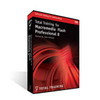
《flash8.新手教程.3.DVD》(Total Training For Macromedia Flash Professional 8 Dvd)[ISO]
电驴资源
电驴资源简介
简介:


flash 8 新手教学,以前在这里见过dvd1,现在把3张一套的都放上来。共大家学习
教程非常清晰。速度适中,讲的东西比较初级。但是也有一些使用技巧的传授。所以非初级学者也可以看看。
本人24小时在donkeyserver no.1服务器.会一直供源。
上传的图片的尺寸经过压缩,小于原大小。
dvd1内容列表
1. A Quick Flash Demo (48 min)
Lesson 1: Introducing the Flash Interface
Lesson 2: Adding Elements to the Stage
Lesson 3: Duplicating Library Items
Lesson 4: Introducing Keyframes, the Transform Tool Tweening
Lesson 5: Creating Animations
Lesson 6: Adding Audio, Swapping Symbols Testing a Movie
Lesson 7: Using Graphic Symbols
Lesson 8: Combining Animations into One Project
Lesson 9: Creating Arranging Buttons
Lesson 10: Adding Labeling Action Keyframes
Lesson 11: Adding Behaviors to Buttons
Lesson 12: Using the Publish Preview Command
2. Meet Flash: Fundamentals (37 min)
Lesson 1: Navigating the Stage Area
Lesson 2: Accessing Organizing Panels
Lesson 3: Saving, Exporting Testing
Lesson 4: Selecting a Flash Player Version for a New Project
Lesson 5: Introducing Layers
Lesson 6: Creating New Layers Moving Items Between Layers
Lesson 7: Customizing Keyboard Shortcuts Locking Layers
Lesson 8: Using Outline Mode, Layer Folders Properties
3. Drawing with Vectors (28 min)
Lesson 1: Comparing Vectors Bitmaps
Lesson 2: Working with the Pen Tool
Lesson 3: Drawing a Heart Shape with the Pen Tool
Lesson 4: Where to Put Points How Far to Drag Handles
Lesson 5: Practicing Your Vector Drawing Skills
4. Flash Natural Drawing Tools (45 min)
Lesson 1: Setting Up the Drawing Preferences
Lesson 2: Exploring the Pencil Tool Options
Lesson 3: Using the Line Paint Bucket Tools
Lesson 4: Distinguishing Between Strokes Fills
Lesson 5: Modifying Vectors Using the Selection Tool
Lesson 6: Snapping Modifying Curves with the Selection Tool
Lesson 7: Altering Drawings with the Selection Options
Lesson 8: Using the Brush Paint Bucket Tools to Fill
Lesson 9: Painting Using the Various Brush Modes
Lesson 10: Working with a Stylus a Tablet
Lesson 11: Drawing with the Rectangle Tool
Lesson 12: Drawing with the Oval Tool
Lesson 13: Drawing with the PolyStar Tool
Lesson 14: Working with the Eye Dropper Tool
Lesson 15: Working with the Ink Bottle Tool
Lesson 16: Working with the Eraser Tool
5- Advanced Vector Drawing (54 min)
Lesson 1: Intersecting Shapes within a Single Layer
Lesson 2: Using the Selection Tool
Lesson 3: Creating Complex Shapes with Intersecting Lines
Lesson 4: Combining Tools to Create Detailed Curves
Lesson 5: Vector Drawing Techniques
Lesson 6: Grouping Vector Shapes
Lesson 7: Editing the Contents of a Group
Lesson 8: Creating Arranging Groups
Lesson 9: Object-Based Drawing
6. Setting Colors in Flash (44 min)
Lesson 1: Introducing Advanced Color Selection
Lesson 2: Working with the Color Mixer
Lesson 3: Creating Transparency Sampling Colors
Lesson 4: Using the Color Swatches Palette
Lesson 5: Applying Stylizing Strokes
Lesson 6: Adjusting Cap, Join Other Stroke Properties
Lesson 7: Applying Transforming Gradients
Lesson 8: Saving Locking Gradients
Lesson 9: Choosing a Gradient Overflow
Lesson 10: Adding Transparency to a Gradient
7. Bitmaps in Flash (51 min)
Lesson 1: Importing Files to the Stage Library
Lesson 2: File Compression Settings, Size Report Use Count
Lesson 3: Compressing Individual Files
Lesson 4: Importing an Image with a Transparent Background
Lesson 5: Using Trace Bitmap to Change a Background to Vectors
Lesson 6: Changing a Foreground Item to Vectors
Lesson 7: Using the Optimize Curves Command
Lesson 8: Grouping an Image Using the Transform Tools
Lesson 9: Performing Transformations Numerically
Lesson 10: Working with the Free Transform Options
Lesson 11: Working with Bitmap Fills inside a Vector Shape
Lesson 12: Using the Break Apart Command the Magic Wand Tool
8. Using Text in Flash (55 min)
Lesson 1: Auto-Sizing, Auto-Wrapping Selecting Text
Lesson 2: Changing a Font, Picking a Color Checking Spelling
Lesson 3: Using Rulers, Guides, Grids Snapping
Lesson 4: Aligning, Distributing Spacing Text
Lesson 5: Working with Device Fonts
Lesson 6: Editing Files with Missing Fonts
Lesson 7: Anti-Aliasing Text for Better Quality Readability
Lesson 8: Paragraph Character Formatting
Lesson 9: Using Text as a Design Element
Lesson 10: Text on a Path, Guide Layers the Transform Panel
9. Symbols (41 min)
Lesson 1: Introducing Symbols
Lesson 2: Creating Reusing a Symbol
Lesson 3: Editing a Symbol in Place
Lesson 4: Editing a Symbol in the Library
Lesson 5: Modifying an Instance of a Symbol
Lesson 6: Nesting Elements inside a Symbol
Lesson 7: Adjusting the Color Opacity of a Symbol
Lesson 8: Deconstructing Reordering Symbol Parts
Lesson 9: Taking Advantage of Logically Ordered Layers
Lesson 10: Organizing the Library
Lesson 11: Looking at Symbols as a Movie inside of a Movie
10. Symbol Effects: Filters Blends (65 min)
Lesson 1: Applying Fader Gradients
Lesson 2: Adding Text Graphics to a Background
Lesson 3: Converting Text to Symbols
Lesson 4: Using Drop Shadows with Text
Lesson 5: Using Drop Shadows with Symbols
Lesson 6: Applying the Blur Filter to Text Symbols
Lesson 7: Customizing Glow Bevel
Lesson 8: Disabling Filters Using the Gradient Bevel Filter
Lesson 9: Stacking Order Other Filters Settings
Lesson 10: Saving Using Filter Presets
Lesson 11: Understanding Blend Modes
Lesson 12: Using the Normal, Darken Multiply Blend Modes
Lesson 13: Using the Lighten Screen Blend Modes
Lesson 14: Using the Overlay Hard Light Blend Modes
Lesson 15: Using the Add, Subtract, Difference Invert Blends
Lesson 16: Building a Mask without Blend Modes
Lesson 17: Building a Mask Using Alpha, Blend Layer Modes
已通过安全检测:
安全检测软件软件:KV2005
版本号:9.00.607
病毒库日期:2006-6-1
常在服务器:DonkeyServer No1
在线时间:7x24
flash 8 新手教学,以前在这里见过dvd1,现在把3张一套的都放上来。共大家学习
教程非常清晰。速度适中,讲的东西比较初级。但是也有一些使用技巧的传授。所以非初级学者也可以看看。
本人24小时在donkeyserver no.1服务器.会一直供源。
上传的图片的尺寸经过压缩,小于原大小。
dvd1内容列表
1. A Quick Flash Demo (48 min)
Lesson 1: Introducing the Flash Interface
Lesson 2: Adding Elements to the Stage
Lesson 3: Duplicating Library Items
Lesson 4: Introducing Keyframes, the Transform Tool Tweening
Lesson 5: Creating Animations
Lesson 6: Adding Audio, Swapping Symbols Testing a Movie
Lesson 7: Using Graphic Symbols
Lesson 8: Combining Animations into One Project
Lesson 9: Creating Arranging Buttons
Lesson 10: Adding Labeling Action Keyframes
Lesson 11: Adding Behaviors to Buttons
Lesson 12: Using the Publish Preview Command
2. Meet Flash: Fundamentals (37 min)
Lesson 1: Navigating the Stage Area
Lesson 2: Accessing Organizing Panels
Lesson 3: Saving, Exporting Testing
Lesson 4: Selecting a Flash Player Version for a New Project
Lesson 5: Introducing Layers
Lesson 6: Creating New Layers Moving Items Between Layers
Lesson 7: Customizing Keyboard Shortcuts Locking Layers
Lesson 8: Using Outline Mode, Layer Folders Properties
3. Drawing with Vectors (28 min)
Lesson 1: Comparing Vectors Bitmaps
Lesson 2: Working with the Pen Tool
Lesson 3: Drawing a Heart Shape with the Pen Tool
Lesson 4: Where to Put Points How Far to Drag Handles
Lesson 5: Practicing Your Vector Drawing Skills
4. Flash Natural Drawing Tools (45 min)
Lesson 1: Setting Up the Drawing Preferences
Lesson 2: Exploring the Pencil Tool Options
Lesson 3: Using the Line Paint Bucket Tools
Lesson 4: Distinguishing Between Strokes Fills
Lesson 5: Modifying Vectors Using the Selection Tool
Lesson 6: Snapping Modifying Curves with the Selection Tool
Lesson 7: Altering Drawings with the Selection Options
Lesson 8: Using the Brush Paint Bucket Tools to Fill
Lesson 9: Painting Using the Various Brush Modes
Lesson 10: Working with a Stylus a Tablet
Lesson 11: Drawing with the Rectangle Tool
Lesson 12: Drawing with the Oval Tool
Lesson 13: Drawing with the PolyStar Tool
Lesson 14: Working with the Eye Dropper Tool
Lesson 15: Working with the Ink Bottle Tool
Lesson 16: Working with the Eraser Tool
5- Advanced Vector Drawing (54 min)
Lesson 1: Intersecting Shapes within a Single Layer
Lesson 2: Using the Selection Tool
Lesson 3: Creating Complex Shapes with Intersecting Lines
Lesson 4: Combining Tools to Create Detailed Curves
Lesson 5: Vector Drawing Techniques
Lesson 6: Grouping Vector Shapes
Lesson 7: Editing the Contents of a Group
Lesson 8: Creating Arranging Groups
Lesson 9: Object-Based Drawing
6. Setting Colors in Flash (44 min)
Lesson 1: Introducing Advanced Color Selection
Lesson 2: Working with the Color Mixer
Lesson 3: Creating Transparency Sampling Colors
Lesson 4: Using the Color Swatches Palette
Lesson 5: Applying Stylizing Strokes
Lesson 6: Adjusting Cap, Join Other Stroke Properties
Lesson 7: Applying Transforming Gradients
Lesson 8: Saving Locking Gradients
Lesson 9: Choosing a Gradient Overflow
Lesson 10: Adding Transparency to a Gradient
7. Bitmaps in Flash (51 min)
Lesson 1: Importing Files to the Stage Library
Lesson 2: File Compression Settings, Size Report Use Count
Lesson 3: Compressing Individual Files
Lesson 4: Importing an Image with a Transparent Background
Lesson 5: Using Trace Bitmap to Change a Background to Vectors
Lesson 6: Changing a Foreground Item to Vectors
Lesson 7: Using the Optimize Curves Command
Lesson 8: Grouping an Image Using the Transform Tools
Lesson 9: Performing Transformations Numerically
Lesson 10: Working with the Free Transform Options
Lesson 11: Working with Bitmap Fills inside a Vector Shape
Lesson 12: Using the Break Apart Command the Magic Wand Tool
8. Using Text in Flash (55 min)
Lesson 1: Auto-Sizing, Auto-Wrapping Selecting Text
Lesson 2: Changing a Font, Picking a Color Checking Spelling
Lesson 3: Using Rulers, Guides, Grids Snapping
Lesson 4: Aligning, Distributing Spacing Text
Lesson 5: Working with Device Fonts
Lesson 6: Editing Files with Missing Fonts
Lesson 7: Anti-Aliasing Text for Better Quality Readability
Lesson 8: Paragraph Character Formatting
Lesson 9: Using Text as a Design Element
Lesson 10: Text on a Path, Guide Layers the Transform Panel
9. Symbols (41 min)
Lesson 1: Introducing Symbols
Lesson 2: Creating Reusing a Symbol
Lesson 3: Editing a Symbol in Place
Lesson 4: Editing a Symbol in the Library
Lesson 5: Modifying an Instance of a Symbol
Lesson 6: Nesting Elements inside a Symbol
Lesson 7: Adjusting the Color Opacity of a Symbol
Lesson 8: Deconstructing Reordering Symbol Parts
Lesson 9: Taking Advantage of Logically Ordered Layers
Lesson 10: Organizing the Library
Lesson 11: Looking at Symbols as a Movie inside of a Movie
10. Symbol Effects: Filters Blends (65 min)
Lesson 1: Applying Fader Gradients
Lesson 2: Adding Text Graphics to a Background
Lesson 3: Converting Text to Symbols
Lesson 4: Using Drop Shadows with Text
Lesson 5: Using Drop Shadows with Symbols
Lesson 6: Applying the Blur Filter to Text Symbols
Lesson 7: Customizing Glow Bevel
Lesson 8: Disabling Filters Using the Gradient Bevel Filter
Lesson 9: Stacking Order Other Filters Settings
Lesson 10: Saving Using Filter Presets
Lesson 11: Understanding Blend Modes
Lesson 12: Using the Normal, Darken Multiply Blend Modes
Lesson 13: Using the Lighten Screen Blend Modes
Lesson 14: Using the Overlay Hard Light Blend Modes
Lesson 15: Using the Add, Subtract, Difference Invert Blends
Lesson 16: Building a Mask without Blend Modes
Lesson 17: Building a Mask Using Alpha, Blend Layer Modes
已通过安全检测:
安全检测软件软件:KV2005
版本号:9.00.607
病毒库日期:2006-6-1
常在服务器:DonkeyServer No1
在线时间:7x24