
《数码相机照片自动拷贝软件》(ImageIngester Pro)更新v3.5.04/含注册码[压缩包]
电驴资源
| 用户共享的电驴资源列表 | |
|---|---|
| [数码相机照片自动拷贝软件].ImageIngester_Pro_v3.4.02-DIGERATI.zip | 5.30 MB |
| 5.30 MB | |
电驴资源简介
简介:

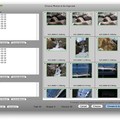
(图片为Mac界面,本发布版本为Win版,不用纠结截图了)
软件类型:图形图像 - 图像处理
软件性质:破解软件
操作系统:Windows
应用平台: Windows XP (32-bit) and Vista/Windows 7 (32-bit or 64-bit)
问题反馈:ImageIngester@basepath.com
网站链接:http://basepath.com/ImageIngester/ii-info.php
版本更新说明:
引用Disc burning with this version on XP requires installation of IMAPI2. Click on the Technical Notes link at left for details. Bug involving folder naming fixed; updated versions of ExifTool and GPSBabel.

ImageIngester Pro 是一款可将照相机或记忆卡中图片自动拷贝到计算机上的软件。不但可自动化运行繁琐的步骤,还可同时完成备份、核对、更名图像并将他们放置于文件夹中,应用 metadata 转换成 DNG 格式。WINDOWS 的版本。
Saves time and improves reliability by automating critical steps at the start of your workflow: Ingestion with double backup; naming; moving to folders; applying bulk metadata and Camera Raw/Lightroom settings; GPS tagging; converting to DNG; verifying; correlating multi-camera shoots. New Version 3 ingests up to 8 cards simultaneously and burns discs.


(图片为Mac界面,本发布版本为Win版,不用纠结截图了)
引用Reginfo:
basepath@kagi.com. youcanaddwhateveryouwanthere
Key: PROD-DU0GYC-QAM0Y-0HGQG-3DCR3-UEDY6-20GK3-T2W
代码 The diGERATi Present ²²
ImageIngester_Pro_v3.4.02-DIGERATI
² ²
²² ²
Release Info ²
²² Cracker ...... DIGERATI Release-Type.. Regged ²
² Packager...... DIGPACKER Release-Date.. 3/3/2010 ²
² Supplier...... DIGERATI Protection.... Time Limit ²
Coder......... DIGERATI OS............ WinALL ²
² ° Company....... Marc Rochkind Files......... xx/02 °²²
° °²
° URL http //imageingester.com °²
² ²
² ImageIngester saves time and improves reliability by ²
² automating critical steps at the start of your workflow ²
² Ingestion with double backup; naming; moving to folders; ²
² applying bulk metadata and Camera Raw/Lightroom settings; ²
² GPS tagging; converting to DNG; verifying; correlating ²
² multi-camera shoots ²
² ²
² ²
² ° ° ²²
² Install Notes ² ²
² ² ² ²
² 1. Unpack and install the software ²
² 2. Use the following information in ser.txt to reg ²
² ²[安全检测]
★未经过安全检测
[安装测试]
★未经过安装测试,使用者后果自负与本论坛无关。
[免责声明]
★本帖介绍的文本内容转自网络,如有出入则以官方站点公布之信息为准,凡摘自网络相关图文介绍内容的本帖不另行标注出处,原创作者如有异议可提出以便删除。
★关于软件破解及注册机可能被杀毒软件报病毒或间谍木马(若已检测到的则将在帖中特别标注),请自行甄别和取舍,不另行加以解释。
★资源下载后请对文件做必要的安全检测,该下载内容仅限于个人测试学习之用,不得用于商业用途,并且请在下载后24小时内删除。
★各计算机系统环境各不相同,因此不保证该软件完全兼容于你的计算机系统,最终解决软件安装运行问题请联络官方站点寻求相关技术支持。
★凡标注为下载链接转自其他站点的,无法保证资源的供源以及资源本身等情况的完整性和可用性(不可控)。
★资源版权归作者及其公司所有,如果你喜欢,请购买正版。
(图片为Mac界面,本发布版本为Win版,不用纠结截图了)
软件类型:图形图像 - 图像处理
软件性质:破解软件
操作系统:Windows
应用平台: Windows XP (32-bit) and Vista/Windows 7 (32-bit or 64-bit)
问题反馈:ImageIngester@basepath.com
网站链接:http://basepath.com/ImageIngester/ii-info.php
版本更新说明:
引用Disc burning with this version on XP requires installation of IMAPI2. Click on the Technical Notes link at left for details. Bug involving folder naming fixed; updated versions of ExifTool and GPSBabel.
ImageIngester Pro 是一款可将照相机或记忆卡中图片自动拷贝到计算机上的软件。不但可自动化运行繁琐的步骤,还可同时完成备份、核对、更名图像并将他们放置于文件夹中,应用 metadata 转换成 DNG 格式。WINDOWS 的版本。
Saves time and improves reliability by automating critical steps at the start of your workflow: Ingestion with double backup; naming; moving to folders; applying bulk metadata and Camera Raw/Lightroom settings; GPS tagging; converting to DNG; verifying; correlating multi-camera shoots. New Version 3 ingests up to 8 cards simultaneously and burns discs.
(图片为Mac界面,本发布版本为Win版,不用纠结截图了)
引用Reginfo:
basepath@kagi.com. youcanaddwhateveryouwanthere
Key: PROD-DU0GYC-QAM0Y-0HGQG-3DCR3-UEDY6-20GK3-T2W
代码 The diGERATi Present ²²
ImageIngester_Pro_v3.4.02-DIGERATI
² ²
²² ²
Release Info ²
²² Cracker ...... DIGERATI Release-Type.. Regged ²
² Packager...... DIGPACKER Release-Date.. 3/3/2010 ²
² Supplier...... DIGERATI Protection.... Time Limit ²
Coder......... DIGERATI OS............ WinALL ²
² ° Company....... Marc Rochkind Files......... xx/02 °²²
° °²
° URL http //imageingester.com °²
² ²
² ImageIngester saves time and improves reliability by ²
² automating critical steps at the start of your workflow ²
² Ingestion with double backup; naming; moving to folders; ²
² applying bulk metadata and Camera Raw/Lightroom settings; ²
² GPS tagging; converting to DNG; verifying; correlating ²
² multi-camera shoots ²
² ²
² ²
² ° ° ²²
² Install Notes ² ²
² ² ² ²
² 1. Unpack and install the software ²
² 2. Use the following information in ser.txt to reg ²
² ²[安全检测]
★未经过安全检测
[安装测试]
★未经过安装测试,使用者后果自负与本论坛无关。
[免责声明]
★本帖介绍的文本内容转自网络,如有出入则以官方站点公布之信息为准,凡摘自网络相关图文介绍内容的本帖不另行标注出处,原创作者如有异议可提出以便删除。
★关于软件破解及注册机可能被杀毒软件报病毒或间谍木马(若已检测到的则将在帖中特别标注),请自行甄别和取舍,不另行加以解释。
★资源下载后请对文件做必要的安全检测,该下载内容仅限于个人测试学习之用,不得用于商业用途,并且请在下载后24小时内删除。
★各计算机系统环境各不相同,因此不保证该软件完全兼容于你的计算机系统,最终解决软件安装运行问题请联络官方站点寻求相关技术支持。
★凡标注为下载链接转自其他站点的,无法保证资源的供源以及资源本身等情况的完整性和可用性(不可控)。
★资源版权归作者及其公司所有,如果你喜欢,请购买正版。