
《照片合成软件》(MediaChance Photo Blend )v1.0[压缩包]
电驴资源
| 用户共享的电驴资源列表 | |
|---|---|
| [照片合成软件].MediaChance.Photo.Blend.v1.0.Incl.Keygen-BEAN.zip | 13.50 MB |
| 13.50 MB | |
电驴资源简介
简介:
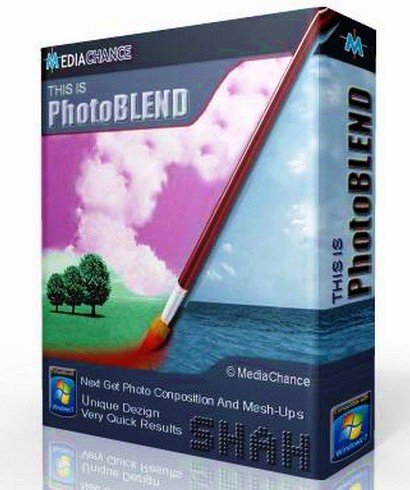
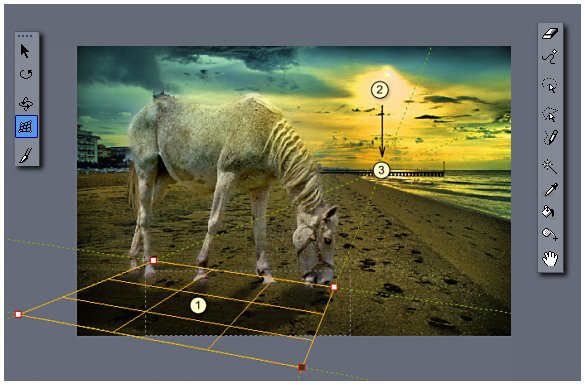
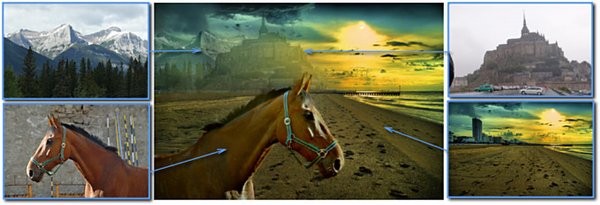
MediaChance Photo Blend 目的只有一个,从头开始设计一个程序 - 快速,准确地合成照片对象,从不同的图像,创建拼贴画或合成照片。图片的不同部分,作为一项规则,它始终是难以相互协调,特别是如果他们在不同时间在不同的场景等问题,结合本不同的图片,不同的相机拍摄的对象。Photo Blend 执行这个任务,隐藏缺陷组合的图像和现场图像插入的新的完整图片。
============================================
下载链接来自sharevirus
未经过安装测试与安全检测,使用者后果自负与本论坛无关
软体版权归原作者及其公司所有,如果你喜欢,请购买正版
============================================
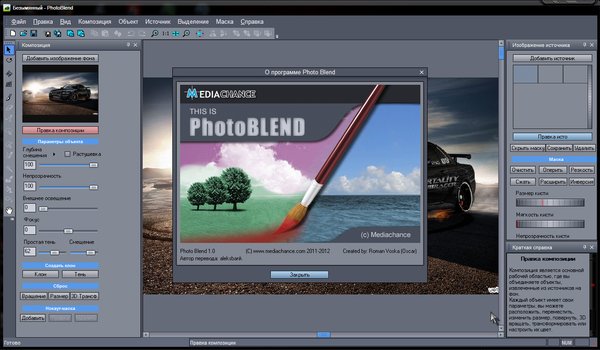
Photo Blend is uniquely designed software to quickly combine parts of different photos into a new photo montage or composition and to create new exciting photo mash-ups. With its original features such as automatic color adjustment it will give you more time to focus on the creative and artistic aspect of the whole process.
Automatic color adjustment
In a graphics program, the process of combining various photos taken with different cameras at different times, in different lighting conditions would require continuous operation and would take a long time, but not in Photo BLEND.
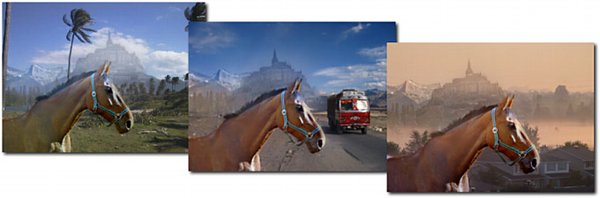
For the correct visualization Photo BLEND automatically adjusts the color and lighting combinable objects when they are fixing in the new composition, even if the sources are very different.
Is captured ambient light from the background scene. And everything happens automatically.
Key features:
- Complete toolkit for creating graphical compositions.
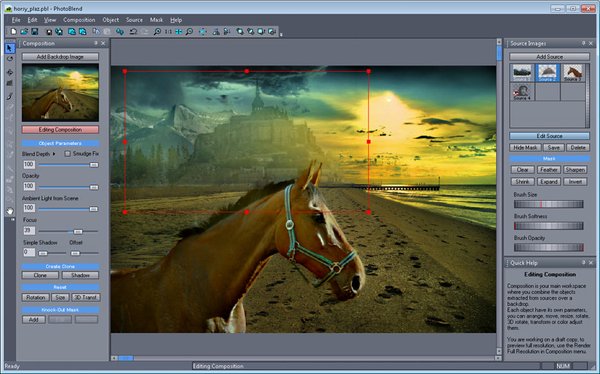
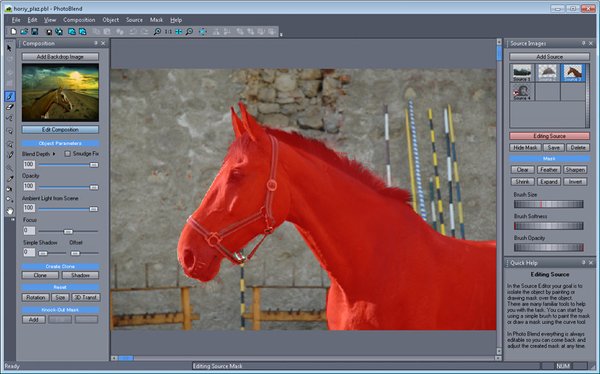
- Almost half of the software is designed to mask and includes all the classical instruments of masking Magic wand (wand), Mask from Curve (curves mask) or Mask from Hue (mask Hue), simply brush for applying the mask close to the edge of the object.
- Auto color - no need to color correct images, moving object, the program calculates the external lighting to the optimum.
- All in the operation may be adjusted at any time, forward or backward.
- Logical interface - all frequently used tools in the interface are divided into two logical parts: Composition Mode (mode of combination) and masking Source Mode (Mode masking the source).
- Liquify (plastic) - an additional tool to change the face or a caricature.
- Fast process at the design stage image and repeat all the steps in full-size images at the stage of export for high-resolution output.
- Live tools - use a magic wand or a mask to create a lively Hue mask, where you can visually set the tolerance of after use. You can use the tool Push / Pull (shrink / stretch) to move and change the shape of the mask when working with clay.
- Shadows of the object - giving credibility by adding the correct shadow object. From simple shades that can be added to the movement of the slider (the slider) to complex shading object, which can be generated by specifying prospects.
- Adjust color - the possibility tsvetokorrektirovki each object.
Changes:
- Added keyboard shortcuts for tools
- Added display of vectors to the curves and discharge.
- Added right tools and Fuzzy Expand Fuzzy Shrink (blurred or fuzzy compression and stretching) for a seamless interface mask edges and the background.
- Added effect for masking Remove Specks (removal of particles)
- Added auto-rotation when loading JPEG sources
- Added Load Manually to manually download the browser.
- Added the function drag and drop to drag and drop from Windows Explorer.
Home:
www.mediachance.com/photoblend/index.html
代码²
²²
²
²
²
²
²
²²
²²
²
² ²
°°°° ²² °°°°° ² °°°°° °°°°°
²²
² ²
²
sQz SAC ²
²
²
Photo Blend v1.0 C MediaChance
² ִִִִִִִִִִִִִִִִִִִִִִִִִִִִִִִִִִִִִִִִִִִִִִִִִִִִִִִִִִִִִִִִִִִִִִִִִִִ ²
± Disks 5 x 2,88mb Date January 25, 2012 ±
° OS Windows Type Keygen °
² Release Description
± ~~~~~~~~~~~~~~~~~~~
°
° Photo Blend is uniquely designed software to quickly combine parts of
° different photos into a new photo montage or composition and to create
° new exciting photo mash-ups.
° With its original features such as automatic color adjustment it will
° give you more time to focus on the creative and artistic aspect of the
° whole process.
°
° And the best part of it is that you will have tremendous fun doing it.
°
°
Installation
²
±
° Just unpack install. Use included keygen to make valid unlock code s .
°
Greetz
²
±
°
Contact Us
²
±
°
MediaChance Photo Blend 目的只有一个,从头开始设计一个程序 - 快速,准确地合成照片对象,从不同的图像,创建拼贴画或合成照片。图片的不同部分,作为一项规则,它始终是难以相互协调,特别是如果他们在不同时间在不同的场景等问题,结合本不同的图片,不同的相机拍摄的对象。Photo Blend 执行这个任务,隐藏缺陷组合的图像和现场图像插入的新的完整图片。
============================================
下载链接来自sharevirus
未经过安装测试与安全检测,使用者后果自负与本论坛无关
软体版权归原作者及其公司所有,如果你喜欢,请购买正版
============================================
Photo Blend is uniquely designed software to quickly combine parts of different photos into a new photo montage or composition and to create new exciting photo mash-ups. With its original features such as automatic color adjustment it will give you more time to focus on the creative and artistic aspect of the whole process.
Automatic color adjustment
In a graphics program, the process of combining various photos taken with different cameras at different times, in different lighting conditions would require continuous operation and would take a long time, but not in Photo BLEND.
For the correct visualization Photo BLEND automatically adjusts the color and lighting combinable objects when they are fixing in the new composition, even if the sources are very different.
Is captured ambient light from the background scene. And everything happens automatically.
Key features:
- Complete toolkit for creating graphical compositions.
- Almost half of the software is designed to mask and includes all the classical instruments of masking Magic wand (wand), Mask from Curve (curves mask) or Mask from Hue (mask Hue), simply brush for applying the mask close to the edge of the object.
- Auto color - no need to color correct images, moving object, the program calculates the external lighting to the optimum.
- All in the operation may be adjusted at any time, forward or backward.
- Logical interface - all frequently used tools in the interface are divided into two logical parts: Composition Mode (mode of combination) and masking Source Mode (Mode masking the source).
- Liquify (plastic) - an additional tool to change the face or a caricature.
- Fast process at the design stage image and repeat all the steps in full-size images at the stage of export for high-resolution output.
- Live tools - use a magic wand or a mask to create a lively Hue mask, where you can visually set the tolerance of after use. You can use the tool Push / Pull (shrink / stretch) to move and change the shape of the mask when working with clay.
- Shadows of the object - giving credibility by adding the correct shadow object. From simple shades that can be added to the movement of the slider (the slider) to complex shading object, which can be generated by specifying prospects.
- Adjust color - the possibility tsvetokorrektirovki each object.
Changes:
- Added keyboard shortcuts for tools
- Added display of vectors to the curves and discharge.
- Added right tools and Fuzzy Expand Fuzzy Shrink (blurred or fuzzy compression and stretching) for a seamless interface mask edges and the background.
- Added effect for masking Remove Specks (removal of particles)
- Added auto-rotation when loading JPEG sources
- Added Load Manually to manually download the browser.
- Added the function drag and drop to drag and drop from Windows Explorer.
Home:
www.mediachance.com/photoblend/index.html
代码²
²²
²
²
²
²
²
²²
²²
²
² ²
°°°° ²² °°°°° ² °°°°° °°°°°
²²
² ²
²
sQz SAC ²
²
²
Photo Blend v1.0 C MediaChance
² ִִִִִִִִִִִִִִִִִִִִִִִִִִִִִִִִִִִִִִִִִִִִִִִִִִִִִִִִִִִִִִִִִִִִִִִִִִִ ²
± Disks 5 x 2,88mb Date January 25, 2012 ±
° OS Windows Type Keygen °
² Release Description
± ~~~~~~~~~~~~~~~~~~~
°
° Photo Blend is uniquely designed software to quickly combine parts of
° different photos into a new photo montage or composition and to create
° new exciting photo mash-ups.
° With its original features such as automatic color adjustment it will
° give you more time to focus on the creative and artistic aspect of the
° whole process.
°
° And the best part of it is that you will have tremendous fun doing it.
°
°
Installation
²
±
° Just unpack install. Use included keygen to make valid unlock code s .
°
Greetz
²
±
°
Contact Us
²
±
°