
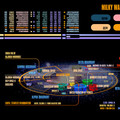
《星际旅行LCARS 屏幕保护程序》(Star Trek LCARS Screen Saver)2.2(1) — freeware[压缩包]
电驴资源
| 用户共享的电驴资源列表 | |
|---|---|
| [星际旅行LCARS.屏幕保护程序].system47.zip | 1.28 MB |
| [星际旅行LCARS.屏幕保护程序].System47.Screen.Shots.Wallpapers.rar | 1.88 MB |
| [星际旅行LCARS.屏幕保护程序].system47.dmg | 1.93 MB |
| 5.08 MB | |
电驴资源简介
简介:

系统要求:Win9x/NT/2000/XP
Mac OSX (PowerPC/Intel)
第一个文件是适用于Win9x/WinNT/Win2000/WinXP,版本为Version 2.2 — system47.zip (1.3MB)
第二个文件是三种大小的截屏、壁纸
第三个文件是适用于Macintosh的版本,格式是dmg
以上文件均用360杀过毒,病毒库日期为2010-07-06
以下是安装指导(中文进大致翻译)
Installation Instruction for PC:
安装指导:
Download and save the zip file — system47.zip (or system47s.zip). Unzip the file by using WinZip or other decompressing utilities. (Visit WinZip.com to download the decompressing program if necessary.)
下载zip文件-system47.zip 。用WinZip解压。
After decompressing, double click to execute the setup file — system47.exe (or system47s.exe). This will install the screen saver onto the machine automatically.
解压后,双击setup文件— system47.exe
System47 should now be the active screen saver on your machine. If not, open the Display properties from the Control Panel. Then select the screen saver tab and choose System47 from the Screen Saver drop down menu to activate it. Click Ok to save the setting. And that's it.
System47已经在您的系统中激活了。如果没有,从控制面板中打开“Display”(显示),然后选择更改屏幕保护程序- 选择 System47 (屏保选择的下拉菜单)- 保存,确定即可。
Installation Instruction for Macintosh:
For OSX,
download the above system47.dmg. Open the file and double click on the installer file inside. Then follow the instructions.
OSX系统,
下载文件system47.dmg.打开文件,双击installer文件,然后根据引导进行安装。
本人在Xp系统的电脑上进行了安装,效果良好。
个人挺喜欢这个的,是entrprise 1701-e的系统显示
希望各位喜欢star trek或者说TNG的朋友们能够喜欢O(∩_∩)O~
系统要求:Win9x/NT/2000/XP
Mac OSX (PowerPC/Intel)
第一个文件是适用于Win9x/WinNT/Win2000/WinXP,版本为Version 2.2 — system47.zip (1.3MB)
第二个文件是三种大小的截屏、壁纸
第三个文件是适用于Macintosh的版本,格式是dmg
以上文件均用360杀过毒,病毒库日期为2010-07-06
以下是安装指导(中文进大致翻译)
Installation Instruction for PC:
安装指导:
Download and save the zip file — system47.zip (or system47s.zip). Unzip the file by using WinZip or other decompressing utilities. (Visit WinZip.com to download the decompressing program if necessary.)
下载zip文件-system47.zip 。用WinZip解压。
After decompressing, double click to execute the setup file — system47.exe (or system47s.exe). This will install the screen saver onto the machine automatically.
解压后,双击setup文件— system47.exe
System47 should now be the active screen saver on your machine. If not, open the Display properties from the Control Panel. Then select the screen saver tab and choose System47 from the Screen Saver drop down menu to activate it. Click Ok to save the setting. And that's it.
System47已经在您的系统中激活了。如果没有,从控制面板中打开“Display”(显示),然后选择更改屏幕保护程序- 选择 System47 (屏保选择的下拉菜单)- 保存,确定即可。
Installation Instruction for Macintosh:
For OSX,
download the above system47.dmg. Open the file and double click on the installer file inside. Then follow the instructions.
OSX系统,
下载文件system47.dmg.打开文件,双击installer文件,然后根据引导进行安装。
本人在Xp系统的电脑上进行了安装,效果良好。
个人挺喜欢这个的,是entrprise 1701-e的系统显示
希望各位喜欢star trek或者说TNG的朋友们能够喜欢O(∩_∩)O~