
《项目管理软件》(Araxis Ketura)v2010.1608/含破解文件和授权文件[压缩包]
电驴资源
| 用户共享的电驴资源列表 | |
|---|---|
| [项目管理软件].Araxis.Ketura.v2010.1608-iNViSiBLE.zip | 52.69 MB |
| 52.69 MB | |
电驴资源简介
简介:

引用 Unpack, Install.
Stop Araxis Ketura service.
Copy cracked files from /iNViSiBLE dir to:
installdirWebAppsKeturaWEB-INFlib
installdirWebAppsROOTWEB-INFlib
Start Araxis Ketura service.
Use included license file to register app.
Enjoy!
If you like this app, BUY iT! 软件类型:软件 应用软件
软件性质:破解软件
操作系统:Windows
应用平台:Windows
问题反馈: http://www.araxis.com/contact_us.html
网站链接: http://www.araxis.com/ketura/
软件介绍:
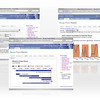
Ketura是一种独特的项目管理软件。可以组织工作,追踪时间,管理用户需求及其它事项。帮助您提高团队工作效率。可以组织工作,安排时间。管理客户需求和其他事项,可用来规划和在预算内按时完成团队计划。
Ketura远非项目时间表。容易安装及使用,对大型和小型团队都适用,同时也适合于希望有效管理工作的个人
Ketura可以使您灵活工作:使用Ketura的12个理由
1.精确的项目时间表。Ketura不仅仅可以告诉您有多少工作要作,还可以预计什么时间来做及要花费多长时间。Ketura可以考虑到员工的缺勤及工作效率,确保项目的最佳时间预测。
2.积极应对突发事件。即使是最好的项目团队也难免要遇到不可预测的境况。Ketura可以简单快速的重新安排工作,排除过程中的故障(move issues)来确保按时完成计划
3.在一个系统中管理所有项目。您不必juggle多个项目文件。只要一个Ketura系统,可以始终有效管理所有的当前项目。
4. 内置时间表。传统项目管理软件需要手动更新项目进程。使用Ketura,团队成员可以在担任工作时将他们自己的时间载入日志,使用单击工作计时器 (single-click work timer)并提供需要完成的大量工作的近期估计(estimates)。项目完成后团队成员可以更新他们的工作日记。这样您可以保存最新,最准确的有效信息。
5.预防超期(schedule slips)。团队应该尽可能洞察他们的工作确保及时完成。Ketura对每个项目都作出两份时间表:一份基于“官方”项目计划,另一份基于团队成员的近期预测。您可以立即看到两份时间表的差异,有可能在超期发生之前调整时间表。
6.控制预算,不仅仅是项目时间表。成功的项目应该在预算之内,跟按时完成一样重要。Ketura了解所有团队成员时间的每小时成本,所以您可以了解当前预算。
7.整体事项管理。跟踪用户需求,项目要求,目标,探测报告,帮助desk tickets或其它事件。制定中期目标,计划哪些工作需要完成及由谁来完成。
8.了解项目概况。 Ketura可以帮助您了解谁从事这个事项, milestone或项目,花多长时间,花费多少成本,团队成员是否在项目上花费预定时间,数据是否定期更新。
9.Spot trends. Ketura为您展示完成项目或中期目标在成本及工作质量方面的长期趋势。可以有效检查是否作出了过于乐观的预测。
10.自动,人格化to-do lists。明确每个团队成员的任务。Ketura基于所有制定的不同项目的工作为每个团队成员制定他们自己的to-do list。每个团队成员可以很明确他们需要完成的工作。
11.起初简单化使用。需要时再复杂化。起初不必使用Ketura的所有功能。一开始可以简单化使用,然后再发掘它的其它功能,按照自己的步调定义工作流程(有可能服从组织的程序)
12.试用期及购买Ketura的一年内提供免费支持。之后,您只要付很少费用即可重申技术支持,提供最新产品升级的持续访问。
不仅仅适用于项目管理者
Ketura适用于整个团队,而不仅仅是项目管理者
所有的团队成员:
使用人格化的任务表明确项目经理要求你完成的工作
通过估计指派给您的工作量来参与项目计划程序
将您期望的指派给自己的剩余工作量反馈给项目经理。帮助项目经理了解您的想法,防止作出不切实际的项目时间表
用单击计时器(single-click timer)可以看到一段时间内您工作了多少小时,有效安排您的时间。
对于客服职员:
保持跟踪客户建议,需求或问题报告
跟踪哪些客户对某个事项感兴趣
了解对于某个特定事项谁什么时间做了什么
通过检查特定事项的情况为客户提供最新信息
查看在给定时间内做了多少工作,花费多少,延误多少
分配每个团队成员的报酬
对于系统管理员:
在个人PC机上安装Ketura;Mac and Windows用户用web浏览器通过网络就可访问Ketura。
System Requirements (Server)
This page describes the requirements for the Ketura server (the machine onto which Ketura itself is installed). Client requirements are described separately.
Server requirements
Operating System
Araxis has tested the Ketura server on the following operating systems:
* Mac OS X v10.6.4 Snow Leopard (32-bit and 64-bit)
* Mac OS X v10.5.8 Leopard (32-bit and 64-bit, Intel or PowerPC)
* Windows 7 (32-bit and 64-bit)
* Windows Vista SP2 (32-bit and 64-bit)
* Windows XP Professional SP3
* Windows Server 2003 SP2
Windows Server 2008 is also supported and expected to work. Mac OS X v10.4 Tiger is no longer supported.
RAM
Ketura will use up to approximately 600 MB of memory. To allow for this in addition to the operating system and other services, it is recommended that Ketura servers have at least 1.5 GB of RAM.
Processor
Although slower processors will work, a 2 GHz or faster processor is recommended. Ketura will take advantage of multiple processors and processing cores, if available.
Disk space
1 GB should be allowed for a typical sized Ketura system, including database. Additional space will also need to be set aside if many days of daily backups are to be kept. Servers should be periodically monitored to ensure that they have sufficient disk space.
Database
Ketura comes with its own, built-in, database. This is recommended for most customers. Consequently, you do not need a separate database product. However, some customers might wish to use Microsoft SQL Server 2005 instead. For more information, see Using Microsoft SQL Server 2005 Instead of Ketura’s Built-In Database.
System Requirements (Clients)
This page describes the requirements for Ketura clients (machines used to access a Ketura server using a web browser). Server requirements are described separately.
Web browser
To access a Ketura server from a client computer, you need a modern web browser that supports web standards reasonably well.
Araxis has tested Ketura on the following operating system and browser combinations:
Operating System
Browser
Mac OS X v10.6.4 Snow Leopard
(32-bit and 64-bit) Safari 5.0.1
Google Chrome 5.0.375.126
Mac OS X v10.5.8 Leopard
(32-bit and 64-bit, Intel or PowerPC) Safari 5.0.1
Windows 7
(32-bit and 64-bit) Firefox 3.6 This link is to an external website
Internet Explorer 8
Windows Vista SP2
(32-bit and 64-bit) Firefox 3.6 This link is to an external website
Internet Explorer 7
Internet Explorer 8
Windows XP SP3
Windows Server 2003 SP2 Firefox 3.6 This link is to an external website
Internet Explorer 7
Internet Explorer 8
Windows Server 2008 is also supported and expected to work. Other combinations and browsers might also work, but are not officially supported by Araxis.
Screen resolution
A high-colour display mode (thousands or millions of colours) with a resolution of 1024 × 768 or greater is strongly recommended.
JavaScript and cookies
Ketura makes extensive use of JavaScript to make its pages easier to use. If JavaScript has been disabled in your browser, it must therefore be re-enabled before Ketura can be used. Ketura will warn you if you try to use it with JavaScript disabled.
Ketura also makes use of cookies, which are small pieces of information that Ketura asks your web browser to remember. Without cookies, Ketura would not be able to remember things such as the tab you had selected when you last visited a particular page. Consequently, cookies must be enabled on your browser if you are to use Ketura.
代码
°²
°
²²± ² °
²²²±°° ° °°
° ° ° ²° °
² ° ²°
² ±
²° ² ° ° °
² ± ° °°
° ° °°
°° ° ° °°
²° ° °
±° °
°° ° ±
°
²²°°
²±
²±° ²²²°°
²²°°
°
²°°
±°° iNViSiBLE!
²°°
²±°
² ²² ²² ² ²²
²°° ° ²²² ²²²²²²²² ²²²² ²²²
²±°° ²²²²²² ²²²²²² ²²²²²²²± ²²²²²² ²²²²²
²±²±° ²±±²²± ±±²²²² ±±²²²±±± ±²²²±² ±²²±±
²° ° ±°±±±± °±±±±± ±±±±±°° ±±±±±° ±±°°
²° °°°°°± °°±°°° °°°°°±° °±°°°° °°°°
²° °°°°°° °°°°°° °°°°°° °°°°°°°°
±° °°°° °° °°°°°° °°° !yL
° °°°°
°
Ketura 2010.1608
c
Araxis Ltd.
Size ............................. 12 x 5.00MB
OS Type .......................... Windows
Release Date ..................... 12/10/2010
Release Type ..................... Crack
Ketura, for Windows and Mac OS X Intel and
PowerPC , is a refreshing approach to project
management and issue bug/defect tracking.
Organize your work. Track time. Manage customer
requests and other work issues. Schedule and
deliver your team projects on time and within
budget. Ketura optionally integrates with
Perforce, Subversion and Araxis Merge to provide
flexible and comprehensive change management
solutions.
http //www.araxis.com/
Unpack, Install.
Stop Araxis Ketura service.
Copy cracked files from /iNViSiBLE dir to
installdirWebAppsKeturaWEB-INFlib
installdirWebAppsROOTWEB-INFlib
Start Araxis Ketura service.
Use included license file to register app.
Enjoy!
If you like this app, BUY iT!
Experienced reversers, coders and suppliers wanted.
iNViSiBLE
2010
aSCii by yool, diRECT FroM sTARS!
[安全检测]
★未经过安全检测
[安装测试]
★未经过安装测试,使用者后果自负与本论坛无关。
[免责声明]
★本帖介绍的文本内容转自网络,如有出入则以官方站点公布之信息为准,凡摘自网络相关图文介绍内容的本帖不另行标注出处,原创作者如有异议可提出以便删除。
★关于软件破解及注册机可能被杀毒软件报病毒或间谍木马(若已检测到的则将在帖中特别标注),请自行甄别和取舍,不另行加以解释。
★资源下载后请对文件做必要的安全检测,该下载内容仅限于个人测试学习之用,不得用于商业用途,并且请在下载后24小时内删除。
★各计算机系统环境各不相同,因此不保证该软件完全兼容于你的计算机系统,最终解决软件安装运行问题请联络官方站点寻求相关技术支持。
★凡标注为下载链接转自其他站点的,无法保证资源的供源以及资源本身等情况的完整性和可用性(不可控)。
引用 Unpack, Install.
Stop Araxis Ketura service.
Copy cracked files from /iNViSiBLE dir to:
installdirWebAppsKeturaWEB-INFlib
installdirWebAppsROOTWEB-INFlib
Start Araxis Ketura service.
Use included license file to register app.
Enjoy!
If you like this app, BUY iT! 软件类型:软件 应用软件
软件性质:破解软件
操作系统:Windows
应用平台:Windows
问题反馈: http://www.araxis.com/contact_us.html
网站链接: http://www.araxis.com/ketura/
软件介绍:
Ketura是一种独特的项目管理软件。可以组织工作,追踪时间,管理用户需求及其它事项。帮助您提高团队工作效率。可以组织工作,安排时间。管理客户需求和其他事项,可用来规划和在预算内按时完成团队计划。
Ketura远非项目时间表。容易安装及使用,对大型和小型团队都适用,同时也适合于希望有效管理工作的个人
Ketura可以使您灵活工作:使用Ketura的12个理由
1.精确的项目时间表。Ketura不仅仅可以告诉您有多少工作要作,还可以预计什么时间来做及要花费多长时间。Ketura可以考虑到员工的缺勤及工作效率,确保项目的最佳时间预测。
2.积极应对突发事件。即使是最好的项目团队也难免要遇到不可预测的境况。Ketura可以简单快速的重新安排工作,排除过程中的故障(move issues)来确保按时完成计划
3.在一个系统中管理所有项目。您不必juggle多个项目文件。只要一个Ketura系统,可以始终有效管理所有的当前项目。
4. 内置时间表。传统项目管理软件需要手动更新项目进程。使用Ketura,团队成员可以在担任工作时将他们自己的时间载入日志,使用单击工作计时器 (single-click work timer)并提供需要完成的大量工作的近期估计(estimates)。项目完成后团队成员可以更新他们的工作日记。这样您可以保存最新,最准确的有效信息。
5.预防超期(schedule slips)。团队应该尽可能洞察他们的工作确保及时完成。Ketura对每个项目都作出两份时间表:一份基于“官方”项目计划,另一份基于团队成员的近期预测。您可以立即看到两份时间表的差异,有可能在超期发生之前调整时间表。
6.控制预算,不仅仅是项目时间表。成功的项目应该在预算之内,跟按时完成一样重要。Ketura了解所有团队成员时间的每小时成本,所以您可以了解当前预算。
7.整体事项管理。跟踪用户需求,项目要求,目标,探测报告,帮助desk tickets或其它事件。制定中期目标,计划哪些工作需要完成及由谁来完成。
8.了解项目概况。 Ketura可以帮助您了解谁从事这个事项, milestone或项目,花多长时间,花费多少成本,团队成员是否在项目上花费预定时间,数据是否定期更新。
9.Spot trends. Ketura为您展示完成项目或中期目标在成本及工作质量方面的长期趋势。可以有效检查是否作出了过于乐观的预测。
10.自动,人格化to-do lists。明确每个团队成员的任务。Ketura基于所有制定的不同项目的工作为每个团队成员制定他们自己的to-do list。每个团队成员可以很明确他们需要完成的工作。
11.起初简单化使用。需要时再复杂化。起初不必使用Ketura的所有功能。一开始可以简单化使用,然后再发掘它的其它功能,按照自己的步调定义工作流程(有可能服从组织的程序)
12.试用期及购买Ketura的一年内提供免费支持。之后,您只要付很少费用即可重申技术支持,提供最新产品升级的持续访问。
不仅仅适用于项目管理者
Ketura适用于整个团队,而不仅仅是项目管理者
所有的团队成员:
使用人格化的任务表明确项目经理要求你完成的工作
通过估计指派给您的工作量来参与项目计划程序
将您期望的指派给自己的剩余工作量反馈给项目经理。帮助项目经理了解您的想法,防止作出不切实际的项目时间表
用单击计时器(single-click timer)可以看到一段时间内您工作了多少小时,有效安排您的时间。
对于客服职员:
保持跟踪客户建议,需求或问题报告
跟踪哪些客户对某个事项感兴趣
了解对于某个特定事项谁什么时间做了什么
通过检查特定事项的情况为客户提供最新信息
查看在给定时间内做了多少工作,花费多少,延误多少
分配每个团队成员的报酬
对于系统管理员:
在个人PC机上安装Ketura;Mac and Windows用户用web浏览器通过网络就可访问Ketura。
System Requirements (Server)
This page describes the requirements for the Ketura server (the machine onto which Ketura itself is installed). Client requirements are described separately.
Server requirements
Operating System
Araxis has tested the Ketura server on the following operating systems:
* Mac OS X v10.6.4 Snow Leopard (32-bit and 64-bit)
* Mac OS X v10.5.8 Leopard (32-bit and 64-bit, Intel or PowerPC)
* Windows 7 (32-bit and 64-bit)
* Windows Vista SP2 (32-bit and 64-bit)
* Windows XP Professional SP3
* Windows Server 2003 SP2
Windows Server 2008 is also supported and expected to work. Mac OS X v10.4 Tiger is no longer supported.
RAM
Ketura will use up to approximately 600 MB of memory. To allow for this in addition to the operating system and other services, it is recommended that Ketura servers have at least 1.5 GB of RAM.
Processor
Although slower processors will work, a 2 GHz or faster processor is recommended. Ketura will take advantage of multiple processors and processing cores, if available.
Disk space
1 GB should be allowed for a typical sized Ketura system, including database. Additional space will also need to be set aside if many days of daily backups are to be kept. Servers should be periodically monitored to ensure that they have sufficient disk space.
Database
Ketura comes with its own, built-in, database. This is recommended for most customers. Consequently, you do not need a separate database product. However, some customers might wish to use Microsoft SQL Server 2005 instead. For more information, see Using Microsoft SQL Server 2005 Instead of Ketura’s Built-In Database.
System Requirements (Clients)
This page describes the requirements for Ketura clients (machines used to access a Ketura server using a web browser). Server requirements are described separately.
Web browser
To access a Ketura server from a client computer, you need a modern web browser that supports web standards reasonably well.
Araxis has tested Ketura on the following operating system and browser combinations:
Operating System
Browser
Mac OS X v10.6.4 Snow Leopard
(32-bit and 64-bit) Safari 5.0.1
Google Chrome 5.0.375.126
Mac OS X v10.5.8 Leopard
(32-bit and 64-bit, Intel or PowerPC) Safari 5.0.1
Windows 7
(32-bit and 64-bit) Firefox 3.6 This link is to an external website
Internet Explorer 8
Windows Vista SP2
(32-bit and 64-bit) Firefox 3.6 This link is to an external website
Internet Explorer 7
Internet Explorer 8
Windows XP SP3
Windows Server 2003 SP2 Firefox 3.6 This link is to an external website
Internet Explorer 7
Internet Explorer 8
Windows Server 2008 is also supported and expected to work. Other combinations and browsers might also work, but are not officially supported by Araxis.
Screen resolution
A high-colour display mode (thousands or millions of colours) with a resolution of 1024 × 768 or greater is strongly recommended.
JavaScript and cookies
Ketura makes extensive use of JavaScript to make its pages easier to use. If JavaScript has been disabled in your browser, it must therefore be re-enabled before Ketura can be used. Ketura will warn you if you try to use it with JavaScript disabled.
Ketura also makes use of cookies, which are small pieces of information that Ketura asks your web browser to remember. Without cookies, Ketura would not be able to remember things such as the tab you had selected when you last visited a particular page. Consequently, cookies must be enabled on your browser if you are to use Ketura.
代码
°²
°
²²± ² °
²²²±°° ° °°
° ° ° ²° °
² ° ²°
² ±
²° ² ° ° °
² ± ° °°
° ° °°
°° ° ° °°
²° ° °
±° °
°° ° ±
°
²²°°
²±
²±° ²²²°°
²²°°
°
²°°
±°° iNViSiBLE!
²°°
²±°
² ²² ²² ² ²²
²°° ° ²²² ²²²²²²²² ²²²² ²²²
²±°° ²²²²²² ²²²²²² ²²²²²²²± ²²²²²² ²²²²²
²±²±° ²±±²²± ±±²²²² ±±²²²±±± ±²²²±² ±²²±±
²° ° ±°±±±± °±±±±± ±±±±±°° ±±±±±° ±±°°
²° °°°°°± °°±°°° °°°°°±° °±°°°° °°°°
²° °°°°°° °°°°°° °°°°°° °°°°°°°°
±° °°°° °° °°°°°° °°° !yL
° °°°°
°
Ketura 2010.1608
c
Araxis Ltd.
Size ............................. 12 x 5.00MB
OS Type .......................... Windows
Release Date ..................... 12/10/2010
Release Type ..................... Crack
Ketura, for Windows and Mac OS X Intel and
PowerPC , is a refreshing approach to project
management and issue bug/defect tracking.
Organize your work. Track time. Manage customer
requests and other work issues. Schedule and
deliver your team projects on time and within
budget. Ketura optionally integrates with
Perforce, Subversion and Araxis Merge to provide
flexible and comprehensive change management
solutions.
http //www.araxis.com/
Unpack, Install.
Stop Araxis Ketura service.
Copy cracked files from /iNViSiBLE dir to
installdirWebAppsKeturaWEB-INFlib
installdirWebAppsROOTWEB-INFlib
Start Araxis Ketura service.
Use included license file to register app.
Enjoy!
If you like this app, BUY iT!
Experienced reversers, coders and suppliers wanted.
iNViSiBLE
2010
aSCii by yool, diRECT FroM sTARS!
[安全检测]
★未经过安全检测
[安装测试]
★未经过安装测试,使用者后果自负与本论坛无关。
[免责声明]
★本帖介绍的文本内容转自网络,如有出入则以官方站点公布之信息为准,凡摘自网络相关图文介绍内容的本帖不另行标注出处,原创作者如有异议可提出以便删除。
★关于软件破解及注册机可能被杀毒软件报病毒或间谍木马(若已检测到的则将在帖中特别标注),请自行甄别和取舍,不另行加以解释。
★资源下载后请对文件做必要的安全检测,该下载内容仅限于个人测试学习之用,不得用于商业用途,并且请在下载后24小时内删除。
★各计算机系统环境各不相同,因此不保证该软件完全兼容于你的计算机系统,最终解决软件安装运行问题请联络官方站点寻求相关技术支持。
★凡标注为下载链接转自其他站点的,无法保证资源的供源以及资源本身等情况的完整性和可用性(不可控)。