
《DOS7.1(集成英文Windows 3.11 for Workgroup及中文Windows 3.2)》(DOS7.1, Windows 3.11 for workgroup, Windows 3.2)[ISO]
电驴资源
| 用户共享的电驴资源列表 | |
|---|---|
| [DOS7.1(集成英文Windows.3.11.for.Workgroup及中文Windows.3.2)].DOS7.1.ISO | 62.33 MB |
| 62.33 MB | |
电驴资源简介
中文名: DOS7.1(集成英文Windows 3.11 for Workgroup及中文Windows 3.2)英文名: DOS7.1, Windows 3.11 for workgroup, Windows 3.2资源格式: 光盘镜像发行时间: 1999年制作发行: 微软地区: 美国简介:
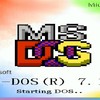
MS-DOS 7.10是当前最实用也使用最多的DOS,因为它的功能强大,比如支持各种FAT12、FAT16、FAT32分区、大硬盘、大内存、长文件名等,而且非常实用,且兼容性非常好。并且,在它上面可以通过WIN命令来启动DOS下著名的GUI程序--Windows 3.x和Windows 9x。
如果系统中已安装了Win9x,再安装MS-DOS 7.10的话,安装程序在安装中通常会提示是否自动设置Win9x的路径,以便直接输入WIN命令就可以进入Win9x,这时请选择“是”。这样一来, MS-DOS 7.10安装成功并启动后,若想进入Win9x的话,只需在DOS命令行下输入WIN命令即可进入。如果系统中已安装了WinNT/2K/XP,再安装 MS-DOS 7.10的话,安装程序通常会自动做成DOS与WinNT/2K/XP双启动。MS-DOS 7.10安装成功后,系统启动时会自动出现双启动菜单,选择菜单中的“MS-DOS 7.10”就可以进入安装好的MS-DOS 7.10了。
(转自中国DOS联盟论坛)
光盘中是DOS 7.1的安装文件,可以直接启动安装,安装过程可以使用PS/2鼠标!DOS 7.1中附带的功能非常多,而且很强大,可以作为日常维护很好的工具。你可能想不到,它甚至还包含屏幕保护程序!
在光盘的/PWIN32目录下是Windows 3.2简体中文版的安装文件,在光盘的/WIN311目录下是Windows 3.11 for Workgroup 英文版的安装文件。Windows For Workgroup的功能更强大,稳定性也很好,但它不是中文的(Windows 3.2 中文版是微软的第一套中文操作系统),所以在这里把两个都放了上来。安装时只需启动到DOS下,运行刚才提到的文件夹下的setup.exe就可以开始安装相应的Windows(注意,这两个操作系统比较古董,不建议装在新计算机上!这两套操作系统均不支持FAT32,请谨慎安装!一般只是被用来当玩具。) 安装时Windows 3.2可以自动搜索Windows 3.11目录下的高
级组件,并在得到你同意的情况下安装。
What s new in MS-DOS 7.10 since MS-DOS 6.x?
There are many enhancements, new features and bugfixes in MS-DOS 7.10 since MS-DOS 6.x. For example:
* FAT32 and FAT32X drives support (*very* important nowadays)
* Extended FAT16 (a.k.a. FAT16X, type 0E, usually being the primary partition) drives support
* Large hard disk and LBA ExtendedX (Int 13x) partition (type 0F) support (*very* important nowadays)
* Long File Names (LFN) support
* Full Y2K (Year 2000) compliant and supports 4-digit years (e.g. DIR /4)
* Large memory ( 64MB) and XXMS 3.0 support
* Euro sign support (Code Page 850, Right Alt+5)
* The protection that keeps the stability of DOS
* Efficient use of UMB memory (The DOS kernel and COMMAND.COM are loaded high automatically)
* Extended commands in CONFIG.SYS to use UMB memory, such as FILESHIGH, BUFFERSHIGH
* Environments variables can be used in the DOS command line directly, e.g. ECHO %PATH%
* The maximum length for path variable is expanded
* Some new commands added, such as ACCDATE, LOGO(in CONFIG.SYS)
* Volume LOCK/UNLOCK feature added to protect data and LFN on the (hard) disks
* EDIT can be used to edit both text and binary files and multiple files
* REN can rename a directory as well as files
* The locations of DOS system files (especially IO.SYS) are much more flexible
* Dual-boot with older versions of MS-DOS (e.g. DOS 6.x) feature added
* Animated startup logo support by using a custom LOGO.SYS file
* You can decide whether to execute a command using Enter/ESC key now while using the step-by-step feature
* Support for loading Win9x GUI (including all versions from Win95/95A to Win98SE GUI) on top added
* Many undocumented but useful options and switches added, such as COMMAND /Z
* Updated and newer versions of DOS commands and tools included, such as MORE, MSCDEX, MSD
* And many more...
已通过安装测试:Windows Server 2003 x64 Edition下的Vmware 5.0 Workstation; Windows XP SP2 Vmware 5.0 Workstation; Ubuntu 6.06 + Vmware 5.5。
已通过病毒检测:Avast Home Edition 病毒库 2006-08-01, AVG Free Edition 病毒库 2006-07-31
在线时间:今天下午3:30~5:00,明天早8:00~下午5:00,后天早8:00~下午5:00
MS-DOS 7.10是当前最实用也使用最多的DOS,因为它的功能强大,比如支持各种FAT12、FAT16、FAT32分区、大硬盘、大内存、长文件名等,而且非常实用,且兼容性非常好。并且,在它上面可以通过WIN命令来启动DOS下著名的GUI程序--Windows 3.x和Windows 9x。
如果系统中已安装了Win9x,再安装MS-DOS 7.10的话,安装程序在安装中通常会提示是否自动设置Win9x的路径,以便直接输入WIN命令就可以进入Win9x,这时请选择“是”。这样一来, MS-DOS 7.10安装成功并启动后,若想进入Win9x的话,只需在DOS命令行下输入WIN命令即可进入。如果系统中已安装了WinNT/2K/XP,再安装 MS-DOS 7.10的话,安装程序通常会自动做成DOS与WinNT/2K/XP双启动。MS-DOS 7.10安装成功后,系统启动时会自动出现双启动菜单,选择菜单中的“MS-DOS 7.10”就可以进入安装好的MS-DOS 7.10了。
(转自中国DOS联盟论坛)
光盘中是DOS 7.1的安装文件,可以直接启动安装,安装过程可以使用PS/2鼠标!DOS 7.1中附带的功能非常多,而且很强大,可以作为日常维护很好的工具。你可能想不到,它甚至还包含屏幕保护程序!
在光盘的/PWIN32目录下是Windows 3.2简体中文版的安装文件,在光盘的/WIN311目录下是Windows 3.11 for Workgroup 英文版的安装文件。Windows For Workgroup的功能更强大,稳定性也很好,但它不是中文的(Windows 3.2 中文版是微软的第一套中文操作系统),所以在这里把两个都放了上来。安装时只需启动到DOS下,运行刚才提到的文件夹下的setup.exe就可以开始安装相应的Windows(注意,这两个操作系统比较古董,不建议装在新计算机上!这两套操作系统均不支持FAT32,请谨慎安装!一般只是被用来当玩具。) 安装时Windows 3.2可以自动搜索Windows 3.11目录下的高
级组件,并在得到你同意的情况下安装。
What s new in MS-DOS 7.10 since MS-DOS 6.x?
There are many enhancements, new features and bugfixes in MS-DOS 7.10 since MS-DOS 6.x. For example:
* FAT32 and FAT32X drives support (*very* important nowadays)
* Extended FAT16 (a.k.a. FAT16X, type 0E, usually being the primary partition) drives support
* Large hard disk and LBA ExtendedX (Int 13x) partition (type 0F) support (*very* important nowadays)
* Long File Names (LFN) support
* Full Y2K (Year 2000) compliant and supports 4-digit years (e.g. DIR /4)
* Large memory ( 64MB) and XXMS 3.0 support
* Euro sign support (Code Page 850, Right Alt+5)
* The protection that keeps the stability of DOS
* Efficient use of UMB memory (The DOS kernel and COMMAND.COM are loaded high automatically)
* Extended commands in CONFIG.SYS to use UMB memory, such as FILESHIGH, BUFFERSHIGH
* Environments variables can be used in the DOS command line directly, e.g. ECHO %PATH%
* The maximum length for path variable is expanded
* Some new commands added, such as ACCDATE, LOGO(in CONFIG.SYS)
* Volume LOCK/UNLOCK feature added to protect data and LFN on the (hard) disks
* EDIT can be used to edit both text and binary files and multiple files
* REN can rename a directory as well as files
* The locations of DOS system files (especially IO.SYS) are much more flexible
* Dual-boot with older versions of MS-DOS (e.g. DOS 6.x) feature added
* Animated startup logo support by using a custom LOGO.SYS file
* You can decide whether to execute a command using Enter/ESC key now while using the step-by-step feature
* Support for loading Win9x GUI (including all versions from Win95/95A to Win98SE GUI) on top added
* Many undocumented but useful options and switches added, such as COMMAND /Z
* Updated and newer versions of DOS commands and tools included, such as MORE, MSCDEX, MSD
* And many more...
已通过安装测试:Windows Server 2003 x64 Edition下的Vmware 5.0 Workstation; Windows XP SP2 Vmware 5.0 Workstation; Ubuntu 6.06 + Vmware 5.5。
已通过病毒检测:Avast Home Edition 病毒库 2006-08-01, AVG Free Edition 病毒库 2006-07-31
在线时间:今天下午3:30~5:00,明天早8:00~下午5:00,后天早8:00~下午5:00