
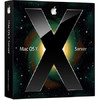
《美洲豹 Server》(Apple - Mac OS X Leopard Server 10.5.4)DMG
电驴资源
电驴资源简介
中文名: 美洲豹 Server英文名: Apple - Mac OS X Leopard Server 10.5.4版本: DMG发行时间: 2007年制作发行: 苹果 Apple地区: 美国简介:
Apple Mac OS X Leopard Server 10.5
下载连接来自TLF,未经过安全检测与安装测试,使用者后果自负与本论坛无关。
软体版权归作者及其公司所有,如果你喜欢,请购买正版。
语言:多语
网址:http://www.apple.com/server/macosx/
类型:操作系统
Leopard 是一款真正的64位操作系统,并向下兼容32位。苹果称,32位应用程序可以和64位一同实时运行,而且无需转换、模拟或虚拟,用户也不会感觉到任何差异。
谈论较多的另一项重要功能是“Time Machine”,即 Leopard 的备份和还原机制。就像 Windows 里的系统还原,“Time Machine”的目的同样是确保数据的安全和便利。用户可以按照需要的时间恢复备份在本地磁盘或网络磁盘上的整个操作系统或单个文件,同时可以查看文档的旧版本,并在恢复前进行预览。
“Time Machine”同时与文件搜索管理系统 Finder 严密整合,用户可以根据时间和日期查找数据,Finder 就会显示所需要的文件版本。此外,二者还可以合作在旧版文档中进行搜索。
最终完整版的“Boot Camp”也将在 Leopard 中出现,用户可以更方便地实现 Mac OS X 和 Windows 的双启动.
Leopard 还将引入虚拟桌面“Spaces”,但不仅仅是一个整合了 Expose 功能的传统虚拟桌面工具,用户只需按一下按钮,Spaces 就会全盘出现在屏幕上,让用户了解所有的桌面上都在运行着什么,以便根据自己的喜好进行安排组织,甚至可以在预览中从一个桌面往另一个桌面拖拽虚拟程序。
“iChat”将支持视频摄像头和标签式聊天,并引入允许用户通过与朋友实时分享和播放照片、幻灯片、影片的“iChat Theater”,文本语音转换也将大幅改善,此外还允许多用户登陆、隐身模式、好友动画图像。
其他主要新功能与改进:
●Photo Booth: 扩展充对相机的支持.
●Spotlight: 可搜索网络计算机;加入布尔运算、应用程序启动、最新项目等功能.
●Core Animation: 程序开发者只需一小段程序代码即可写出视觉效果.
●Universal Access: 改进点字、导航等协助障碍人士的工具.
●Mail: 加入样版、记事、提醒等功能.
●Dashboard: 新的Web Clip程序,可将网页的任何一部份转为Widget.
●Xcode 3
ISO格式PC机和苹果机都适用,PC用户可以用NERO刻录,苹果用户可以用TOAST或系统自带的磁盘工具刻录。
[CODEBOX]Release: Mac.OS.X.Leopard.Server.V10.5.PROPER-OSX
CDs: 1xDVD9
Date: 11/2007
---------------
::Information::
---------------
Proper Notes:
The serial that was provided with the HOTiSO release is
a developer/evaluation one, and it is due to expire at the end
of the year, 31st Dec 2007. Please see the screenshot for proof
of this.
Here we give you a serial number that will not expire, so enjoy.
We recommend that with all of our OSX releases you use
Little Snitch to block the calling home technics
that apple use to ban Serial s.
-----------
::Website::
-----------
http://www.apple.com/server/macosx/
----------
::Installation::
----------
SN: XSVR-105-000-R-JH9-NF4-DPN-W9Z-LNF-V7N-P
This was tested the same way as the desktop/workstation version.
There are a few options how to do it:
Created an 8GB partition on an external drive
mirrored the install dvd to the partition (you can use disk utilities or ccc)
then boot from that partition.
Alternatively, you should be able to burn the dmg with toast.
Alternatively, you can convert the dmg to iso using:
(mac) hdiutil convert /path/to/filename.dmg -format UDTO -o /path/to/savefile.iso
(other) http://hem.bredband.net/catacombae/dmgx.html
(other) http://sourceforge.net/projects/dmg2iso
image size
h-als105.dmg 7016108704
mac.os.x.server.install.disc.dmg 7016112428
---------
::Group::
---------
If you need us, then find us.
Thanks to The Blade for doing a fantastic job.[/CODEBOX]
Apple Mac OS X Leopard Server 10.5
下载连接来自TLF,未经过安全检测与安装测试,使用者后果自负与本论坛无关。
软体版权归作者及其公司所有,如果你喜欢,请购买正版。
语言:多语
网址:http://www.apple.com/server/macosx/
类型:操作系统
Leopard 是一款真正的64位操作系统,并向下兼容32位。苹果称,32位应用程序可以和64位一同实时运行,而且无需转换、模拟或虚拟,用户也不会感觉到任何差异。
谈论较多的另一项重要功能是“Time Machine”,即 Leopard 的备份和还原机制。就像 Windows 里的系统还原,“Time Machine”的目的同样是确保数据的安全和便利。用户可以按照需要的时间恢复备份在本地磁盘或网络磁盘上的整个操作系统或单个文件,同时可以查看文档的旧版本,并在恢复前进行预览。
“Time Machine”同时与文件搜索管理系统 Finder 严密整合,用户可以根据时间和日期查找数据,Finder 就会显示所需要的文件版本。此外,二者还可以合作在旧版文档中进行搜索。
最终完整版的“Boot Camp”也将在 Leopard 中出现,用户可以更方便地实现 Mac OS X 和 Windows 的双启动.
Leopard 还将引入虚拟桌面“Spaces”,但不仅仅是一个整合了 Expose 功能的传统虚拟桌面工具,用户只需按一下按钮,Spaces 就会全盘出现在屏幕上,让用户了解所有的桌面上都在运行着什么,以便根据自己的喜好进行安排组织,甚至可以在预览中从一个桌面往另一个桌面拖拽虚拟程序。
“iChat”将支持视频摄像头和标签式聊天,并引入允许用户通过与朋友实时分享和播放照片、幻灯片、影片的“iChat Theater”,文本语音转换也将大幅改善,此外还允许多用户登陆、隐身模式、好友动画图像。
其他主要新功能与改进:
●Photo Booth: 扩展充对相机的支持.
●Spotlight: 可搜索网络计算机;加入布尔运算、应用程序启动、最新项目等功能.
●Core Animation: 程序开发者只需一小段程序代码即可写出视觉效果.
●Universal Access: 改进点字、导航等协助障碍人士的工具.
●Mail: 加入样版、记事、提醒等功能.
●Dashboard: 新的Web Clip程序,可将网页的任何一部份转为Widget.
●Xcode 3
ISO格式PC机和苹果机都适用,PC用户可以用NERO刻录,苹果用户可以用TOAST或系统自带的磁盘工具刻录。
[CODEBOX]Release: Mac.OS.X.Leopard.Server.V10.5.PROPER-OSX
CDs: 1xDVD9
Date: 11/2007
---------------
::Information::
---------------
Proper Notes:
The serial that was provided with the HOTiSO release is
a developer/evaluation one, and it is due to expire at the end
of the year, 31st Dec 2007. Please see the screenshot for proof
of this.
Here we give you a serial number that will not expire, so enjoy.
We recommend that with all of our OSX releases you use
Little Snitch to block the calling home technics
that apple use to ban Serial s.
-----------
::Website::
-----------
http://www.apple.com/server/macosx/
----------
::Installation::
----------
SN: XSVR-105-000-R-JH9-NF4-DPN-W9Z-LNF-V7N-P
This was tested the same way as the desktop/workstation version.
There are a few options how to do it:
Created an 8GB partition on an external drive
mirrored the install dvd to the partition (you can use disk utilities or ccc)
then boot from that partition.
Alternatively, you should be able to burn the dmg with toast.
Alternatively, you can convert the dmg to iso using:
(mac) hdiutil convert /path/to/filename.dmg -format UDTO -o /path/to/savefile.iso
(other) http://hem.bredband.net/catacombae/dmgx.html
(other) http://sourceforge.net/projects/dmg2iso
image size
h-als105.dmg 7016108704
mac.os.x.server.install.disc.dmg 7016112428
---------
::Group::
---------
If you need us, then find us.
Thanks to The Blade for doing a fantastic job.[/CODEBOX]