
《图像浏览编辑工具》(Ashampoo Photo Commander v7.20)[RAR]
电驴资源
| 用户共享的电驴资源列表 | |
|---|---|
| [图像浏览编辑工具].Ashampoo.Photo.Commander.7.v7.20-TE.rar | 46.63 MB |
| 46.63 MB | |
电驴资源简介
电骡资源
| 下面是用户共享的文件列表. 安装电骡后, 您可以点击这些文件名进行下载 | |
| [图像浏览编辑工具].Ashampoo.Photo.Commander.7.v7.20-TE.rar | 46.63MB |
| 46.63MB | |
| 电骡主页 | 下载电骡 | 使用指南 | 如何发布 | |
资源分类: | 软件 >> 图形图像 |
中文名称: | 图像浏览编辑工具 |
英文名称: | Ashampoo Photo Commander v7.20 |
资源格式: | RAR |
制作发行: | Ashampoo |
发行时间: | 2009 |
地 区: | 美国 |
语 言: | 英语 |
资源简介: | |
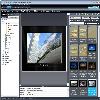
[attachment=12753:5f2438b8...0188bbde.jpg] 语言:英语 网址:http://www2.ashampoo.com/webcache/html/1/p..._0918___USD.htm 类别:图像浏览 Ashampoo Photo Commander 7 是一款快速丶方便和功能强大的浏览丶组织丶增强丶编辑和归档图片及数码照片的工具,支持60多种图像格式,及常见的音频丶视频格式。界面美观,支持皮肤更换,对系统资源占用更小,启动更快。支持全屏幕丶幻灯片丶设成桌布丶简易的特效丶改变大小丶批次转文件功能等等。另外还具有多种方式的屏幕抓图,创建 gif 动画,多页面图像,工具笔等很实用的功能。    代码 ▄▄ ▄ █▄▄ ▄███▓▓▄ ▀█▀ ▄▄▄▄▄█████ █████ ▄▄█ ███▓▀ ▄▄▄▄▓███████▀▀▀▀▀██▄███Ţ ███▓Ţ ▄▄▄██▄██████████▀▀▄███▄ ▀████▀ ▀█▄ Ů██▓▄███████████████▓▀ ▀▀▀▀█████▄▄ ▄██Ţ Ů█Ţ Ů██▀████▀▀▀▀▄▄███▓ █▓▄ ▄▄██▓▓▓▀▀ ▀▀█▄ ▄█▀ ███▓▄ ▀███▓Ţ ██ ▄███▓▓▀█Ţ ██▀██▄ ▀▀▀▀ ▄ ▄██▀▀█▓▄ ▀██▄██▓ Ů█Ţ Ů███▓▓ Ů▓ ██ Ů██▓▓▄▄ ▀▓▀ ▄ Ů▓▓Ţ ████▀ ░█Ţ ████▓Ţ █▒ ▓▓ ███▓▓▀█▄ ▀▓▀ ▄▓▓▀ █Ţ Ů███████▓ ████▓▓ Ů▓ ▒▒ ███▓Ţ █Ţ ▀▄ ▄▄▓▓▀ ▄█▀ Ů███▓Ţ░▄█ Ů████▓▓▄█Ţ ░░ ███▓ŢŮ█ Ů█ ▄██▀█▓ ██ Ů███▓Ţ ██ ▀████████ ░░ Ů██▓▓▀▀ ██Ţ ███ŢŮ▓Ţ Ů█▀▀▀▄ ███▓▓ Ů█Ţ ▄▀▀▀▀▀███▄ ██▓▀ ▄███▓ ▀▀█▄█▓ ŮŢ ŮŢ ▓██▓▓ Ů█▓ ▀█▀▄▄▄▄ ▀██▄██▓ ▄▄██▀▀ ▀█▓▄ ▀▓▓▄ ▀ ▄▄▀ ▒███▓▓▄█▓▓██▓▓▀█▀▀▄ ▀███░▄▄██▀▀ ▄▄▄▄▄▀█▓▓▄▄ ▀▀▀▀ ▄▄▄██████▀▀▀█▓▓ŢŮŢ Ů███▀▀ ▄▓▓▓▓█▀▀███▓▓▀ ▀████▀▀▀▀ ▄▄▄▀▀▀█▓▓▄█▄ ▄█▀ ▄▓▓▀▄█▀ ▀▓▀ ▄█Ţ ▄▓▄ ▀ ▄▄██▀▀ ▀▀▓▓▓███▀▀ Ů█▓Ţ░▓Ţ ▄████▄ ▀ ▄▄▄██▀▀▀ ▀▓▓▄▀▓▄ ▄█ ▀█▄▀████▀▀ ▀▀▀██▄▄▄█▀ █▄ ▄███ Ů█Ţ ▄ TE 2009 PRESENTS ▄ Ů█Ţ ███▄ ███ ▄█▀ ▀▓▀ ▀▓▀ ▀█▄ ███ ███▀▀▀ ▄█▀ ▄█▀▀▀ ▀▀▀█▄ ▀█▄ ▀▀▀███ ▄▄▄███▄▄ ▄▄ ██▄▄▄██ ANOTHER FINE RELEASE ██▄▄▄██ ▄▄ ▄▄███▄▄▄ ▀█▄▄ ▄▄█▀ Release: Ashampoo Photo Commander 7 v7.20 (c) 2009 Ashampoo Date: 05/11/2009 Cracked By: Twisted EndZ Release Type: [X] Registration/Serial Crack [ ] Activation Crack [ ] Trial Crack [ ] Server Check Crack [ ] Serial [ ] Hidden/Added Features Enabler [ ] Other [ ] Loader Patcher [ ] Patch [X] Precracked [ ] RegFile [ ] Keygen ▄ ▄ ▄▓▄ ▀▓▀ ▀▓▀ ▄▓▄ ▄▓▓███▄ ▀▀▄▄▄▄ ▄▄█▀▀▀ ▀▀▀█▄▄ ▄▄▄▄▀▀ ▄███▓▓▄ ▀▀▓▓█▄▀▀██▄▄▄ ▄▄▄██ RELEASE NOTES ██▄▄▄ ▄▄▄██▀▀▄█▓▓▀▀ ▀▓█▄ ▄█▄ ▀█▄▄ ▄▄█▀ ▄█▄ ▄█▓▀ ▄ Ů▓█Ţ ▀ ▀ Ů█▓Ţ ▄ ▄▓▓▄▄██▀ ▀██▄▄▓▓▄ ▀▀ ▀▀ View, manage, organize and edit your digital media in one intuitive and powerful program. Ashampoo Photo Commander 7 is an all-in-one application for organizing, editing, sharing and presenting photo collections with additional audio and video playing and management capabilities. All the photo editing tools you need are included. Enhance your images with the one-click optimizer. Remove the red-eye effect, adjust colors, contrast, hue and many other parameters, resize, crop, rotate, add a wide range of special effects. After editing you can then use the integrated creativity tools to turn your photos into slide shows with music, web albums, photo collages, calendars and more. Whatĺs new in version 7 There are far too many improvements to list them all ľ we can only include the highlights here: 3D hardware acceleration: The program now automatically uses the 3D processor in your computerĺs video card to achieve a performance boost. If you have a 3D video card this significantly speeds up photo viewing and transition effects for smoother resizing and zooming, with additional smoothing for less ôjaggyö images at high magnifications. New, more efficient media database: The new automatic database that manages your media files is now both faster and more efficient, automatically updating when you youĺre your media files. This means you can move files around without losing their tags (star ratings) and other data. The new database also makes scanning EXIF photo tags and MP3 audio tags much faster. Drag & Drop virtual albums: The new Drag & Drop virtual albums (Favorites) organize your media files in folders without actually moving them ľ the same files can be included in multiple folders without creating multiple copies of the files. You can manipulate the files in virtual albums just like any other group of files: Add tags and star ratings, perform batch cut and crop operations, create slide shows and web albums and so on. Create panorama images: This is a feature that many users have asked for. In version 7 you now have a tool for stitching together multiple photos to create a single large panorama image. Slide shows with ôKen Burnsö effect: The new quick slide show features the popular ôKen Burnsö effect that zooms and pans on each image while it is being displayed. Just select the photos you want to include and press Ctrl+Shift to start. Digital camera and scanner importer: The new digital camera and scanner importer makes it quick and easy to import images directly from your digital camera or image scanner. Improved Callout tool: A number of user suggestions have been implemented to improve the performance of the Callout (text bubble) tool, which now also includes the functions of the previous callout tool from Photo Commander 5. Media browser enhancements: The media browser comes with many improvements, including advanced search by text, file type, file rating and age with a cut-off date. You can now also change the date and time of multiple files in batch mode and browse images without leaving Quick Fix mode ľ this makes it easier to apply quick fixes to multiple images. You can resize the thumbnail preview images in the media browser on the fly with a slider control. Find duplicate images with different names: A powerful new function for finding duplicates will also find duplicate images with different names and images that are similar but not identical. You can enter the level of similarity in percent. Other Highlights: Batch Processing: The Batch Processing tool can save many hours of tedious work, converting to different formats and applying effects to multiple files in a single operation. Effects include resizing, brightness, gamma, contrast, color depth, rotate, invert, grayscale, drop shadows, borders, sharpening, watermarks, 1-click optimize and more. All these effects are applied to all the files in the selected batch. Quick-Fix Tools: The Quick-Fix Tools gets results fast and will probably be able to handle almost all your photo editing needs. Features include one-click color and contrast optimization, photo straightening (if the camera wasnĺt straight), red eye correction, cropping, rotating and more ľ all with a couple of clicks. All the tools are self-explanatory for instant results without hassles. Creativity and Productivity Tools: Viewing and organizing your media files is just the beginning. Photo Commander comes with a whole suite of tools for sharing and using your photos creatively ľ both on the web and at home. You can mail your photos, export them to PDF files and burn them to CDs and DVDs. You can also create web albums, slide shows with music, photo collages, photo calendars, photo cards with frames, contact sheets, ôphoto mixö combinations and multi-image TIFF files (single-file slide shows). All these features are very easy to use ľ itĺs basically a point and click process, the program guides you through every step. Audio and Video: Ashampoo Photo Commander 7 displays videos and plays audio tracks just as easily as it can manage your photos ľ you donĺt need to switch to separate player programs. You can zoom videos, play them in full-screen mode, extract screenshots, create video playlists and more. You get all the functions of a good audio player. Play and organize your audio tracks, create and store playlists and much more. You can also create multimedia playlists, combining photos with audio and video files. Skins and Plugins: You can load different Ĺskinsĺ to give the program a different look or even redesign the programĺs user interface yourself. Photo Commander also supports plugins for handling additional file formats. A number of plugins are already available, including plugins for the Canon RAW, Kodak Flashpix, HDR .dds, Industrial Light & Magic HDR .exr and Joint BiLevel .jbg formats. New features: Ě 3D hardware acceleration for a big speed boost Ě Much faster and more flexible media database Ě Virtual albums (Favorites) for better organization Ě Stitch images to create panoramas Ě Quick slide shows with cool ôKen Burnsö effect Ě New digital camera and scanner importer Ě New advanced media search features Ě Find duplicate images with different names Ě Print multiple photos on a single page For More Info on Ashampoo Photo Commander 7 Visit: http://www2.ashampoo.com/webcache/html/1/product_2_0918__.htm TE Release Filename: tapc720x.zip ▄ ▄ ▄▓▄ ▀▓▀ ▀▓▀ ▄▓▄ ▄▓▓███▄ ▀▀▄▄▄▄ ▄▄█▀▀▀ ▀▀▀█▄▄ ▄▄▄▄▀▀ ▄███▓▓▄ ▀▀▓▓█▄▀▀██▄▄▄ ▄▄▄██ INSTALLATION NOTES ██▄▄▄ ▄▄▄██▀▀▄█▓▓▀▀ ▀▓█▄ ▄█▄ ▀█▄▄ ▄▄█▀ ▄█▄ ▄█▓▀ ▄ Ů▓█Ţ ▀ ▀ Ů█▓Ţ ▄ ▄▓▓▄▄██▀ ▀██▄▄▓▓▄ ▀▀ ▀▀ Install ashampoo_photo_commander_7_720_sm.exe. After installation copy precracked exe from the Crack folder to the installed folder of Ashampoo Photo Commander 7, making sure to overwrite the existing file. You now have a fully registered version of Ashampoo Photo Commander 7! Thats it! Enjoy. ▄█▓▓▄ ▄ ▄ ▄▓▓█▄ ▀ Ů▓▓Ţ ▄▓▓▀█▀▀▀ ▀▓▀ ▀█▀ ▀▀▀█▀▓▓▄ Ů▓▓Ţ ▀ ▄▄▄▄▄▓▓▀ ▄ Ů▓▓ŢŮŢ ŮŢŮ▓▓Ţ ▄ ▀▓▓▄▄▄▄▄ ▄████▓▓▓▀ ▄█▓▓▄ ▀█▓▄█▄ T E 2 0 0 9 ▄█▄▓█▀ ▄▓▓█▄ ▀▓▓▓████▄ ▓██▀▄▓▀ ▒ ▀█▓▓▓▓▓▄▄ ▀████▄ ▄████▀ ▄▄▓▓▓▓▓█▀ ▒ ▀▓▄▀██▓ Ů██Ţ░▓Ţ ░ Ů█▓Ţ ▀▀██▓▄▄▀▀██▓ ▓██▀▀▄▄▓██▀▀ Ů▓█Ţ ░ Ů▓░Ů██Ţ ▀██▄▀▓▄ ▄█▓▓ ▀▀██▓▄██▓ ascii ▓██▄▓██▀▀ ▓▓█▄ ▄▓▀▄██▀ ▀▀▓▓███▄▄█▓▓▀ ░░▒▒▓▓█▄████▓▓ by mx ▓▓████▄█▓▓▒▒░░ ▀▓▓█▄▄███▓▓▀▀ ▀▀▀▀▀ ▄ ▀ ▒ ▒ ▀ ▄ ▀▀▀▀▀ ▓▀▀▀▀▀▀▀ ▀▀▀▀▀ ░ ▀▀▀▀▀▀▀ ░ ▀▀▀▀▀▀▀ ▀▀▀▀▀▓ ▄ Don't Hate The Hacker, Hate The Code ▀░ ▀▓▄▄ ▄▄▄▄▄▄▄▄▄▄▄▄▄▄ ▄▄▄▄▄▄▄▄▄▄▄▄ ▄▄▄▄▄▄▄▄▓▀ ▄ ▀▓ ░ ▀ [安全检测] 已通过安全检测 安全检测软体:卡巴斯基反病毒软件2009 版本:8.0.0.506 病毒库发布时间:2009-05-13 [安装测试] 未经过安装测试,使用者后果自负与本论坛无关 共用伺服器:eDonkeyServer No1丶eDonkeyServer No2丶!! Saugstube !! 共用服务时间:全天不定时 [免责声明] 该下载内容仅限於个人测试学习之用,不得用於商业用途,并且请在下载后24小时内删除。 资源版权归作者及其公司所有,如果你喜欢,请购买正版。 |