
《Secure Erase》(Secure Erase)4.0[压缩包]
电驴资源
| 用户共享的电驴资源列表 | |
|---|---|
| [Secure.Erase].[Secure.Erase].[Secure.Erase].[Secure.Erase].[Secure.Erase].[Secure.Erase].HDDEraseWeb.zip | 833.42 KB |
| 833.42 KB | |
电驴资源简介
简介:

[安全检测]
已通过安全检测
安全检测软体:Avira Antivir Personal
版本:
Product version 9.0.0.418 2009-12-2
Search engine 8.02.01.122 2009-12-18
Virus definition file 7.10.02.57 2009-12-23
Control Center 9.00.00.20 2009-12-23
Config Center 9.00.00.21 2009-2-20
Luke Filewalker 9.00.03.10 2009-12-23
AntiVir Guard 9.00.01.32 2009-7-21
Filter 9.00.03.17 2009-12-23
Scheduler 9.00.00.09 2009-5-13
Updater 9.00.00.52 2009-7-21
病毒库发布时间:2009-12-23
[安装测试]
Windows XP SP3下已经过安装测试
共用伺服器:free.usenet.nl 2
共用服务时间:全天不定时
软件类型:系统工具- 卸载清除
软件性质:免费软件
操作系统:windows DOS
应用平台:windows dos
问题反馈: 无技术支持
网站链接:http://cmrr.ucsd.edu/people/Hughes/SecureErase.shtml
版本更新说明:4.0
友情提醒,请勿出于好奇而在自用计算机上实验
【简介】
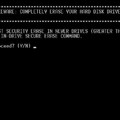
HDDerase.exe is a DOS-based utility that securely erases sanitizes all data
on ATA hard disk drives in Intel architecture computers (PCs). It offers the
option to run the drive internal secure erase command, security erase unit,
based on the ATA specification by the T13 technical committee. To run the
utility make a floppy, recordable CD-R, or USB DOS bootable disk; then copy HDDerase.exe to the bootable media. Reboot the computer with the floppy, CD-R, or USB inserted, and type hdderase at the system DOS prompt. Make sure to set the correct priority boot order in the system BIOS, such as first boot floppy,
CD-R, or USB depending on which media is used to run HDDerase.exe. HDDerase.exe must be run from an actual DOS environment and not a Window based DOS command prompt environment.
SUPPORT: Our sponsor, the National Security Agency, has ended their support of our program, and consequently we have no support staff to respond to problems.
If you are having difficulty running the program, and have tried the readme.txt files on our website, then the easiest way to get drives securely erased is to connect the drive to a different PC and run hdderase.exe on it.
This is particularly convenient if you have several drives to erase.
*NOTE: For laptop users, please make sure that there is sufficient battery life
to run and complete the secure erase procedure. Secure erase may take as long
as two hours for larger capacity drives. If power is lost during the secure erase,
the drive will be in a locked state, preventing all I/O access. See the FAQ for
further discussion on this topic.
[安全检测]
已通过安全检测
安全检测软体:Avira Antivir Personal
版本:
Product version 9.0.0.418 2009-12-2
Search engine 8.02.01.122 2009-12-18
Virus definition file 7.10.02.57 2009-12-23
Control Center 9.00.00.20 2009-12-23
Config Center 9.00.00.21 2009-2-20
Luke Filewalker 9.00.03.10 2009-12-23
AntiVir Guard 9.00.01.32 2009-7-21
Filter 9.00.03.17 2009-12-23
Scheduler 9.00.00.09 2009-5-13
Updater 9.00.00.52 2009-7-21
病毒库发布时间:2009-12-23
[安装测试]
Windows XP SP3下已经过安装测试
共用伺服器:free.usenet.nl 2
共用服务时间:全天不定时
软件类型:系统工具- 卸载清除
软件性质:免费软件
操作系统:windows DOS
应用平台:windows dos
问题反馈: 无技术支持
网站链接:http://cmrr.ucsd.edu/people/Hughes/SecureErase.shtml
版本更新说明:4.0
友情提醒,请勿出于好奇而在自用计算机上实验
【简介】
HDDerase.exe is a DOS-based utility that securely erases sanitizes all data
on ATA hard disk drives in Intel architecture computers (PCs). It offers the
option to run the drive internal secure erase command, security erase unit,
based on the ATA specification by the T13 technical committee. To run the
utility make a floppy, recordable CD-R, or USB DOS bootable disk; then copy HDDerase.exe to the bootable media. Reboot the computer with the floppy, CD-R, or USB inserted, and type hdderase at the system DOS prompt. Make sure to set the correct priority boot order in the system BIOS, such as first boot floppy,
CD-R, or USB depending on which media is used to run HDDerase.exe. HDDerase.exe must be run from an actual DOS environment and not a Window based DOS command prompt environment.
SUPPORT: Our sponsor, the National Security Agency, has ended their support of our program, and consequently we have no support staff to respond to problems.
If you are having difficulty running the program, and have tried the readme.txt files on our website, then the easiest way to get drives securely erased is to connect the drive to a different PC and run hdderase.exe on it.
This is particularly convenient if you have several drives to erase.
*NOTE: For laptop users, please make sure that there is sufficient battery life
to run and complete the secure erase procedure. Secure erase may take as long
as two hours for larger capacity drives. If power is lost during the secure erase,
the drive will be in a locked state, preventing all I/O access. See the FAQ for
further discussion on this topic.