
《让你的系统美化为VISTA》(Vista Inspirat BricoPack 1.1)1
电驴资源
| 用户共享的电驴资源列表 | |
|---|---|
| [让你的系统美化为VISTA].Pack_Vista_Inspirat_1.1.exe | 26.68 MB |
| 26.68 MB | |
电驴资源简介
中文名: 让你的系统美化为VISTA英文名: Vista Inspirat BricoPack 1.1版本: 1发行时间: 2005年08月23日制作发行: http://en.crystalxp.net地区: 法国简介:
让你的系统美化为VISTA,而没有任何风险,比LONGHORNTRANSPACK要好.
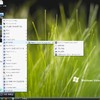
本软件已通过安全检测和已通过安装测试,我的截图入下。
系统要求:
OS : WindowsXP, WindowsXP SP1 or SP2, Windows2003
中文系统可以使用,安装后仍然是中文的
官方网址http://en.crystalxp.net
http://en.crystalxp.net/bricopack-vista-inspirat.php
Universal Vista Inspirat Brico Pack 1.1
Multilanguage Shell Pack for Windows XP
What is Vista Inspirat Shell Pack ??
Vista Inspirat Shell Pack is a complete custom shell pack for all Windows XP.
It consists of modified icons and a new themed appearance for Windows XP. After installing this shell pack, your computer will look like these screenshots.
Before starting the installation
Before launching the installation you must restore Windows XP original state/dll (Without any shell packs). For example, if you have the Longhorn Transformation Pack, you must uninstall it before installing a new BricoPack.
Presentation of the new Universal Shell Pack : BricoPack
What’s new with BricoPack System ?
- The packs are universal, they work on all Windows XP (but not Windows XP 64).
- Auto installation of the visual style, but it is possible to choose if you want to apply it or not during the installation.
- Update function : if you use Windows Update, original Windows XP icons will reappear. With BricoPack Update Function, you can re-apply the shell pack with a simple click
- Replacement of the files during the restarting of your computer, which makes it possible to completely avoid the problem of the files on use.
- Auto refresh of the icon cache.
Other fonctions
During the installation, it will be possible to choose the components to be installed. You can install or not the customised version of MSN Messenger, Outlook Express, or Windows Media Player 10.
After the installation you have two functions available via the start menu:
- Update, which allows recustomizer your system files (after using Windows Update for example).
- Uninstall, which restore your original Windows XP appearance
Update the Shell Pack
After the installation of the BricoPack you can update it (after using Windows Update for example) which allows recustomizer your system files . This fonction is available via the start menu
Remove the customisation
In order to find your original Windows XP appearance, nothing‘s easier : go in the Start menu BricoPacks Vista Inspirat Remove Vista Inspirat 1.0
You can also restore your original Visual Style and you original Wallpaper.
If you have a problem
If for X reasons your machine not work with the first boot following the installation of the pack, you can restore your system:
Put your CD of XP in the reader
Launch the restore console
Type R at the invites setup
You have the console with prompt the c: WINDOWS , type: “BATCH BricoPackUninst.txt”
Type EXIT when the operation finished.
Thanks
Bricomix (http://bricomix.net) the creator of the installator .
Stefanka (http://stefanka.deviantart.com/) the creator of Visual Style Longhorn Inspirat and Inspirat SE.
Overlord59 (http://perso.wanadoo.fr/overlord59/).
Didas for the Englih translation.
RadE8 (http://www.rad-e8.com)
The whole Team of CustomXP.net (http://customxp.net)
The Team of CrystalXP.net (http://crystalxp.net)
All the people who send me greeting mails (dlb@crystalxp.net).
And all those who have helped me directly or indirectly improving the pack
http://en.crystalxp.net
这个法国的开发商还提供除上面的美化外的另外九种美化包,大家可以去看看,真是太美了,对于我们一些爱美的懒人来说再好不过了
让你的系统美化为VISTA,而没有任何风险,比LONGHORNTRANSPACK要好.
本软件已通过安全检测和已通过安装测试,我的截图入下。
系统要求:
OS : WindowsXP, WindowsXP SP1 or SP2, Windows2003
中文系统可以使用,安装后仍然是中文的
官方网址http://en.crystalxp.net
http://en.crystalxp.net/bricopack-vista-inspirat.php
Universal Vista Inspirat Brico Pack 1.1
Multilanguage Shell Pack for Windows XP
What is Vista Inspirat Shell Pack ??
Vista Inspirat Shell Pack is a complete custom shell pack for all Windows XP.
It consists of modified icons and a new themed appearance for Windows XP. After installing this shell pack, your computer will look like these screenshots.
Before starting the installation
Before launching the installation you must restore Windows XP original state/dll (Without any shell packs). For example, if you have the Longhorn Transformation Pack, you must uninstall it before installing a new BricoPack.
Presentation of the new Universal Shell Pack : BricoPack
What’s new with BricoPack System ?
- The packs are universal, they work on all Windows XP (but not Windows XP 64).
- Auto installation of the visual style, but it is possible to choose if you want to apply it or not during the installation.
- Update function : if you use Windows Update, original Windows XP icons will reappear. With BricoPack Update Function, you can re-apply the shell pack with a simple click
- Replacement of the files during the restarting of your computer, which makes it possible to completely avoid the problem of the files on use.
- Auto refresh of the icon cache.
Other fonctions
During the installation, it will be possible to choose the components to be installed. You can install or not the customised version of MSN Messenger, Outlook Express, or Windows Media Player 10.
After the installation you have two functions available via the start menu:
- Update, which allows recustomizer your system files (after using Windows Update for example).
- Uninstall, which restore your original Windows XP appearance
Update the Shell Pack
After the installation of the BricoPack you can update it (after using Windows Update for example) which allows recustomizer your system files . This fonction is available via the start menu
Remove the customisation
In order to find your original Windows XP appearance, nothing‘s easier : go in the Start menu BricoPacks Vista Inspirat Remove Vista Inspirat 1.0
You can also restore your original Visual Style and you original Wallpaper.
If you have a problem
If for X reasons your machine not work with the first boot following the installation of the pack, you can restore your system:
Put your CD of XP in the reader
Launch the restore console
Type R at the invites setup
You have the console with prompt the c: WINDOWS , type: “BATCH BricoPackUninst.txt”
Type EXIT when the operation finished.
Thanks
Bricomix (http://bricomix.net) the creator of the installator .
Stefanka (http://stefanka.deviantart.com/) the creator of Visual Style Longhorn Inspirat and Inspirat SE.
Overlord59 (http://perso.wanadoo.fr/overlord59/).
Didas for the Englih translation.
RadE8 (http://www.rad-e8.com)
The whole Team of CustomXP.net (http://customxp.net)
The Team of CrystalXP.net (http://crystalxp.net)
All the people who send me greeting mails (dlb@crystalxp.net).
And all those who have helped me directly or indirectly improving the pack
http://en.crystalxp.net
这个法国的开发商还提供除上面的美化外的另外九种美化包,大家可以去看看,真是太美了,对于我们一些爱美的懒人来说再好不过了